






Category
- Repair Partsaddremove
- Multimediaaddremove
- Accessoryaddremove
- Tools and Equipmentaddremove





New products
There are 10746 products.
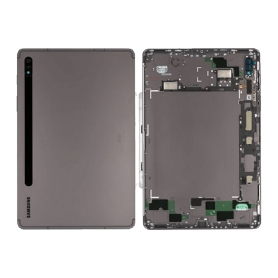
Galaxy Tab S8 Wi-Fi (X700) / Galaxy Tab S8 5G (X706) Anthracite Back Glass (Service Pack) - GH82-27818A
Galaxy Tab S8 Wi-Fi (X700) / Galaxy Tab S8 5G (X706) Anthracite Back Glass (Service Pack) - GH82-27818A
Replacement back glass for Samsung Galaxy Tab S8 Wi-Fi (X700) / Galaxy Tab S8 5G (X706), Anthracite colour. Genuine Samsung part (Service Pack), manufacturer part number GH82-27818A.
Please check your device model before purchase. Professional installation is recommended.
Replacement back glass for Samsung Galaxy Tab S8 Wi-Fi (X700) / Galaxy Tab S8 5G (X706), Anthracite colour. Genuine Samsung part (Service Pack), manufacturer part number GH82-27818A.
Please check your device model before purchase. Professional installation is recommended.
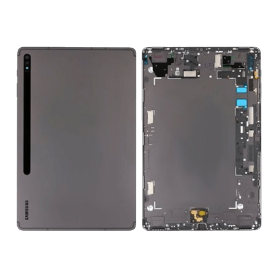
Galaxy Tab S8 Plus 5G (X806) / Galaxy Tab S8 Plus Wi-Fi (X800) Graphite Back Glass (Service Pack) - GH82-27815A
Galaxy Tab S8 Plus 5G (X806) / Galaxy Tab S8 Plus Wi-Fi (X800) Graphite Back Glass (Service Pack) - GH82-27815A
Replacement back glass for Samsung Galaxy Tab S8 Plus 5G (X806) / Galaxy Tab S8 Plus Wi-Fi (X800), Graphite colour. Genuine Samsung part (Service Pack), manufacturer part number GH82-27815A.
Please check your device model before purchase. Professional installation is recommended.
Replacement back glass for Samsung Galaxy Tab S8 Plus 5G (X806) / Galaxy Tab S8 Plus Wi-Fi (X800), Graphite colour. Genuine Samsung part (Service Pack), manufacturer part number GH82-27815A.
Please check your device model before purchase. Professional installation is recommended.
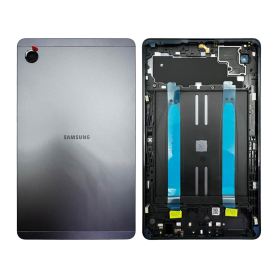
Galaxy Tab A11 Wi-Fi (X130) Gray Back Glass (No Logo)
Key features: Galaxy Tab A11 Wi-Fi (X130) Gray Back Glass (No Logo)
Replacement back glass for Galaxy Tab A11 Wi-Fi (X130), Gray colour. Compatible part without logo, professional quality. Ideal for replacing a cracked, scratched or damaged back glass and restoring your tablet to its original look.
Replacement back glass for Galaxy Tab A11 Wi-Fi (X130), Gray colour. Compatible part without logo, professional quality. Ideal for replacing a cracked, scratched or damaged back glass and restoring your tablet to its original look.
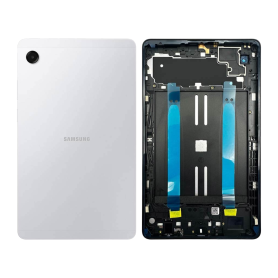
Galaxy Tab A11 Wi-Fi (X130) Silver Back Glass (No Logo)
Key features: Galaxy Tab A11 Wi-Fi (X130) Silver Back Glass (No Logo)
Replacement back glass for Galaxy Tab A11 Wi-Fi (X130), Silver colour. Compatible part without logo, professional quality. Ideal for replacing a cracked, scratched or damaged back glass and restoring your tablet to its original look.
Replacement back glass for Galaxy Tab A11 Wi-Fi (X130), Silver colour. Compatible part without logo, professional quality. Ideal for replacing a cracked, scratched or damaged back glass and restoring your tablet to its original look.
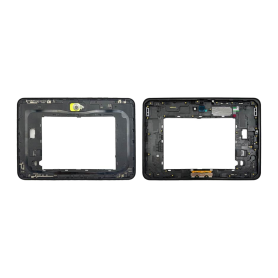
Frame Samsung Galaxy Tab Active5 Pro 5G (X356) (Service Pack) - GH98-50046A
Frame Samsung Galaxy Tab Active5 Pro 5G (X356) (Service Pack) - GH98-50046A
Replacement chassis for Samsung Galaxy Tab Active5 Pro 5G (X356). Genuine Samsung part (Service Pack), manufacturer part number GH98-50046A.
Please check your device model before purchase. Professional installation is recommended.
Replacement chassis for Samsung Galaxy Tab Active5 Pro 5G (X356). Genuine Samsung part (Service Pack), manufacturer part number GH98-50046A.
Please check your device model before purchase. Professional installation is recommended.
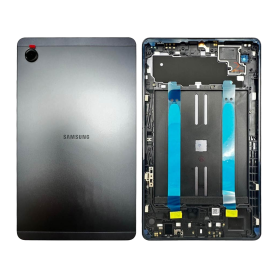
Galaxy Tab A11 4G (X135) Gray Back Glass (No Logo)
Key features: Galaxy Tab A11 4G (X135) Gray Back Glass (No Logo)
Replacement back glass for Galaxy Tab A11 4G (X135), Gray colour. Compatible part without logo, professional quality. Ideal for replacing a cracked, scratched or damaged back glass and restoring your tablet to its original look.
Replacement back glass for Galaxy Tab A11 4G (X135), Gray colour. Compatible part without logo, professional quality. Ideal for replacing a cracked, scratched or damaged back glass and restoring your tablet to its original look.
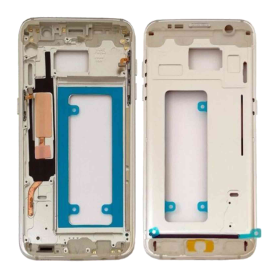
Galaxy S7 Gold Mid-Chassis (G930)
Galaxy S7 Gold Mid-Chassis (G930)
Replacement middle frame for Samsung Galaxy S7 (G930), Gold colour.
Please check your device model before purchase. Professional installation is recommended.
Replacement middle frame for Samsung Galaxy S7 (G930), Gold colour.
Please check your device model before purchase. Professional installation is recommended.
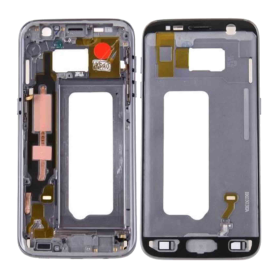
Galaxy S7 Black Mid-Chassis (G930)
Galaxy S7 Black Mid-Chassis (G930)
Replacement middle frame for Samsung Galaxy S7 (G930), Black colour.
Please check your device model before purchase. Professional installation is recommended.
Replacement middle frame for Samsung Galaxy S7 (G930), Black colour.
Please check your device model before purchase. Professional installation is recommended.
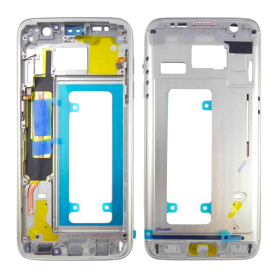
Galaxy S7 Silver Mid-Chassis (G930)
Galaxy S7 Silver Mid-Chassis (G930)
Replacement middle frame for Samsung Galaxy S7 (G930), Silver colour.
Please check your device model before purchase. Professional installation is recommended.
Replacement middle frame for Samsung Galaxy S7 (G930), Silver colour.
Please check your device model before purchase. Professional installation is recommended.
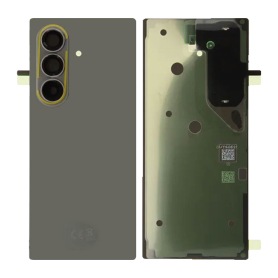
Galaxy Z Fold 8 Ultra (F976) Graphite Back Glass (Service Pack) - GH82-39769A
Galaxy Z Fold 8 Ultra (F976) Graphite Back Glass (Service Pack) - GH82-39769A
Replacement back glass for Samsung Galaxy Z Fold 8 Ultra (F976), Graphite colour. Quality: Service Pack (genuine Samsung part).
Replacement back glass for Samsung Galaxy Z Fold 8 Ultra (F976), Graphite colour. Quality: Service Pack (genuine Samsung part).
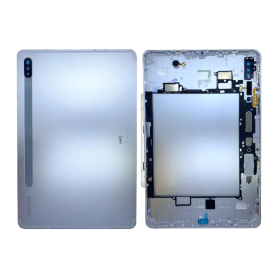
Galaxy Tab S7 Wi-Fi (T870) Mystic Silver Back Glass (Service Pack) - GH82-23570B
Galaxy Tab S7 Wi-Fi (T870) Mystic Silver Back Glass (Service Pack) - GH82-23570B
Replacement back glass for Samsung Galaxy Tab S7 Wi-Fi (T870), Mystic Silver colour. Genuine Samsung part (Service Pack), manufacturer part number GH82-23570B.
Please check your device model before purchase. Professional installation is recommended.
Replacement back glass for Samsung Galaxy Tab S7 Wi-Fi (T870), Mystic Silver colour. Genuine Samsung part (Service Pack), manufacturer part number GH82-23570B.
Please check your device model before purchase. Professional installation is recommended.
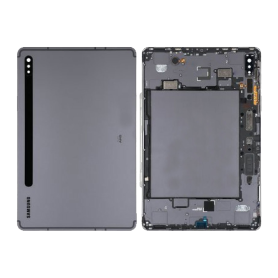
Galaxy Tab S7 Wi-Fi (T870) Mystic Black Back Glass (Service Pack) - GH82-23570A
Galaxy Tab S7 Wi-Fi (T870) Mystic Black Back Glass (Service Pack) - GH82-23570A
Replacement back glass for Samsung Galaxy Tab S7 Wi-Fi (T870), Mystic Black colour. Genuine Samsung part (Service Pack), manufacturer part number GH82-23570A.
Please check your device model before purchase. Professional installation is recommended.
Replacement back glass for Samsung Galaxy Tab S7 Wi-Fi (T870), Mystic Black colour. Genuine Samsung part (Service Pack), manufacturer part number GH82-23570A.
Please check your device model before purchase. Professional installation is recommended.
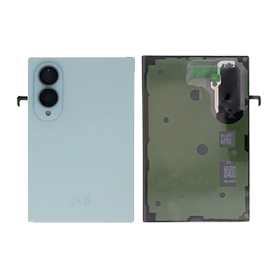
Galaxy Z Fold 8 (F971) Pistachio Back Glass (Service Pack) - GH82-39750D
Galaxy Z Fold 8 (F971) Pistachio Back Glass (Service Pack) - GH82-39750D
Replacement back glass for Samsung Galaxy Z Fold 8 (F971), Pistachio colour. Quality: Service Pack (genuine Samsung part).
Replacement back glass for Samsung Galaxy Z Fold 8 (F971), Pistachio colour. Quality: Service Pack (genuine Samsung part).
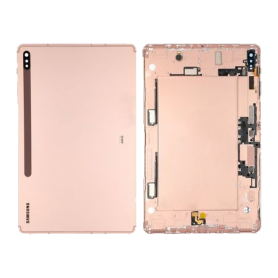
Galaxy Tab S7 Plus Wi-Fi (T970) Mystic Bronze Back Glass (Service Pack) - GH82-23279C/GH96-13787C
Galaxy Tab S7 Plus Wi-Fi (T970) Mystic Bronze Back Glass (Service Pack) - GH82-23279C/GH96-13787C
Replacement back glass for Samsung Galaxy Tab S7 Plus Wi-Fi (T970), Mystic Bronze colour. Genuine Samsung part (Service Pack), manufacturer part number GH82-23279C/GH96-13787C.
Please check your device model before purchase. Professional installation is recommended.
Replacement back glass for Samsung Galaxy Tab S7 Plus Wi-Fi (T970), Mystic Bronze colour. Genuine Samsung part (Service Pack), manufacturer part number GH82-23279C/GH96-13787C.
Please check your device model before purchase. Professional installation is recommended.
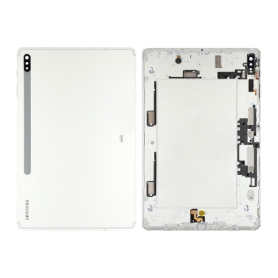
Galaxy Tab S7 Plus Wi-Fi (T970) Mystic Silver Back Glass (Service Pack) - GH96-13787B
Galaxy Tab S7 Plus Wi-Fi (T970) Mystic Silver Back Glass (Service Pack) - GH96-13787B
Replacement back glass for Samsung Galaxy Tab S7 Plus Wi-Fi (T970), Mystic Silver colour. Genuine Samsung part (Service Pack), manufacturer part number GH96-13787B.
Please check your device model before purchase. Professional installation is recommended.
Replacement back glass for Samsung Galaxy Tab S7 Plus Wi-Fi (T970), Mystic Silver colour. Genuine Samsung part (Service Pack), manufacturer part number GH96-13787B.
Please check your device model before purchase. Professional installation is recommended.
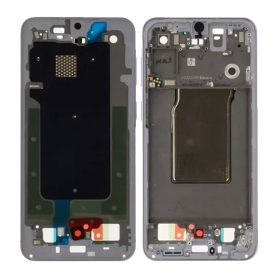
Samsung Galaxy A57 5G (A576) Lavender Chassis (Service Pack) - GH82-39284D
Samsung Galaxy A57 5G (A576) Lavender Chassis (Service Pack) - GH82-39284D
Replacement chassis for Samsung Galaxy A57 5G (A576), Lavender colour. Genuine Samsung part (Service Pack), manufacturer part number GH82-39284D.
Please check your device model before purchase. Professional installation is recommended.
Replacement chassis for Samsung Galaxy A57 5G (A576), Lavender colour. Genuine Samsung part (Service Pack), manufacturer part number GH82-39284D.
Please check your device model before purchase. Professional installation is recommended.
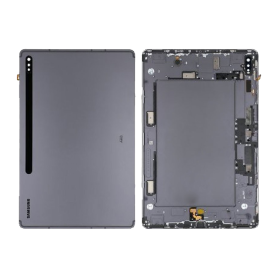
Galaxy Tab S7 Plus Wi-Fi (T970) Mystic Black Back Glass (Service Pack) - GH96-13787A
Galaxy Tab S7 Plus Wi-Fi (T970) Mystic Black Back Glass (Service Pack) - GH96-13787A
Replacement back glass for Samsung Galaxy Tab S7 Plus Wi-Fi (T970), Mystic Black colour. Genuine Samsung part (Service Pack), manufacturer part number GH96-13787A.
Please check your device model before purchase. Professional installation is recommended.
Replacement back glass for Samsung Galaxy Tab S7 Plus Wi-Fi (T970), Mystic Black colour. Genuine Samsung part (Service Pack), manufacturer part number GH96-13787A.
Please check your device model before purchase. Professional installation is recommended.
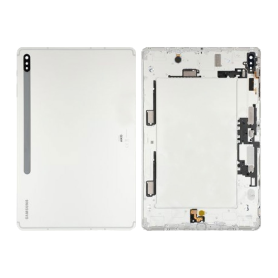
Galaxy Tab S7 Plus 5G (T976) Mystic Silver Back Glass (Service Pack) - GH82-23279B
Galaxy Tab S7 Plus 5G (T976) Mystic Silver Back Glass (Service Pack) - GH82-23279B
Replacement back glass for Samsung Galaxy Tab S7 Plus 5G (T976), Mystic Silver colour. Genuine Samsung part (Service Pack), manufacturer part number GH82-23279B.
Please check your device model before purchase. Professional installation is recommended.
Replacement back glass for Samsung Galaxy Tab S7 Plus 5G (T976), Mystic Silver colour. Genuine Samsung part (Service Pack), manufacturer part number GH82-23279B.
Please check your device model before purchase. Professional installation is recommended.
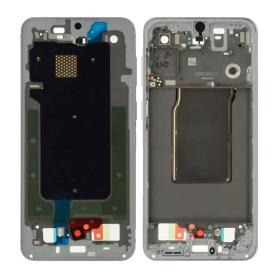
Samsung Galaxy A57 5G (A576) Light Blue Chassis (Service Pack) - GH82-39284C
Samsung Galaxy A57 5G (A576) Light Blue Chassis (Service Pack) - GH82-39284C
Replacement chassis for Samsung Galaxy A57 5G (A576), Light Blue colour. Genuine Samsung part (Service Pack), manufacturer part number GH82-39284C.
Please check your device model before purchase. Professional installation is recommended.
Replacement chassis for Samsung Galaxy A57 5G (A576), Light Blue colour. Genuine Samsung part (Service Pack), manufacturer part number GH82-39284C.
Please check your device model before purchase. Professional installation is recommended.
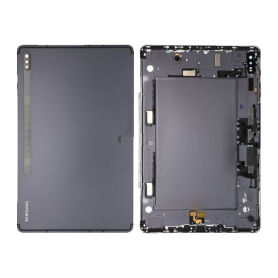
Galaxy Tab S7 Plus 5G (T976) Mystic Black Back Glass (Service Pack) - GH82-23279A
Galaxy Tab S7 Plus 5G (T976) Mystic Black Back Glass (Service Pack) - GH82-23279A
Replacement back glass for Samsung Galaxy Tab S7 Plus 5G (T976), Mystic Black colour. Genuine Samsung part (Service Pack), manufacturer part number GH82-23279A.
Please check your device model before purchase. Professional installation is recommended.
Replacement back glass for Samsung Galaxy Tab S7 Plus 5G (T976), Mystic Black colour. Genuine Samsung part (Service Pack), manufacturer part number GH82-23279A.
Please check your device model before purchase. Professional installation is recommended.
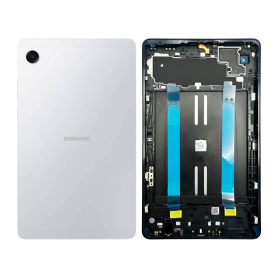
Galaxy Tab A11 4G (X135) Silver Back Glass (No Logo)
Key features: Galaxy Tab A11 4G (X135) Silver Back Glass (No Logo)
Replacement back glass for Galaxy Tab A11 4G (X135), Silver colour. Compatible part without logo, professional quality. Ideal for replacing a cracked, scratched or damaged back glass and restoring your tablet to its original look.
Replacement back glass for Galaxy Tab A11 4G (X135), Silver colour. Compatible part without logo, professional quality. Ideal for replacing a cracked, scratched or damaged back glass and restoring your tablet to its original look.
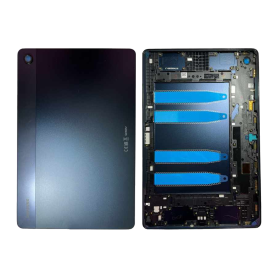
Galaxy Tab A9 Plus 5G (X216) Navy Back Glass (No Logo)
Key features: Galaxy Tab A9 Plus 5G (X216) Navy Back Glass (No Logo)
Replacement back glass for Galaxy Tab A9 Plus 5G (X216), Navy colour. Compatible part without logo, professional quality. Ideal for replacing a cracked, scratched or damaged back glass and restoring your tablet to its original look.
Replacement back glass for Galaxy Tab A9 Plus 5G (X216), Navy colour. Compatible part without logo, professional quality. Ideal for replacing a cracked, scratched or damaged back glass and restoring your tablet to its original look.
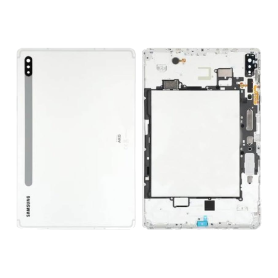
Galaxy Tab S7 4G (T875) Mystic Silver Back Glass (Service Pack) - GH82-23571B
Galaxy Tab S7 4G (T875) Mystic Silver Back Glass (Service Pack) - GH82-23571B
Replacement back glass for Samsung Galaxy Tab S7 4G (T875), Mystic Silver colour. Genuine Samsung part (Service Pack), manufacturer part number GH82-23571B.
Please check your device model before purchase. Professional installation is recommended.
Replacement back glass for Samsung Galaxy Tab S7 4G (T875), Mystic Silver colour. Genuine Samsung part (Service Pack), manufacturer part number GH82-23571B.
Please check your device model before purchase. Professional installation is recommended.
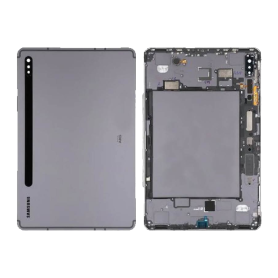
Galaxy Tab S7 4G (T875) Mystic Black Back Glass (Service Pack) - GH82-23571A
Galaxy Tab S7 4G (T875) Mystic Black Back Glass (Service Pack) - GH82-23571A
Replacement back glass for Samsung Galaxy Tab S7 4G (T875), Mystic Black colour. Genuine Samsung part (Service Pack), manufacturer part number GH82-23571A.
Please check your device model before purchase. Professional installation is recommended.
Replacement back glass for Samsung Galaxy Tab S7 4G (T875), Mystic Black colour. Genuine Samsung part (Service Pack), manufacturer part number GH82-23571A.
Please check your device model before purchase. Professional installation is recommended.
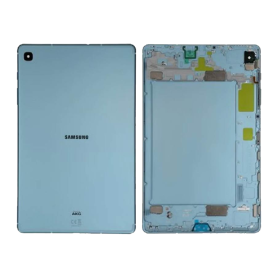
Galaxy Tab S6 Lite Wi-Fi (P610) / Galaxy Tab S6 Lite 4G (P615) Angora Blue Back Glass (Service Pack) - GH82-22632B
Galaxy Tab S6 Lite Wi-Fi (P610) / Galaxy Tab S6 Lite 4G (P615) Angora Blue Back Glass (Service Pack) - GH82-22632B
Replacement back glass for Samsung Galaxy Tab S6 Lite Wi-Fi (P610) / Galaxy Tab S6 Lite 4G (P615), Angora Blue colour. Genuine Samsung part (Service Pack), manufacturer part number GH82-22632B.
Please check your device model before purchase. Professional installation is recommended.
Replacement back glass for Samsung Galaxy Tab S6 Lite Wi-Fi (P610) / Galaxy Tab S6 Lite 4G (P615), Angora Blue colour. Genuine Samsung part (Service Pack), manufacturer part number GH82-22632B.
Please check your device model before purchase. Professional installation is recommended.
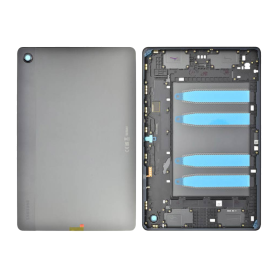
Galaxy Tab A9 Plus 5G (X216) Graphite Back Glass (No Logo)
Key features: Galaxy Tab A9 Plus 5G (X216) Graphite Back Glass (No Logo)
Replacement back glass for Galaxy Tab A9 Plus 5G (X216), Graphite colour. Compatible part without logo, professional quality. Ideal for replacing a cracked, scratched or damaged back glass and restoring your tablet to its original look.
Replacement back glass for Galaxy Tab A9 Plus 5G (X216), Graphite colour. Compatible part without logo, professional quality. Ideal for replacing a cracked, scratched or damaged back glass and restoring your tablet to its original look.
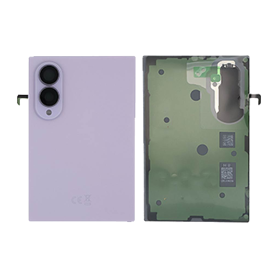
Galaxy Z Fold 8 (F971) Lavender Back Glass (Service Pack) - GH82-39750C
Galaxy Z Fold 8 (F971) Lavender Back Glass (Service Pack) - GH82-39750C
Replacement back glass for Samsung Galaxy Z Fold 8 (F971), Lavender colour. Quality: Service Pack (genuine Samsung part).
Replacement back glass for Samsung Galaxy Z Fold 8 (F971), Lavender colour. Quality: Service Pack (genuine Samsung part).
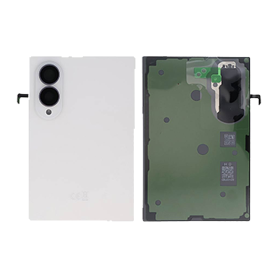
Galaxy Z Fold 8 (F971) White Back Glass (Service Pack) - GH82-39750B
Galaxy Z Fold 8 (F971) White Back Glass (Service Pack) - GH82-39750B
Replacement back glass for Samsung Galaxy Z Fold 8 (F971), White colour. Quality: Service Pack (genuine Samsung part).
Replacement back glass for Samsung Galaxy Z Fold 8 (F971), White colour. Quality: Service Pack (genuine Samsung part).
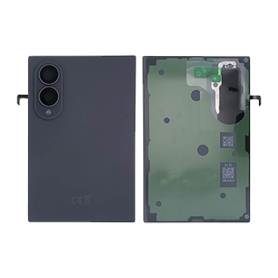
Galaxy Z Fold 8 (F971) Graphite Back Glass (Service Pack) - GH82-39750A
Galaxy Z Fold 8 (F971) Graphite Back Glass (Service Pack) - GH82-39750A
Replacement back glass for Samsung Galaxy Z Fold 8 (F971), Graphite colour. Quality: Service Pack (genuine Samsung part).
Replacement back glass for Samsung Galaxy Z Fold 8 (F971), Graphite colour. Quality: Service Pack (genuine Samsung part).
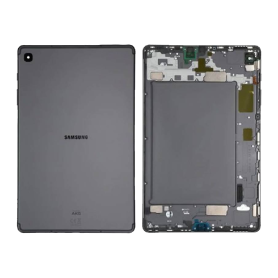
Galaxy Tab S6 Lite Wi-Fi (P610) / Galaxy Tab S6 Lite 4G (P615) Oxford Gray Back Glass (Service Pack) - GH82-22632A
Galaxy Tab S6 Lite Wi-Fi (P610) / Galaxy Tab S6 Lite 4G (P615) Oxford Gray Back Glass (Service Pack) - GH82-22632A
Replacement back glass for Samsung Galaxy Tab S6 Lite Wi-Fi (P610) / Galaxy Tab S6 Lite 4G (P615), Oxford Gray colour. Genuine Samsung part (Service Pack), manufacturer part number GH82-22632A.
Please check your device model before purchase. Professional installation is recommended.
Replacement back glass for Samsung Galaxy Tab S6 Lite Wi-Fi (P610) / Galaxy Tab S6 Lite 4G (P615), Oxford Gray colour. Genuine Samsung part (Service Pack), manufacturer part number GH82-22632A.
Please check your device model before purchase. Professional installation is recommended.
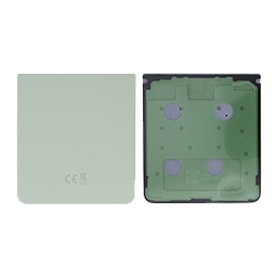
Galaxy Z Flip 8 (F776) Aqua Green Back Glass (Service Pack) - GH82-39772D
Galaxy Z Flip 8 (F776) Aqua Green Back Glass (Service Pack) - GH82-39772D
Replacement back glass for Samsung Galaxy Z Flip 8 (F776), Aqua Green colour. Quality: Service Pack (genuine Samsung part).
Replacement back glass for Samsung Galaxy Z Flip 8 (F776), Aqua Green colour. Quality: Service Pack (genuine Samsung part).
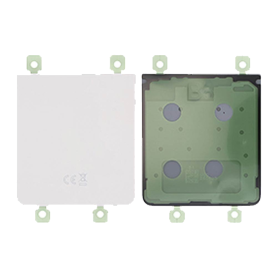
Galaxy Z Flip 8 (F776) Pink Back Glass (Service Pack) - GH82-39772C
Galaxy Z Flip 8 (F776) Pink Back Glass (Service Pack) - GH82-39772C
Replacement back glass for Samsung Galaxy Z Flip 8 (F776), Pink colour. Quality: Service Pack (genuine Samsung part).
Replacement back glass for Samsung Galaxy Z Flip 8 (F776), Pink colour. Quality: Service Pack (genuine Samsung part).
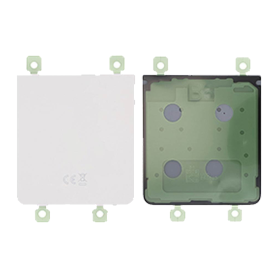
Galaxy Z Flip 8 (F776) White Back Glass (Service Pack) - GH82-39772B
Galaxy Z Flip 8 (F776) White Back Glass (Service Pack) - GH82-39772B
Replacement back glass for Samsung Galaxy Z Flip 8 (F776), White colour. Quality: Service Pack (genuine Samsung part).
Replacement back glass for Samsung Galaxy Z Flip 8 (F776), White colour. Quality: Service Pack (genuine Samsung part).
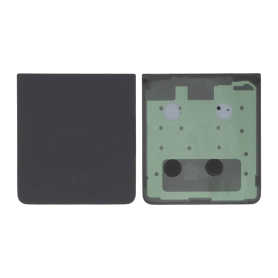
Galaxy Z Flip 8 (F776) Graphite Back Glass (Service Pack) - GH82-39772A
Galaxy Z Flip 8 (F776) Graphite Back Glass (Service Pack) - GH82-39772A
Replacement back glass for Samsung Galaxy Z Flip 8 (F776), Graphite colour. Quality: Service Pack (genuine Samsung part).
Replacement back glass for Samsung Galaxy Z Flip 8 (F776), Graphite colour. Quality: Service Pack (genuine Samsung part).
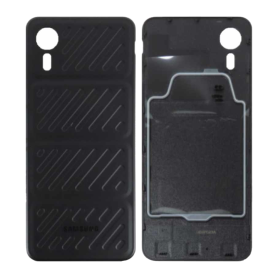
Back Glass Galaxy Xcover 7 (G556) Black (Without Logo)
Back Glass Galaxy Xcover 7 (G556) Black (Without Logo)
Replacement back glass for Samsung Galaxy Xcover 7 (G556), Black colour. Quality: Without logo.
Replacement back glass for Samsung Galaxy Xcover 7 (G556), Black colour. Quality: Without logo.
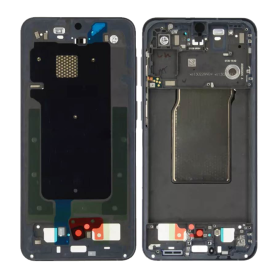
Samsung Galaxy A57 5G (A576) Blue Chassis (Service Pack) - GH82-39284B
Samsung Galaxy A57 5G (A576) Blue Chassis (Service Pack) - GH82-39284B
Replacement chassis for Samsung Galaxy A57 5G (A576), Blue colour. Genuine Samsung part (Service Pack), manufacturer part number GH82-39284B.
Please check your device model before purchase. Professional installation is recommended.
Replacement chassis for Samsung Galaxy A57 5G (A576), Blue colour. Genuine Samsung part (Service Pack), manufacturer part number GH82-39284B.
Please check your device model before purchase. Professional installation is recommended.
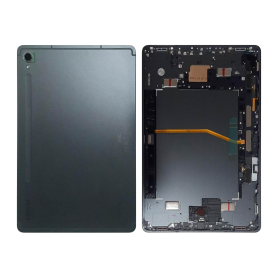
Galaxy Tab S9 Wi-Fi (X710) Graphite Back Glass (Service Pack) - GH82-31679A
Key features: Galaxy Tab S9 Wi-Fi (X710) Graphite Back Glass (Service Pack) - GH82-31679A
Replacement back glass for Galaxy Tab S9 Wi-Fi (X710), Graphite colour. Genuine Samsung part supplied as a Service Pack, manufacturer reference GH82-31679A. Ideal for replacing a cracked, scratched or damaged back glass and restoring your tablet to its original look.
Replacement back glass for Galaxy Tab S9 Wi-Fi (X710), Graphite colour. Genuine Samsung part supplied as a Service Pack, manufacturer reference GH82-31679A. Ideal for replacing a cracked, scratched or damaged back glass and restoring your tablet to its original look.
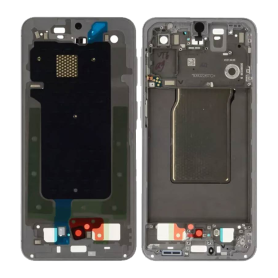
Samsung Galaxy A57 5G (A576) Gray Chassis (Service Pack) - GH82-39284A
Samsung Galaxy A57 5G (A576) Gray Chassis (Service Pack) - GH82-39284A
Replacement chassis for Samsung Galaxy A57 5G (A576), Grey colour. Genuine Samsung part (Service Pack), manufacturer part number GH82-39284A.
Please check your device model before purchase. Professional installation is recommended.
Replacement chassis for Samsung Galaxy A57 5G (A576), Grey colour. Genuine Samsung part (Service Pack), manufacturer part number GH82-39284A.
Please check your device model before purchase. Professional installation is recommended.
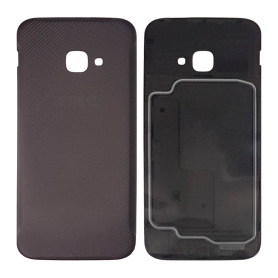
Back Glass Galaxy Xcover 4s (G398) Black (Without Logo)
Back Glass Galaxy Xcover 4s (G398) Black (Without Logo)
Replacement back glass for Samsung Galaxy Xcover 4s (G398), Black colour. Quality: Without logo.
Replacement back glass for Samsung Galaxy Xcover 4s (G398), Black colour. Quality: Without logo.
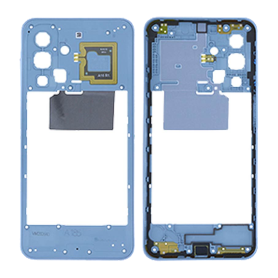
Galaxy A18 4G (A185) Chassis Light Blue (Service Pack) - GH98-51271C
Galaxy A18 4G (A185) Chassis Light Blue (Service Pack) - GH98-51271C
Replacement chassis for Samsung Galaxy A18 4G (A185), Light Blue colour. Genuine Samsung part (Service Pack), manufacturer part number GH98-51271C.
Please check your device model before purchase. Professional installation is recommended.
Replacement chassis for Samsung Galaxy A18 4G (A185), Light Blue colour. Genuine Samsung part (Service Pack), manufacturer part number GH98-51271C.
Please check your device model before purchase. Professional installation is recommended.
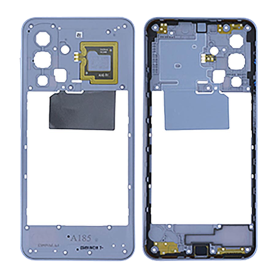
Galaxy A18 4G Chassis (A185) Gray (Service Pack) - GH98-51271B
Galaxy A18 4G Chassis (A185) Gray (Service Pack) - GH98-51271B
Replacement chassis for Samsung Galaxy A18 4G (A185), Grey colour. Genuine Samsung part (Service Pack), manufacturer part number GH98-51271B.
Please check your device model before purchase. Professional installation is recommended.
Replacement chassis for Samsung Galaxy A18 4G (A185), Grey colour. Genuine Samsung part (Service Pack), manufacturer part number GH98-51271B.
Please check your device model before purchase. Professional installation is recommended.
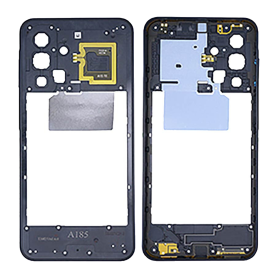
Galaxy A18 4G Chassis (A185) Black (Service Pack) - GH98-51271A
Galaxy A18 4G Chassis (A185) Black (Service Pack) - GH98-51271A
Replacement chassis for Samsung Galaxy A18 4G (A185), Black colour. Genuine Samsung part (Service Pack), manufacturer part number GH98-51271A.
Please check your device model before purchase. Professional installation is recommended.
Replacement chassis for Samsung Galaxy A18 4G (A185), Black colour. Genuine Samsung part (Service Pack), manufacturer part number GH98-51271A.
Please check your device model before purchase. Professional installation is recommended.
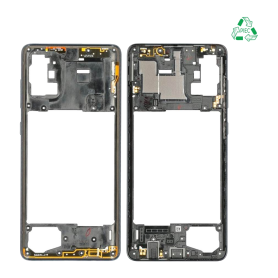
Galaxy A71 Prism Black Mid-Chassis (A715)
Galaxy A71 Prism Black Mid-Chassis (A715)
Replacement middle frame for Samsung Galaxy A71 (A715), Prism Black colour.
Please check your device model before purchase. Professional installation is recommended.
Replacement middle frame for Samsung Galaxy A71 (A715), Prism Black colour.
Please check your device model before purchase. Professional installation is recommended.
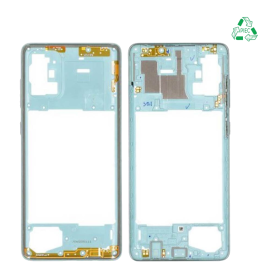
Galaxy A71 Prism Blue Mid-Chassis (A715)
Galaxy A71 Prism Blue Mid-Chassis (A715)
Replacement middle frame for Samsung Galaxy A71 (A715), Prism Blue colour.
Please check your device model before purchase. Professional installation is recommended.
Replacement middle frame for Samsung Galaxy A71 (A715), Prism Blue colour.
Please check your device model before purchase. Professional installation is recommended.
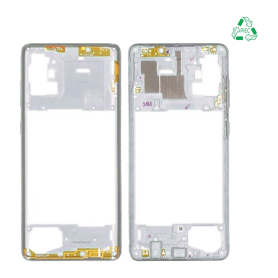
Galaxy A71 Prism Silver Mid-Chassis (A715)
Galaxy A71 Prism Silver Mid-Chassis (A715)
Replacement middle frame for Samsung Galaxy A71 (A715), Prism Silver colour.
Please check your device model before purchase. Professional installation is recommended.
Replacement middle frame for Samsung Galaxy A71 (A715), Prism Silver colour.
Please check your device model before purchase. Professional installation is recommended.
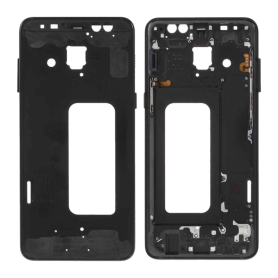
Galaxy A8 2018 Black Mid-Chassis (A530)
Galaxy A8 2018 Black Mid-Chassis (A530)
Replacement middle frame for Samsung Galaxy A8 2018 (A530), Black colour.
Please check your device model before purchase. Professional installation is recommended.
Replacement middle frame for Samsung Galaxy A8 2018 (A530), Black colour.
Please check your device model before purchase. Professional installation is recommended.
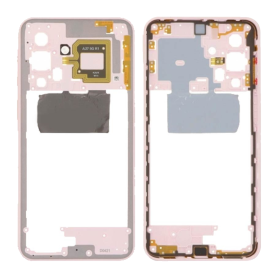
Middle Frame Galaxy A27 5G (A276) Light Pink
Middle Frame Galaxy A27 5G (A276) Light Pink
Replacement middle frame for Samsung Galaxy A27 5G (A276), Light Pink colour.
Please check your device model before purchase. Professional installation is recommended.
Replacement middle frame for Samsung Galaxy A27 5G (A276), Light Pink colour.
Please check your device model before purchase. Professional installation is recommended.
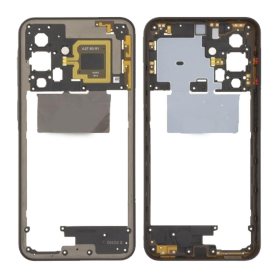
Middle Frame Galaxy A27 5G (A276) Black
Middle Frame Galaxy A27 5G (A276) Black
Replacement middle frame for Samsung Galaxy A27 5G (A276), Black colour.
Please check your device model before purchase. Professional installation is recommended.
Replacement middle frame for Samsung Galaxy A27 5G (A276), Black colour.
Please check your device model before purchase. Professional installation is recommended.
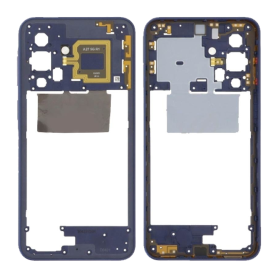
Middle Frame Galaxy A27 5G (A276) Blue
Middle Frame Galaxy A27 5G (A276) Blue
Replacement middle frame for Samsung Galaxy A27 5G (A276), Blue colour.
Please check your device model before purchase. Professional installation is recommended.
Replacement middle frame for Samsung Galaxy A27 5G (A276), Blue colour.
Please check your device model before purchase. Professional installation is recommended.
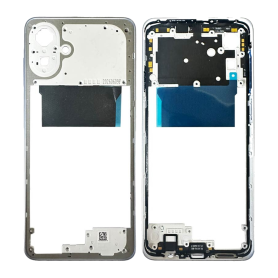
Galaxy A07 5G Light Violet Mid-Chassis (A076)
Galaxy A07 5G Light Violet Mid-Chassis (A076)
Replacement middle frame for Samsung Galaxy A07 5G (A076), Light Violet colour.
Please check your device model before purchase. Professional installation is recommended.
Replacement middle frame for Samsung Galaxy A07 5G (A076), Light Violet colour.
Please check your device model before purchase. Professional installation is recommended.
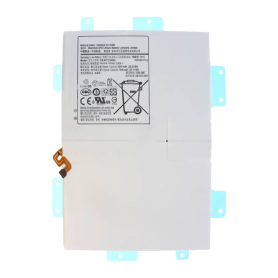
Battery EB-BT725ABU Galaxy Tab S6 Lite Wi-Fi (P610) / Galaxy Tab S6 Lite 4G (P615) / Galaxy Tab S6 Lite 2022 Wi-Fi (P613)
Key features – Battery EB-BT725ABU Galaxy Tab S6 Lite Wi-Fi (P610) / Galaxy Tab S6 Lite 4G (P615) / Galaxy Tab S6 Lite 2022 Wi-Fi (P613)
Part type: Battery
Battery reference: EB-BT725ABU
Compatibility: Samsung Galaxy Tab S6 Lite Wi-Fi (P610), Galaxy Tab S6 Lite 4G (P615) and Galaxy Tab S6 Lite 2022 Wi-Fi (P613)
Quality: OEM
Designed for repair professionals
Part type: Battery
Battery reference: EB-BT725ABU
Compatibility: Samsung Galaxy Tab S6 Lite Wi-Fi (P610), Galaxy Tab S6 Lite 4G (P615) and Galaxy Tab S6 Lite 2022 Wi-Fi (P613)
Quality: OEM
Designed for repair professionals
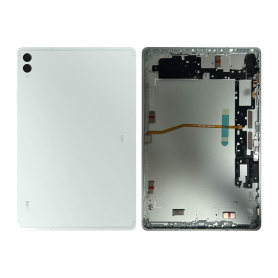
Galaxy Tab S9 FE Plus Wi-Fi (X610) / Galaxy Tab S9 FE Plus 5G (X616) Mint Back Glass (Service Pack) - GH82-32703D
Key features: Galaxy Tab S9 FE Plus Wi-Fi (X610) / Galaxy Tab S9 FE Plus 5G (X616) Mint Back Glass (Service Pack) - GH82-32703D
Replacement back glass for Galaxy Tab S9 FE Plus Wi-Fi (X610) / Galaxy Tab S9 FE Plus 5G (X616), Mint colour. Genuine Samsung part supplied as a Service Pack, manufacturer reference GH82-32703D. Ideal for replacing a cracked, scratched or damaged back glass and restoring your tablet to its original look.
Replacement back glass for Galaxy Tab S9 FE Plus Wi-Fi (X610) / Galaxy Tab S9 FE Plus 5G (X616), Mint colour. Genuine Samsung part supplied as a Service Pack, manufacturer reference GH82-32703D. Ideal for replacing a cracked, scratched or damaged back glass and restoring your tablet to its original look.
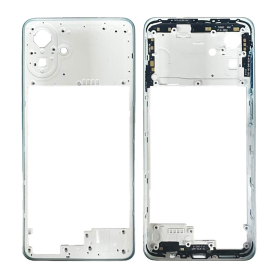
Galaxy A07 5G Green Mid-Chassis (A076)
Galaxy A07 5G Green Mid-Chassis (A076)
Replacement middle frame for Samsung Galaxy A07 5G (A076), Green colour.
Please check your device model before purchase. Professional installation is recommended.
Replacement middle frame for Samsung Galaxy A07 5G (A076), Green colour.
Please check your device model before purchase. Professional installation is recommended.
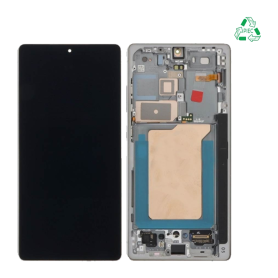
Galaxy S25 Ultra (S938) Titanium Silver Screen + Chassis (Original, Disassembled)
Samsung Galaxy S25 Ultra (S938) Titanium Silver Screen + Frame (Original Disassembled)
Replacement screen for Samsung Galaxy S25 Ultra (S938), Titanium Silver colour, supplied pre-mounted on the frame. Quality: Original Disassembled.
Please check your device model before purchase. Professional installation is recommended.
Replacement screen for Samsung Galaxy S25 Ultra (S938), Titanium Silver colour, supplied pre-mounted on the frame. Quality: Original Disassembled.
Please check your device model before purchase. Professional installation is recommended.
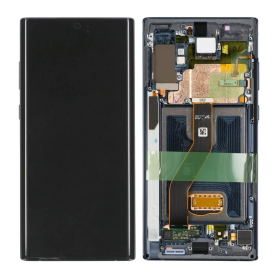
Screen Galaxy Note 10 Plus (N975) Black + Frame (OLED)
Screen Galaxy Note 10 Plus (N975) Black + Frame (OLED)
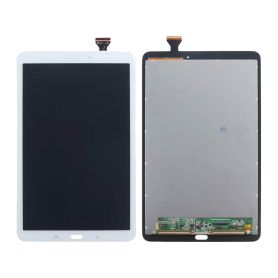
Screen Galaxy Tab E (T560) White (OLED)
Screen Galaxy Tab E (T560) White (OLED): replacement part for Samsung Galaxy Tab E (T560), colour White, OLED quality.
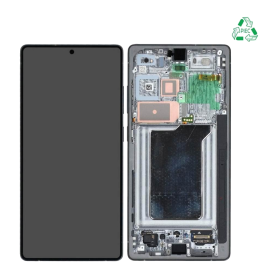
Galaxy S25 Ultra (S938) Titanium Black Screen + Chassis (Original, Disassembled)
Samsung Galaxy S25 Ultra (S938) Titanium Black Screen + Frame (Original Disassembled)
Replacement screen for Samsung Galaxy S25 Ultra (S938), Titanium Black colour, supplied pre-mounted on the frame. Quality: Original Disassembled.
Please check your device model before purchase. Professional installation is recommended.
Replacement screen for Samsung Galaxy S25 Ultra (S938), Titanium Black colour, supplied pre-mounted on the frame. Quality: Original Disassembled.
Please check your device model before purchase. Professional installation is recommended.
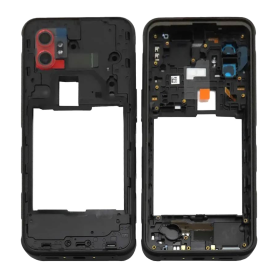
Galaxy Xcover 7 Pro (G766) Chassis (Service Pack) - GH98-49967A
Galaxy Xcover 7 Pro (G766) Chassis, genuine Samsung Service Pack part, reference GH98-49967A.
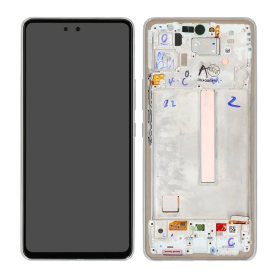
Screen Galaxy A53 5G (A536) White + Frame (OLED)
OLED screen with White chassis for Samsung Galaxy A53 5G (A536).
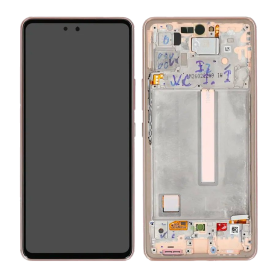
Screen Galaxy A53 5G (A536) Peach + Frame (OLED)
OLED screen with Peach chassis for Samsung Galaxy A53 5G (A536).
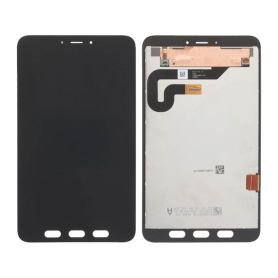
Screen Galaxy Tab Active 5 5G (X306) Black (OLED)
Screen Galaxy Tab Active 5 5G (X306) Black (OLED): replacement part for Samsung Galaxy Tab Active 5 5G (X306), colour Black, OLED quality.
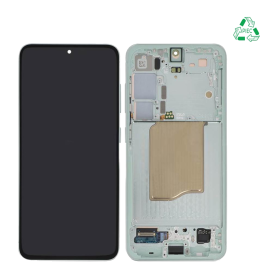
Galaxy S25 (S931) Mint Green Screen + Frame (Original Disassembled)
Samsung Galaxy S25 (S931) Aqua Green Screen + Frame (Original Disassembled)
Replacement screen for Samsung Galaxy S25 (S931), Aqua Green colour, supplied pre-mounted on the frame. Quality: Original Disassembled.
Please check your device model before purchase. Professional installation is recommended.
Replacement screen for Samsung Galaxy S25 (S931), Aqua Green colour, supplied pre-mounted on the frame. Quality: Original Disassembled.
Please check your device model before purchase. Professional installation is recommended.
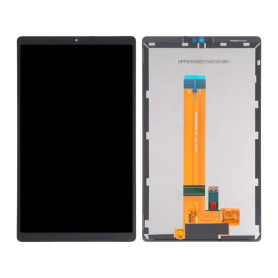
Screen Galaxy Tab A7 Lite Wi-Fi (T220) Black (OLED)
Screen Galaxy Tab A7 Lite Wi-Fi (T220) Black (OLED): replacement part for Samsung Galaxy Tab A7 Lite Wi-Fi (T220), colour Black, OLED quality.
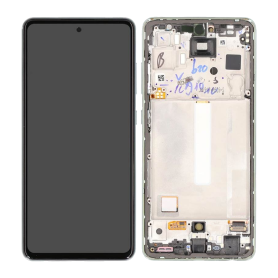
Screen Galaxy A52s 5G (A528) Mint + Frame (OLED)
OLED screen with Mint chassis for Samsung Galaxy A52s 5G (A528).
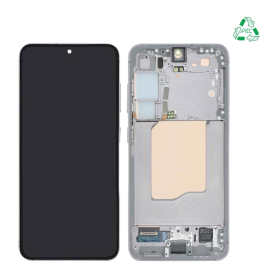
Galaxy S25 (S931) Pink Gold Screen + Frame (Original Disassembled)
Samsung Galaxy S25 (S931) Rose Gold Screen + Frame (Original Disassembled)
Replacement screen for Samsung Galaxy S25 (S931), Rose Gold colour, supplied pre-mounted on the frame. Quality: Original Disassembled.
Please check your device model before purchase. Professional installation is recommended.
Replacement screen for Samsung Galaxy S25 (S931), Rose Gold colour, supplied pre-mounted on the frame. Quality: Original Disassembled.
Please check your device model before purchase. Professional installation is recommended.
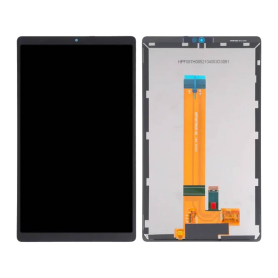
Screen Galaxy Tab A7 Lite 4G (T225) Black (OLED)
Screen Galaxy Tab A7 Lite 4G (T225) Black (OLED): replacement part for Samsung Galaxy Tab A7 Lite 4G (T225), colour Black, OLED quality.
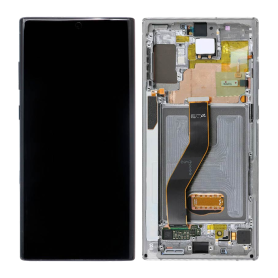
Screen Galaxy Note 10 Plus (N975) Silver + Frame (OLED)
Screen Galaxy Note 10 Plus (N975) Silver + Frame (OLED)
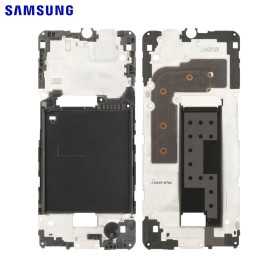
Galaxy Xcover 7 Pro (G766) Display Chassis (Service Pack) - GH98-49965A
Galaxy Xcover 7 Pro (G766) Display Chassis, genuine Samsung Service Pack part, reference GH98-49965A.
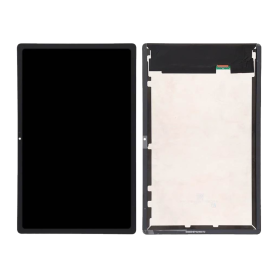
Screen Galaxy Tab A7 4G (T505) Black (OLED)
Screen Galaxy Tab A7 4G (T505) Black (OLED): replacement part for Samsung Galaxy Tab A7 4G (T505), colour Black, OLED quality.
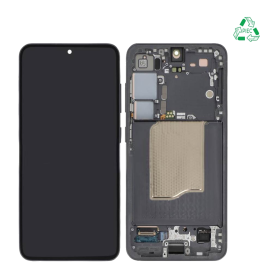
Galaxy S25 (S931) Absolute Black Screen + Frame (Original Disassembled)
Samsung Galaxy S25 (S931) Absolute Black Screen + Frame (Original Disassembled)
Replacement screen for Samsung Galaxy S25 (S931), Absolute Black colour, supplied pre-mounted on the frame. Quality: Original Disassembled.
Please check your device model before purchase. Professional installation is recommended.
Replacement screen for Samsung Galaxy S25 (S931), Absolute Black colour, supplied pre-mounted on the frame. Quality: Original Disassembled.
Please check your device model before purchase. Professional installation is recommended.
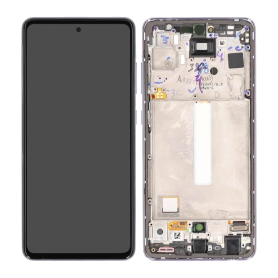
Screen Galaxy A52s 5G (A528) Lavender + Frame (OLED)
OLED screen with Lavender chassis for Samsung Galaxy A52s 5G (A528).
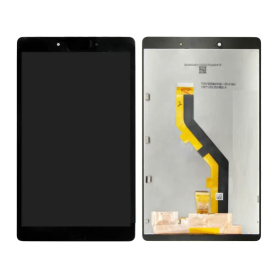
Screen Galaxy Tab A 8.0 (T290) Wi-Fi Black (OLED)
Screen Galaxy Tab A 8.0 (T290) Wi-Fi Black (OLED): replacement part for Samsung Galaxy Tab A 8.0 Wi-Fi (T290), colour Black, OLED quality.
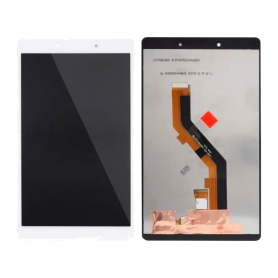
Screen Galaxy Tab A 8.0 (T290) Wi-Fi White (OLED)
Screen Galaxy Tab A 8.0 (T290) Wi-Fi White (OLED): replacement part for Samsung Galaxy Tab A 8.0 Wi-Fi (T290), colour White, OLED quality.
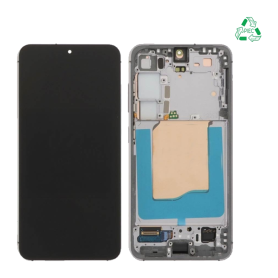
Galaxy S25 (S931) Gray Screen + Frame (Original Disassembled)
Samsung Galaxy S25 (S931) Grey Screen + Frame (Original Disassembled)
Replacement screen for Samsung Galaxy S25 (S931), Grey colour, supplied pre-mounted on the frame. Quality: Original Disassembled.
Please check your device model before purchase. Professional installation is recommended.
Replacement screen for Samsung Galaxy S25 (S931), Grey colour, supplied pre-mounted on the frame. Quality: Original Disassembled.
Please check your device model before purchase. Professional installation is recommended.
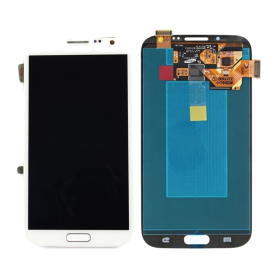
Screen Galaxy Note 2 (N7100) / Galaxy Note 2 (N7105) White Without Frame (OLED)
Screen Galaxy Note 2 (N7100) / Galaxy Note 2 (N7105) White Without Frame (OLED)
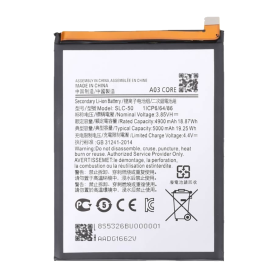
Battery Galaxy A03 Core (A032)
Battery Galaxy A03 Core (A032)
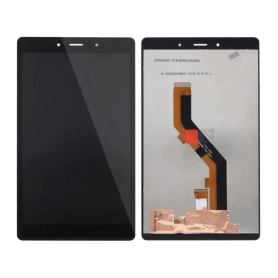
Screen Galaxy Tab A 8.0 4G (T295) Black (OLED)
Screen Galaxy Tab A 8.0 4G (T295) Black (OLED): replacement part for Samsung Galaxy Tab A 8.0 4G (T295), colour Black, OLED quality.
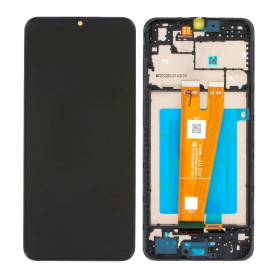
Screen Galaxy A04 (A045) Black + Frame (OLED)
OLED screen with Black chassis for Samsung Galaxy A04 (A045).
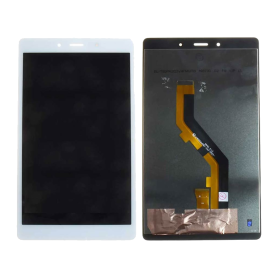
Screen Galaxy Tab A 8.0 4G (T295) White (OLED)
Screen Galaxy Tab A 8.0 4G (T295) White (OLED): replacement part for Samsung Galaxy Tab A 8.0 4G (T295), colour White, OLED quality.
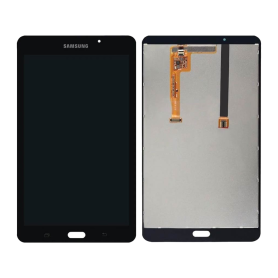
Screen Galaxy Tab A 7.0 2016 Wi-Fi (T280) Black (OLED)
Screen Galaxy Tab A 7.0 2016 Wi-Fi (T280) Black (OLED): replacement part for Samsung Galaxy Tab A 7.0 2016 Wi-Fi (T280), colour Black, OLED quality.
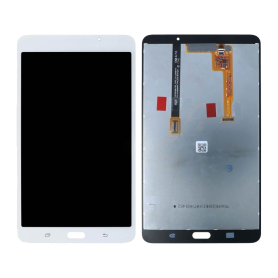
Screen Galaxy Tab A 7.0 2016 Wi-Fi (T280) White (OLED)
Screen Galaxy Tab A 7.0 2016 Wi-Fi (T280) White (OLED): replacement part for Samsung Galaxy Tab A 7.0 2016 Wi-Fi (T280), colour White, OLED quality.
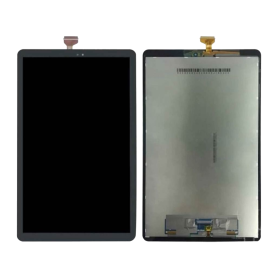
Screen Galaxy Tab A 2018 10.5 (T590) Black (OLED)
Screen Galaxy Tab A 2018 10.5 (T590) Black (OLED): replacement part for Samsung Galaxy Tab A 2018 10.5 (T590), colour Black, OLED quality.
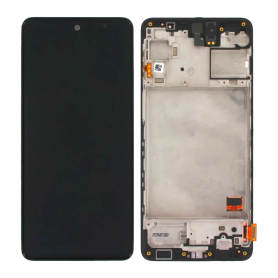
Galaxy M31s (M317) Screen Black + Frame (In-Cell)
Samsung Galaxy M31s (M317) Screen + Chassis Black (Incell)
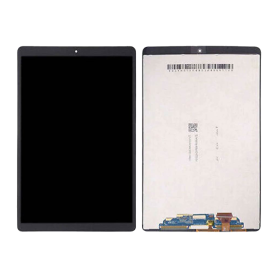
Screen Galaxy Tab A 10.1" 2019 4G (T515) / Galaxy Tab A 10.1 2019 WI-FI (T510) Black (OLED)
Screen Galaxy Tab A 10.1" 2019 4G (T515) / Galaxy Tab A 10.1 2019 WI-FI (T510) Black (OLED): replacement part for Samsung Galaxy Tab A 10.1 2019 (T515 / T510), colour Black, OLED quality.
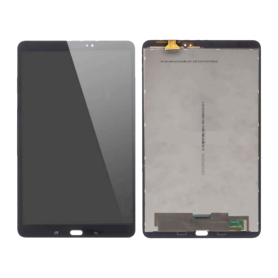
Screen Galaxy Tab A 10.1 2016 (T585) / Galaxy Tab A 10.1 2016 Wi-Fi (T580) Black (OLED)
Screen Galaxy Tab A 10.1 2016 (T585) / Galaxy Tab A 10.1 2016 Wi-Fi (T580) Black (OLED): replacement part for Samsung Galaxy Tab A 10.1 2016 (T585 / T580), colour Black, OLED quality.
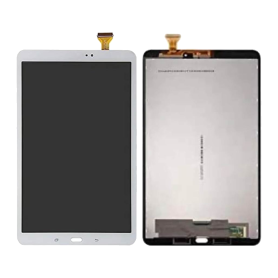
Screen Galaxy Tab A 10.1 2016 (T585) / Galaxy Tab A 10.1 2016 Wi-Fi (T580) White (OLED)
Screen Galaxy Tab A 10.1 2016 (T585) / Galaxy Tab A 10.1 2016 Wi-Fi (T580) White (OLED): replacement part for Samsung Galaxy Tab A 10.1 2016 (T585 / T580), colour White, OLED quality.
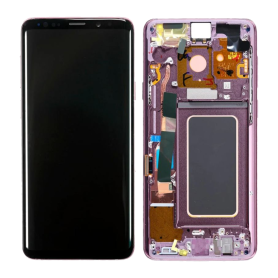
Galaxy S9 Plus (G965) Orchid Screen Frame (Soft OLED)
Galaxy S9 Plus (G965) Orchid Screen Frame (Soft OLED): replacement part for Samsung Galaxy S9 Plus (G965), colour Orchid, Soft OLED quality.
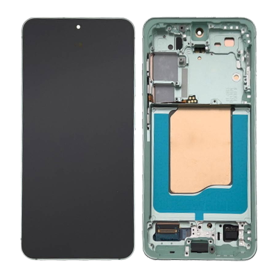
Galaxy S25 (S931) Mint Green Full Screen with Frame (Soft OLED)
Galaxy S25 (S931) Mint Green Full Screen with Frame (Soft OLED): replacement part for Samsung Galaxy S25 (S931), colour Mint Green, Soft OLED quality.
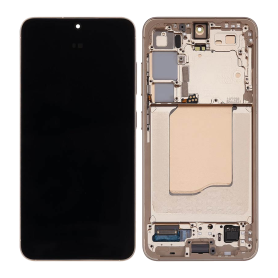
Galaxy S25 (S931) Rose Gold Full Screen with Frame (Soft OLED)
Galaxy S25 (S931) Rose Gold Full Screen with Frame (Soft OLED): replacement part for Samsung Galaxy S25 (S931), colour Rose Gold, Soft OLED quality.
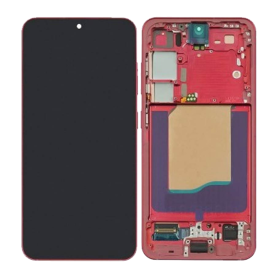
Galaxy S25 (S931) Coral Full Screen with Frame (Soft OLED)
Galaxy S25 (S931) Coral Full Screen with Frame (Soft OLED): replacement part for Samsung Galaxy S25 (S931), colour Coral, Soft OLED quality.
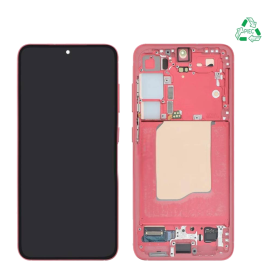
Galaxy S25 (S931) Coral Screen + Frame (Original Disassembled)
Samsung Galaxy S25 (S931) Coral Screen + Frame (Original Disassembled)
Replacement screen for Samsung Galaxy S25 (S931), Coral colour, supplied pre-mounted on the frame. Quality: Original Disassembled.
Please check your device model before purchase. Professional installation is recommended.
Replacement screen for Samsung Galaxy S25 (S931), Coral colour, supplied pre-mounted on the frame. Quality: Original Disassembled.
Please check your device model before purchase. Professional installation is recommended.
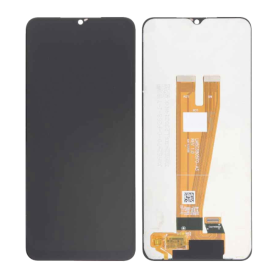
Screen Galaxy A04 (A045) Black (OLED)
Black OLED screen for Samsung Galaxy A04 (A045).
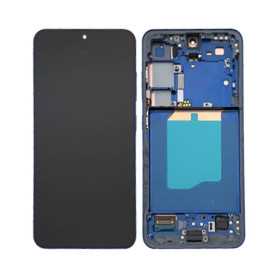
Galaxy S25 (S931) Navy Blue Full Screen with Frame (Soft OLED)
Galaxy S25 (S931) Navy Blue Full Screen with Frame (Soft OLED): replacement part for Samsung Galaxy S25 (S931), colour Navy Blue, Soft OLED quality.
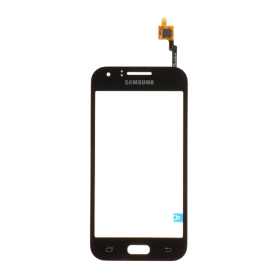
Touch Screen Digitizer Galaxy J1 2015 (J100) Black
Samsung Galaxy J1 2015 (J100) Touch Screen Digitizer Black
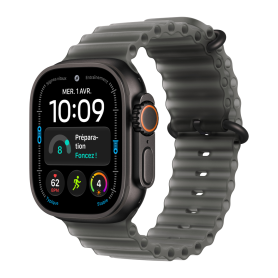
Apple Watch Ultra 4 GPS + Cellular 49mm Black Titanium Case with Translucent Black Ocean Band - New
Key features of the Apple Watch Ultra 4 GPS + Cellular 49mm Black Titanium Case with Translucent Black Ocean Band - New
Apple Watch Ultra 4, GPS + Cellular model: calls, messages and notifications without your iPhone nearby (compatible carrier plan required)
Rugged and lightweight 49 mm black titanium case
Translucent Black Ocean Band, flexible and designed for water sports and adventure
Advanced health, activity and workout tracking, fall detection, emergency calling
Apple reference: MJAY4QF/A (model A3579)
Requires iPhone 11 or later with iOS 27 or later
In the box: watch, band and USB-C charging cable
New, original packaging – 12-month warranty
Apple Watch Ultra 4, GPS + Cellular model: calls, messages and notifications without your iPhone nearby (compatible carrier plan required)
Rugged and lightweight 49 mm black titanium case
Translucent Black Ocean Band, flexible and designed for water sports and adventure
Advanced health, activity and workout tracking, fall detection, emergency calling
Apple reference: MJAY4QF/A (model A3579)
Requires iPhone 11 or later with iOS 27 or later
In the box: watch, band and USB-C charging cable
New, original packaging – 12-month warranty
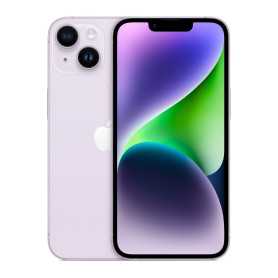
iPhone 14 128 GB E-SIM Purple - Grade AB
iPhone 14 128 GB E-SIM Purple - Grade AB
Pre-owned Apple smartphone, E-SIM version (no physical SIM card tray), with a 6.1-inch Super Retina XDR display, A15 Bionic chip, 128GB storage, 5G, Face ID and MagSafe compatibility. Carefully tested. 6-month warranty.
Pre-owned Apple smartphone, E-SIM version (no physical SIM card tray), with a 6.1-inch Super Retina XDR display, A15 Bionic chip, 128GB storage, 5G, Face ID and MagSafe compatibility. Carefully tested. 6-month warranty.
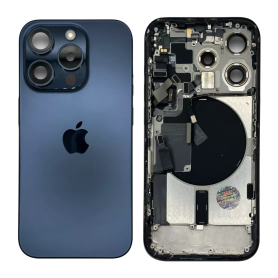
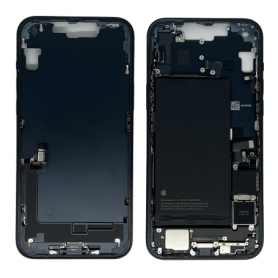
iPhone 15 Pro Blue Titanium Rear Housing without Charging Port with Back Glass without Battery (Original Disassembled) Grade AB
Original disassembled rear housing for iPhone 15 Pro in Blue Titanium, Grade AB. Back glass is included. The USB-C charging port and battery must be transferred or supplied separately. Intended for professional repair.
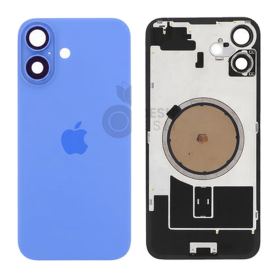
iPhone 16 Back Glass, Ultramarine (Original, Disassembled) - Grade A
Original pulled back glass for the iPhone 16 in Ultramarine, Grade A. Use it to replace cracked or damaged rear glass. The magnetic ring is present; the wireless charging coil and its flex cable are not included.
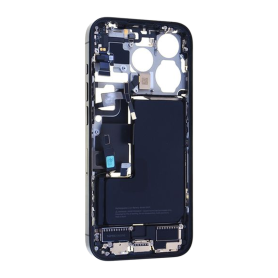
iPhone 15 Pro Black Titanium Chassis with Charging Port and Battery, without Rear Glass (Original Pulled) Grade B
Original pulled Black Titanium chassis for iPhone 15 Pro, Grade B. Includes the battery and USB-C charging port. Rear glass is not included.
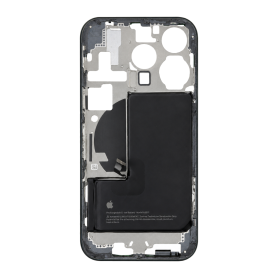
iPhone 15 Pro Blue Titanium Frame with Battery, without Charging Port or Rear Glass (Original Pulled) Grade AB
Original pulled iPhone 15 Pro frame in Blue Titanium, Grade AB. Supplied as one frame with an original battery, without the USB-C charging port or rear glass. Physical SIM version.
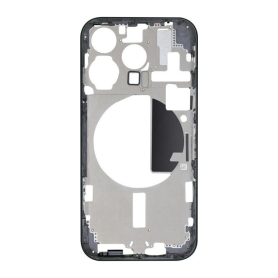
iPhone 15 Pro Blue Titanium Frame without Charging Port, Rear Glass or Battery (Original Pulled) Grade AB
Original pulled iPhone 15 Pro frame in Blue Titanium, Grade AB. Supplied as one frame without a USB-C charging port, rear glass or battery. Intended for professional frame replacement.
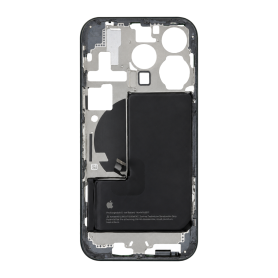
iPhone 15 Pro Blue Titanium Frame with Battery, without Charging Port or Rear Glass (Original Pulled) Grade B
Original pulled Blue Titanium frame for iPhone 15 Pro, Grade B. Physical SIM version. Battery included. Charging port and rear glass are not included.
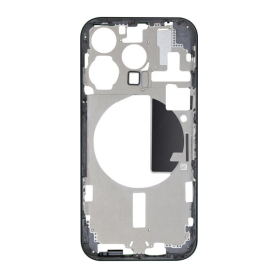
iPhone 15 Pro Blue Titanium Frame without Charging Port, Rear Glass or Battery (Original Pulled) Grade B
Original pulled Blue Titanium frame for iPhone 15 Pro, Grade B. Supplied without the charging port, rear glass or battery.
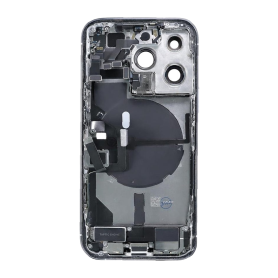
iPhone 14 Pro White Full Housing - With Charging Port, Without Battery (Original Pulled) Grade AB
White rear housing assembly for iPhone 14 Pro, genuine pulled part, Grade AB. Charging port included. Battery not included. Fits the version with a physical SIM tray. Grade AB may show light signs of use.
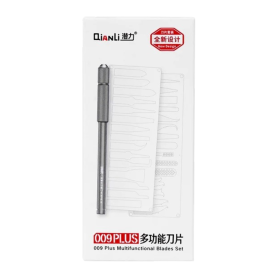
QIANLI 009 Plus Glue Remover Kit
The QIANLI 009 Plus Glue Remover Kit is a multifunctional set made of a handle and blades of various shapes, to lift, scrape and clean glue during repairs.
Wide choice of blade shapes for every situation
Precise removal of glue, adhesive and residue
Interchangeable blades on a single handle
12-month warranty
Wide choice of blade shapes for every situation
Precise removal of glue, adhesive and residue
Interchangeable blades on a single handle
12-month warranty
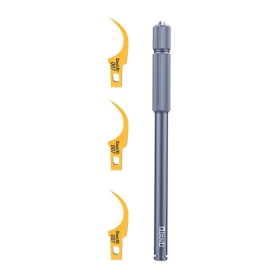
QIANLI 007 Glue Remover
The QIANLI 007 Glue Remover is a hand tool made of a handle and curved blades, designed to remove glue residue from the edges of screens and frames.
Curved blade that follows contours and edges
Precise scraping without scratching nearby surfaces
Slim handle for a good grip
12-month warranty
Curved blade that follows contours and edges
Precise scraping without scratching nearby surfaces
Slim handle for a good grip
12-month warranty
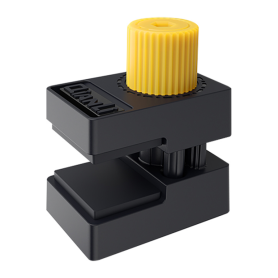
QIANLI iClamp 2.0 Fixing Clamp - Plastic, Box of 4 pcs
The QIANLI iClamp 2.0 Fixing Clamp - Plastic, Box of 4 pcs is a knob-operated holding clamp that presses and holds glued parts (screen, back glass, frame) in place while the adhesive cures.
Pressure adjustable with the knob
Even hold with no slipping during gluing
Lightweight plastic body that does not damage surfaces
12-month warranty
Pressure adjustable with the knob
Even hold with no slipping during gluing
Lightweight plastic body that does not damage surfaces
12-month warranty
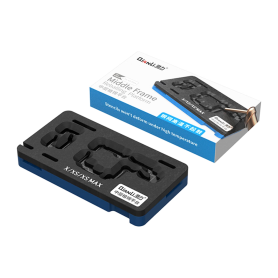
QIANLI Reballing Platform for iPhone X/XS/XS Max
The QIANLI Reballing Platform for iPhone X/XS/XS Max is a reballing holder dedicated to the middle layer (middle frame) of the double-layer logic boards of the iPhone X, XS and XS Max.
Holds the board firmly during reballing
Design that limits stencil deformation under high temperature (according to the manufacturer)
Accurate positioning of BGA components for a clean result
12-month warranty
Holds the board firmly during reballing
Design that limits stencil deformation under high temperature (according to the manufacturer)
Accurate positioning of BGA components for a clean result
12-month warranty
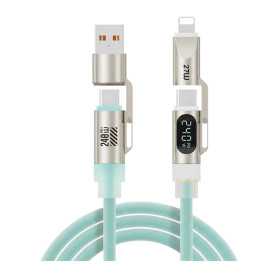
4-in-1 USB / USB-C to USB-C / Lightning PD240W Cable with LED Display - D-Power F3208 - 1.8M - Green
4-in-1: USB-A or USB-C input, USB-C or Lightning output thanks to built-in adapters.
PD fast charging up to 240W USB-C to USB-C, ideal for compatible smartphones, tablets and laptops (Lightning up to 27W).
Digital LED display showing the charging power in real time.
Breathing light to see the charging status.
Liquid silicone jacket: soft, durable and tangle-free.
Length: 1.8 m – Colour: Green.
Brand: D-Power – Model: F3208.
12-month warranty.
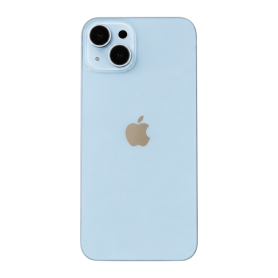
Back Glass iPhone 14 Blue (Original Disassembled) - Grade AB
Blue iPhone 14 rear glass, Grade AB. MagSafe magnet ring fitted. Wireless charging flex cable not included.
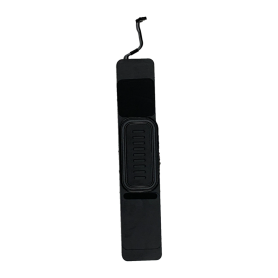
Bottom Loudspeaker for iPad 10th Gen (2022) A2696 - With Connector
Original Apple bottom loudspeaker pulled from an iPad 10th generation (2022), model A2696. One speaker with its short cable and complete connector for the USB-C port side. 6-month warranty.
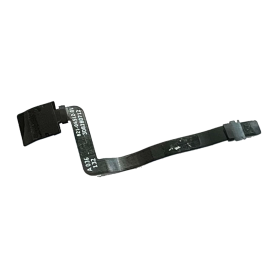
Battery BMU Flex Cable for Apple MacBook Pro 14″ A2992 (Original Disassembled)
Apple battery management unit flex cable for the 14-inch MacBook Pro A2992. It connects the BMU to the logic board. Part no. 821-04512-01. Original used part. 6-month warranty.
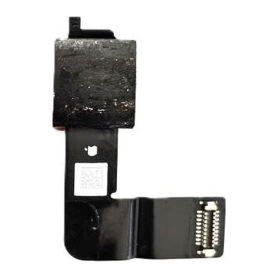
12 MP Front Camera Module for iPad 2022 (10th Gen) A2696
12 MP ultra-wide front camera for iPad (10th generation, 2022), Wi-Fi model A2696. Original Apple pull with integrated flex cable. One camera module per pack.
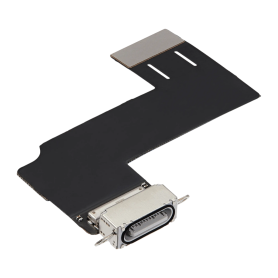
USB-C Charging Port Flex Cable for iPad Pro 12.9"/11" (2018), 10 (2022)/11 (2025), Air 4/5, mini 6/7 (A17 Pro) - Silver
Silver USB-C charging port with integrated flex cable. Models listed on the packaging: iPad Pro 12.9-inch (2018), iPad Pro 11-inch (2018), iPad 10 (2022), iPad 11 (2025), iPad Air 4, iPad Air 5, iPad mini 6 and iPad mini 7 (A17 Pro).
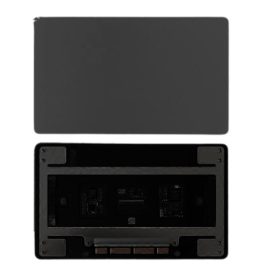
Trackpad / Touchpad for MacBook Pro Retina 14" A2992 - Black (Original, Removed from a Device)
Name: Touchpad Laptop Model:A2442 Year: Late 2021 Color: Silver PPN: N/A APN: N/A Packing: Plastic Bag+Bubbles
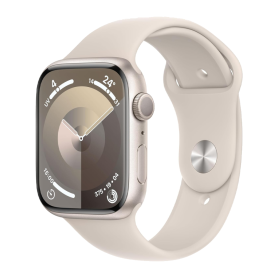
Smartwatch Apple Watch Series 9 GPS 41mm Starlight Aluminium with White Band - Grade AB (VAT Margin)*
Key features of the Smartwatch Series 9 GPS 41mm Starlight Aluminium with White Band - Grade AB (VAT Margin)
S9 SiP, Always-On Retina display up to 2000 nits.
41mm starlight aluminium case, white band.
GPS connectivity; Double Tap gesture, ECG and blood oxygen sensors, Crash Detection.
Water resistant to 50m; battery life up to 18 hours.
Grade AB: good overall condition, light visible signs of wear, fully functional.
Pre-owned watch sold without box or charger. 6-month warranty.
Margin VAT scheme: VAT is calculated on the margin only and is not recoverable.
S9 SiP, Always-On Retina display up to 2000 nits.
41mm starlight aluminium case, white band.
GPS connectivity; Double Tap gesture, ECG and blood oxygen sensors, Crash Detection.
Water resistant to 50m; battery life up to 18 hours.
Grade AB: good overall condition, light visible signs of wear, fully functional.
Pre-owned watch sold without box or charger. 6-month warranty.
Margin VAT scheme: VAT is calculated on the margin only and is not recoverable.
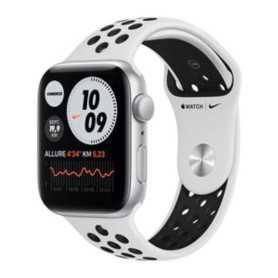
Smartwatch Apple Watch Series 6 GPS 44mm Nike Silver Aluminium with White Band - Grade AB (VAT Margin)*
Key features of the Smartwatch Series 6 GPS 44mm Nike Silver Aluminium with White Band - Grade AB (VAT Margin)
S6 SiP, Always-On Retina display.
44mm silver aluminium case, white band.
GPS connectivity; ECG and blood oxygen sensors, always-on altimeter.
Water resistant to 50m; battery life up to 18 hours.
Grade AB: good overall condition, light visible signs of wear, fully functional.
Pre-owned watch sold without box or charger. 6-month warranty.
Margin VAT scheme: VAT is calculated on the margin only and is not recoverable.
S6 SiP, Always-On Retina display.
44mm silver aluminium case, white band.
GPS connectivity; ECG and blood oxygen sensors, always-on altimeter.
Water resistant to 50m; battery life up to 18 hours.
Grade AB: good overall condition, light visible signs of wear, fully functional.
Pre-owned watch sold without box or charger. 6-month warranty.
Margin VAT scheme: VAT is calculated on the margin only and is not recoverable.
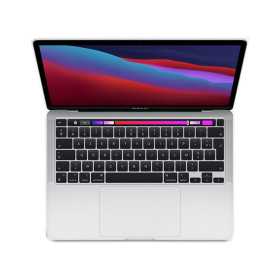
MacBook Pro 13" A2338 2022 - 16GB / 512GB SSD - Apple M2 - C8G10 - Silver - AZERTY - Grade AB - Without Charger
Key Features of MacBook Pro 13" A2338 2022 - 16GB / 512GB SSD - Apple M2 - C8G10 - Silver - AZERTY - Grade AB (Without Charger):
Powerful Performance: Equipped with the Apple M2 chip (8-core CPU / 10-core GPU), the MacBook Pro delivers outstanding performance and efficiency, making everyday tasks and heavy workloads a breeze.
Ample Memory and Storage: With 16GB of RAM and a 512GB SSD, experience fast, responsive multitasking and ample storage capacity for all your files, applications, and media.
Stunning Display: The 13.3-inch Retina display offers vibrant colors and sharp details, perfect for photo editing, creative projects, and immersive entertainment.
Sleek and Portable Design: The compact aluminium design with active cooling sustains performance and remains easy to carry, ideal for on-the-go professionals and students. Color: Silver.
Keyboard Layout: Featuring an AZERTY keyboard layout, this MacBook Pro is tailored for French-speaking users, ensuring a comfortable and efficient typing experience.
Energy Efficiency: With extended battery life and energy-efficient components, enjoy longer usage without the need for frequent charging.
Grade AB Condition: Certified Grade AB, the laptop is fully functional and in very good condition, with possible light signs of use, ensuring reliability and longevity. Note: Sold without a charger.
Powerful Performance: Equipped with the Apple M2 chip (8-core CPU / 10-core GPU), the MacBook Pro delivers outstanding performance and efficiency, making everyday tasks and heavy workloads a breeze.
Ample Memory and Storage: With 16GB of RAM and a 512GB SSD, experience fast, responsive multitasking and ample storage capacity for all your files, applications, and media.
Stunning Display: The 13.3-inch Retina display offers vibrant colors and sharp details, perfect for photo editing, creative projects, and immersive entertainment.
Sleek and Portable Design: The compact aluminium design with active cooling sustains performance and remains easy to carry, ideal for on-the-go professionals and students. Color: Silver.
Keyboard Layout: Featuring an AZERTY keyboard layout, this MacBook Pro is tailored for French-speaking users, ensuring a comfortable and efficient typing experience.
Energy Efficiency: With extended battery life and energy-efficient components, enjoy longer usage without the need for frequent charging.
Grade AB Condition: Certified Grade AB, the laptop is fully functional and in very good condition, with possible light signs of use, ensuring reliability and longevity. Note: Sold without a charger.
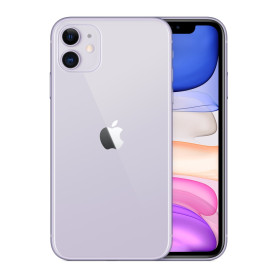
iPhone 11 64 Go Violet - Grade C (TVA sur Marge)*
iPhone 11 64 Go Purple - Grade C (VAT on Margin)*
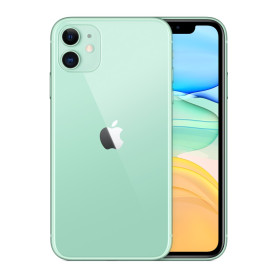
iPhone 11 64GB Green - Grade C (VAT Margin)*
iPhone 11 64 Go Green - Grade C (VAT on Margin)*
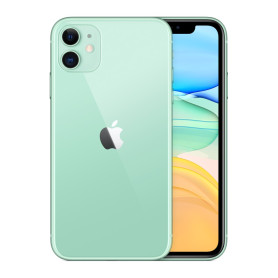
iPhone 11 64GB Green - Grade B (VAT Margin)*
iPhone 11 64 Go Green - Grade B (VAT on Margin)*
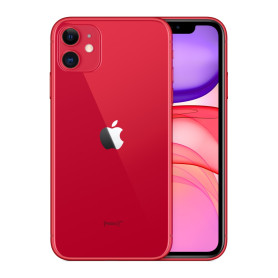
iPhone 11 64GB Red - Grade C (VAT Margin)*
iPhone 11 64 Go Red - Grade C (VAT on Margin)*
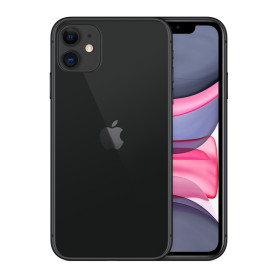
iPhone 11 64GB Black - Grade C (VAT Margin)*
iPhone 11 64 Go Black - Grade C (VAT on Margin)*
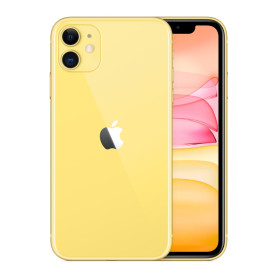
iPhone 11 64GB Yellow - Grade C (VAT Margin)*
iPhone 11 64 Go Yellow - Grade C (VAT on Margin)*
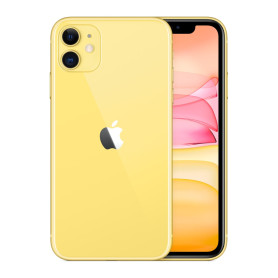
iPhone 11 64GB Yellow - Grade B (VAT Margin)*
iPhone 11 64 Go Yellow - Grade B (VAT on Margin)*
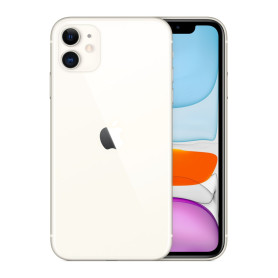
iPhone 11 64GB White - Grade C (VAT Margin)*
iPhone 11 64 Go White - Grade C (VAT on Margin)*
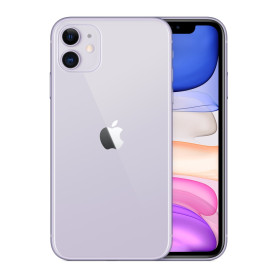
iPhone 11 128 Go Violet - Grade C (TVA sur Marge)*
iPhone 11 128 Go Purple - Grade C (VAT on Margin)*
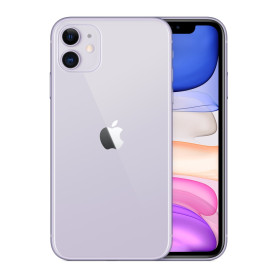
iPhone 11 128 Go Violet - Grade B (TVA sur Marge)*
iPhone 11 128 Go Purple - Grade B (VAT on Margin)*
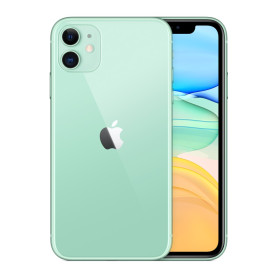
iPhone 11 128GB Green - Grade C (VAT Margin)*
iPhone 11 128 Go Green - Grade C (VAT on Margin)*
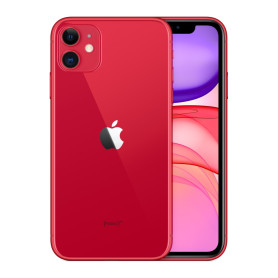
iPhone 11 128GB Red - Grade C (VAT Margin)*
iPhone 11 128 Go Red - Grade C (VAT on Margin)*
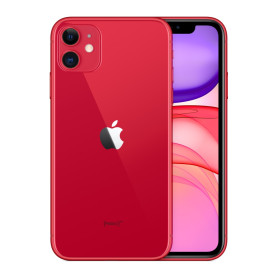
iPhone 11 128GB Red - Grade B (VAT Margin)*
iPhone 11 128 Go Red - Grade B (VAT on Margin)*
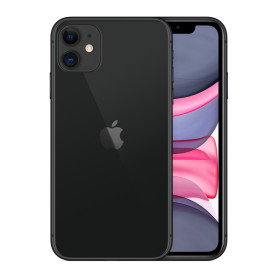
iPhone 11 128GB Black - Grade C (VAT Margin)*
iPhone 11 128 Go Black - Grade C (VAT on Margin)*
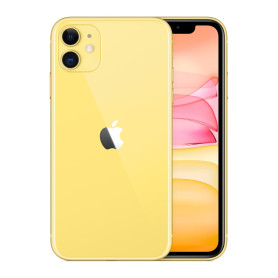
iPhone 11 128GB Yellow - Grade C (VAT Margin)*
iPhone 11 128 Go Yellow - Grade C (VAT on Margin)*
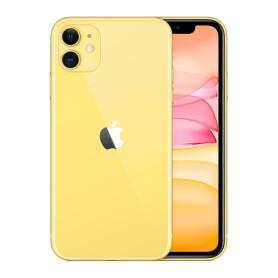
iPhone 11 128GB Yellow - Grade B (VAT Margin)*
iPhone 11 128 Go Yellow - Grade B (VAT on Margin)*
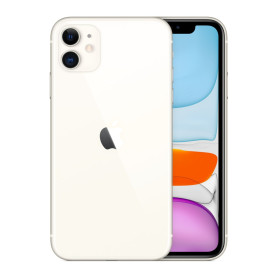
iPhone 11 128GB White - Grade C (VAT Margin)*
iPhone 11 128 Go White - Grade C (VAT on Margin)*
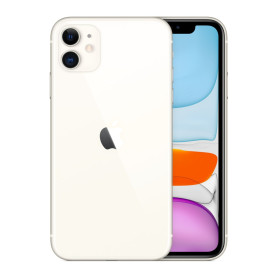
iPhone 11 128GB White - Grade B (VAT Margin)*
iPhone 11 128 Go White - Grade B (VAT on Margin)*
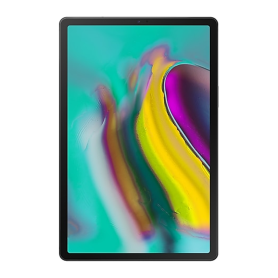
Samsung Galaxy Tab S5e SM-T720 64GB Wi-Fi Black - Grade A
Used Samsung Galaxy Tab S5e SM-T720, 64GB, Wi-Fi, black, Grade A. 10.5-inch Super AMOLED display and 4GB RAM. Supplied without a box or accessories. 6-month warranty.
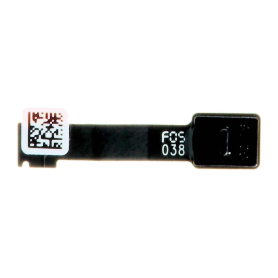
Left Ambient Light Sensor iPad 9 (2021) A2602
Left ambient light sensor flex cable for iPad 9 (2021) A2602 Wi-Fi. The right sensor is a separate part. Original used part. 6-month warranty.
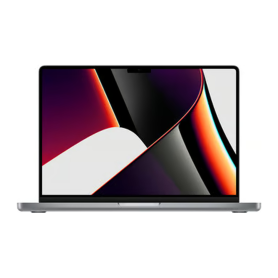
MacBook Pro 14-inch 2021 A2442 16GB/512GB SSD - Apple M1 Pro - Gray - AZERTY - Grade B - Without Charger
Used 2021 MacBook Pro 14-inch A2442 with an Apple M1 Pro chip, 16GB RAM and 512GB SSD. Gray finish, AZERTY keyboard and Grade B condition. Suitable for productivity, multitasking and creative work. Supplied without a charger. 6-month warranty.
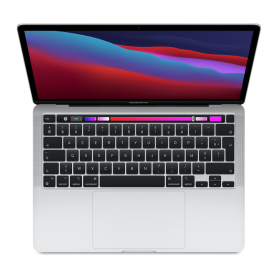
MacBook Pro 13-inch A2338 2022 8GB/512GB SSD - Apple M2 - Silver - AZERTY - Grade AB - Without Charger
Used 2022 MacBook Pro 13-inch A2338 with an Apple M2 chip, 8GB RAM and 512GB SSD. Silver finish, AZERTY keyboard and Grade AB condition. Suitable for productivity, multitasking and creative work. Supplied without a charger. 6-month warranty.
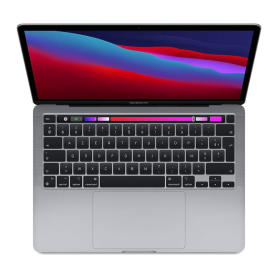
MacBook Pro 13-inch A2338 2022 8GB/512GB SSD - Apple M2 - Gray - AZERTY - Grade AB - Without Charger
Used 2022 MacBook Pro 13-inch A2338 with an Apple M2 chip, 8GB RAM and 512GB SSD. Gray finish, AZERTY keyboard and Grade AB condition. Suitable for productivity, multitasking and creative work. Supplied without a charger. 6-month warranty.
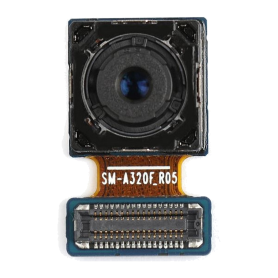
Rear Camera Galaxy A3 2017 (A320F)
Rear camera module with flex cable for Samsung Galaxy A3 2017 SM-A320F. Does not fit other A3 generations. Original used part. 6-month warranty.
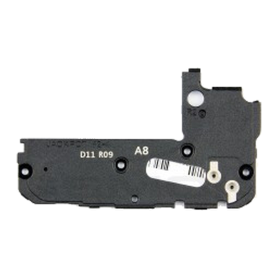
Main Antenna Samsung Galaxy A8 2018 (A530F)
GH42-06036A main antenna module for Samsung Galaxy A8 2018 SM-A530F. The secondary antenna and NFC module are separate. Original used part. 6-month warranty.
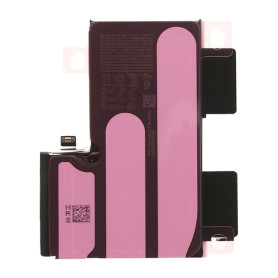
iPhone 16 Pro Max Battery S2218 4685mAh (Original Pulled) 95-98% Health - Supports configuration
Use Repair Assistant to Finish an iPhone or iPad Repair
On an iPhone 12 or later running iOS 18, when a new Apple battery is installed,“Finish Repair” will appear next to Battery until you complete the repair using the Repair Assistant.
On an iPhone 12 or later running iOS 18, it is possible to reuse an original Apple battery on another iPhone of the same model.
The date of first use, capacity, and cycle count of your battery can be found in Settings > Battery > Battery Health.
How to Run Diagnostics & Finish Repair for iPhone Battery
1. Ensure your device is updated to iOS 18
2. Go to Settings > General > About > Parts & Service History
3. Tap "Restart & Finish Repair" to activate the Repair Assistant
4. Follow the on-screen instructions to complete the calibration
After completing this process, your battery will display 95-98% health, and there will be no pop-up warning about non-genuine parts.
Important Notes:
Your iPhone must be connected to Wi-Fi
Your battery level should be above 20%
If the process fails, restart your device and try again
If the repair is not completed, the battery may not function optimally, and some features (Face ID, Touch ID) may be disabled until calibration is finalized
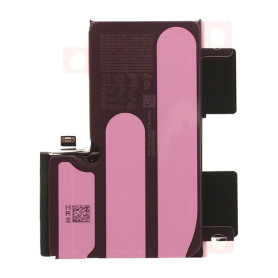
iPhone 16 Pro Max Battery S2218 4685mAh (Original Pulled) 90-94% Health - Supports configuration
Use Repair Assistant to Finish an iPhone or iPad Repair
On an iPhone 12 or later running iOS 18, when a new Apple battery is installed,“Finish Repair” will appear next to Battery until you complete the repair using the Repair Assistant.
On an iPhone 12 or later running iOS 18, it is possible to reuse an original Apple battery on another iPhone of the same model.
The date of first use, capacity, and cycle count of your battery can be found in Settings > Battery > Battery Health.
How to Run Diagnostics & Finish Repair for iPhone Battery
1. Ensure your device is updated to iOS 18
2. Go to Settings > General > About > Parts & Service History
3. Tap "Restart & Finish Repair" to activate the Repair Assistant
4. Follow the on-screen instructions to complete the calibration
After completing this process, your battery will display 90-94% health, and there will be no pop-up warning about non-genuine parts.
Important Notes:
Your iPhone must be connected to Wi-Fi
Your battery level should be above 20%
If the process fails, restart your device and try again
If the repair is not completed, the battery may not function optimally, and some features (Face ID, Touch ID) may be disabled until calibration is finalized
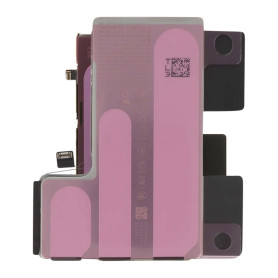
iPhone 16 Pro Battery 2203B 3582mAh (Original Pulled) 95-98% Health – Supports configuration
Use Repair Assistant to Finish an iPhone or iPad Repair
On an iPhone 12 or later running iOS 18, when a new Apple battery is installed,“Finish Repair” will appear next to Battery until you complete the repair using the Repair Assistant.
On an iPhone 12 or later running iOS 18, it is possible to reuse an original Apple battery on another iPhone of the same model.
The date of first use, capacity, and cycle count of your battery can be found in Settings > Battery > Battery Health.
How to Run Diagnostics & Finish Repair for iPhone Battery
1. Ensure your device is updated to iOS 18
2. Go to Settings > General > About > Parts & Service History
3. Tap "Restart & Finish Repair" to activate the Repair Assistant
4. Follow the on-screen instructions to complete the calibration
After completing this process, your battery will display 95-98% health, and there will be no pop-up warning about non-genuine parts.
Important Notes:
Your iPhone must be connected to Wi-Fi
Your battery level should be above 20%
If the process fails, restart your device and try again
If the repair is not completed, the battery may not function optimally, and some features (Face ID, Touch ID) may be disabled until calibration is finalized
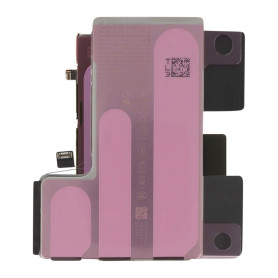
iPhone 16 Pro Battery 2203B 3582mAh (Original Pulled) 90-94% Health – Supports configuration
Use Repair Assistant to Finish an iPhone or iPad Repair
On an iPhone 12 or later running iOS 18, when a new Apple battery is installed,“Finish Repair” will appear next to Battery until you complete the repair using the Repair Assistant.
On an iPhone 12 or later running iOS 18, it is possible to reuse an original Apple battery on another iPhone of the same model.
The date of first use, capacity, and cycle count of your battery can be found in Settings > Battery > Battery Health.
How to Run Diagnostics & Finish Repair for iPhone Battery
1. Ensure your device is updated to iOS 18
2. Go to Settings > General > About > Parts & Service History
3. Tap "Restart & Finish Repair" to activate the Repair Assistant
4. Follow the on-screen instructions to complete the calibration
After completing this process, your battery will display 90-94% health, and there will be no pop-up warning about non-genuine parts.
Important Notes:
Your iPhone must be connected to Wi-Fi
Your battery level should be above 20%
If the process fails, restart your device and try again
If the repair is not completed, the battery may not function optimally, and some features (Face ID, Touch ID) may be disabled until calibration is finalized
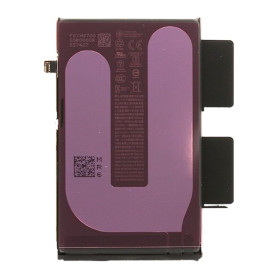
iPhone 16 Plus Battery 106ES 4674mAh (Original Pulled) 95-98% Health – Supports configuration
Use Repair Assistant to Finish an iPhone or iPad Repair
On an iPhone 12 or later running iOS 18, when a new Apple battery is installed,“Finish Repair” will appear next to Battery until you complete the repair using the Repair Assistant.
On an iPhone 12 or later running iOS 18, it is possible to reuse an original Apple battery on another iPhone of the same model.
The date of first use, capacity, and cycle count of your battery can be found in Settings > Battery > Battery Health.
How to Run Diagnostics & Finish Repair for iPhone Battery
1. Ensure your device is updated to iOS 18
2. Go to Settings > General > About > Parts & Service History
3. Tap "Restart & Finish Repair" to activate the Repair Assistant
4. Follow the on-screen instructions to complete the calibration
After completing this process, your battery will display 95-98% health, and there will be no pop-up warning about non-genuine parts.
Important Notes:
Your iPhone must be connected to Wi-Fi
Your battery level should be above 20%
If the process fails, restart your device and try again
If the repair is not completed, the battery may not function optimally, and some features (Face ID, Touch ID) may be disabled until calibration is finalized
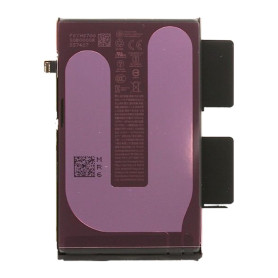
iPhone 16 Plus Battery 106ES 4674mAh (Original Pulled) 90-94% Health – Supports configuration
Use Repair Assistant to Finish an iPhone or iPad Repair
On an iPhone 12 or later running iOS 18, when a new Apple battery is installed,“Finish Repair” will appear next to Battery until you complete the repair using the Repair Assistant.
On an iPhone 12 or later running iOS 18, it is possible to reuse an original Apple battery on another iPhone of the same model.
The date of first use, capacity, and cycle count of your battery can be found in Settings > Battery > Battery Health.
How to Run Diagnostics & Finish Repair for iPhone Battery
1. Ensure your device is updated to iOS 18
2. Go to Settings > General > About > Parts & Service History
3. Tap "Restart & Finish Repair" to activate the Repair Assistant
4. Follow the on-screen instructions to complete the calibration
After completing this process, your battery will display 90-94% health, and there will be no pop-up warning about non-genuine parts.
Important Notes:
Your iPhone must be connected to Wi-Fi
Your battery level should be above 20%
If the process fails, restart your device and try again
If the repair is not completed, the battery may not function optimally, and some features (Face ID, Touch ID) may be disabled until calibration is finalized