






Category
- Repair Partsaddremove
- HTC
- Microsoftaddremove
- Microsoft Surface Go
- Microsoft Surface Go 1
- Microsoft Surface Go 2
- Microsoft Surface Go 3
- Microsoft Surface Go 4
- Microsoft Surface Laptop 1
- Microsoft Surface Laptop 2
- Microsoft Surface Laptop 3
- Microsoft Surface Laptop 4
- Microsoft Surface Laptop 5
- Microsoft Surface Laptop 6
- Microsoft Surface Laptop Go
- Microsoft Surface Laptop Go 1
- Microsoft Surface Laptop Go 2
- Microsoft Surface Laptop Go 3
- Microsoft Surface Laptop Studio
- Microsoft Surface Laptop Studio 1
- Microsoft Surface Book 1
- Microsoft Surface Book 2
- Microsoft Surface Book 3
- Microsoft Surface Pro 3
- Microsoft Surface Pro 4
- Microsoft Surface Pro 5
- Microsoft Surface Pro 6
- Microsoft Surface Pro 7
- Microsoft Surface Pro 7 Plus
- Microsoft Surface Pro 8
- Microsoft Surface Pro 9
- Microsoft Surface Pro X
- Surface Studio 2
- Surface Pro 10
- Surface 6
- Surface 3
- Consoleaddremove
- Home Appliances
- Electric scooteraddremove
- Dalle PC
- Service Pack
- Original Pack
- Appleaddremove
- iPhoneaddremove
- Display iPhone
- Battery iPhone
- Screen ZY
- iPhone 17 Pro Max
- Screen JK
- iPhone 17 Pro
- iPhone 17 Air
- iPhone 17
- iPhone 16 Pro Max
- iPhone 16 Pro
- iPhone 16 Plus
- iPhone 16
- iPhone 16e
- iPhone 15 Pro Max
- iPhone 15 Pro
- iPhone 15 Plus
- iPhone 15
- iPhone 14 Pro Max
- iPhone 14 Pro
- iPhone 14 Plus
- iPhone 14
- iPhone 13 Pro Max
- iPhone 13 Pro
- iPhone 13
- iPhone 13 mini
- iPhone 12 Pro Max
- iPhone 12 Pro
- iPhone 12
- iPhone 12 mini
- iPhone 11 Pro Max
- iPhone 11 Pro
- iPhone 11
- iPhone XR
- iPhone XS Max
- iPhone XS
- iPhone X
- iPhone SE 2022 (SE3)
- iPhone SE 2020 (SE2)
- iPhone SE 2016 (SE)
- iPhone 8 Plus
- iPhone 8
- iPhone 7 Plus
- iPhone 7
- iPhone 6S Plus
- iPhone 6 Plus
- iPhone 6S
- iPhone 6
- iPhone 5C
- iPhone 5S
- iPhone 5
- iPhone 4
- iPhone 4S
- iPhone 17e
- iPhone 18 Pro
- iPhone 18 Pro Max
- iPhone Duo
- iPhone 18
- iPhone 18e
- iPadaddremove
- iPad 2 (A1395, A1396, A1397)
- iPad 3 (A1416, A1430, A1403)
- iPad 4 (A1458, A1459, A1460)
- iPad 2017 9.7" (iPad 5e) (A1822 / A1823)
- iPad 2018 9.7" (iPad 6e) (A1893 / A1954)
- iPad 2019 10.2" (iPad 7e) (A2197 / A2198 / A2200)
- iPad 2020 10.2" (iPad 8e) (A2270 / A2428 / A2429 / A2430)
- iPad 2021 10.2" (iPad 9e) (A2602 / A2603 / A2604 / A2605)
- iPad 10 2022 (A2696 / A2757 / A2777)
- iPad Mini (A1432,A1454,A1455)
- iPad Mini 2 (A1489, A1490)
- iPad Mini 3 (A1599, A1600)
- iPad Mini 4 (A1538, A1550)
- iPad Mini 5 (A2124 / A2125 / A2126 / A2133)
- iPad Mini 6 (A2567 / A2568 / A2569)
- iPad Air (A1474 / A1475)
- iPad Air 2 (A1566 / A1567)
- iPad Air 3 (A2123 / A2152 / A2153 / A2154)
- iPad Air 4 (A2316 / A2324 / A2325 / A2072)
- iPad Air 5 (A2588 / A2589 / A2591)
- iPad Air 13'' (6e) (A2898 WIFI / A2899 Cellular / A2900 Cellular)
- ipad Air 11" (6e) (A2902 WIFI / A2903 A2904 Cellular)
- iPad Pro 9.7" (A1673 / A1674 / A1675)
- iPad Pro 11" (1e) (A1934 / A1979 / A1980 / A2013)
- iPad Pro 12.9" (1e) (A1584 / A1652)
- iPad Pro 10.5" (A1701 / A1709 / A1852)
- iPad Pro 11" (2e) (A2228 / A2068 / A2230 / A2231)
- iPad Pro 12.9" (2e) (A1670 / A1671)
- iPad Pro 11" (3e) (A2377 / A2459 / A2301 / A2460)
- iPad Pro 12.9" (3e) (A1876 / A1895 / A1983 / A2014)
- iPad Pro 11" (4e) (A2759 / A2761 / A2435 / A2762)
- iPad Pro 12.9" (4e) (A2069 / A2229 / A2232 / A2233)
- iPad Pro (5e) 2024 11’’ (A2836 Wi‑Fi / A2837, A3006 Cellular)
- iPad Pro 12,9" (5e) (A2378 / A2461 / A2379 / A2462)
- iPad Pro 12.9" (6e) (A2436 Wi‑Fi / A2437, A2764, A2766 Cellular)
- iPad Pro 13" (7th) (A2925 Wi‑Fi / A2926, A3007 Cellular)
- iPad Pro 13" (8e) (A3360 Wi‑Fi, A3361, A3362)
- iPad Pro 11" (8e) (A3357 Wi‑Fi, A3358, A3359)
- iPad Mini 7 (A2993, A2995, A2996)
- iPodaddremove
- Apple Watchaddremove
- MacBookaddremove
- Screen
- Keyboards
- A1278 Macbook Pro 13" 2008-2012
- A1286 Macbook Pro 15" 2008-2012
- A1297 Macbook Pro 17" 2009-2011
- A1311 iMac 21,5" 2009-2011
- A1312 iMac 27" 2009-2011
- A1347 MacMini 2010-2014
- A1369 Macbook Air 13" 2010-2011
- A1370 Macbook Air 11" 2010-2011
- A1398 Macbook Pro 15" 2012-2015
- A1418 iMac 21,5" 2012-2017
- A1419 iMac 27" 2012-2017
- A1425 Macbook Pro 13" 2012-2013
- A1465 Macbook Air 11" 2012-2015
- A1466 Macbook Air 13" 2012-2017
- A1502 Macbook Pro 13" 2013-2015
- A1534 Macbook 12" 2015-2017
- A1706 Macbook Pro 13" 2016-2017
- A1707 Macbook Pro 15" 2016-2017
- A1708 Macbook Pro 13" 2016-2017
- A1932 Macbook Air 13" 2018-2019
- A1989 Macbook Pro 13" 2018-2019
- A1990 Macbook Pro 15" 2018-2019
- A2141 Macbook Pro 16" 2019
- A2159 Macbook Pro 13" 2019
- A2179 Macbook Air 13" 2020
- A2251 Macbook Pro 13" 2020
- A2289 Macbook Pro 13" 2020
- A2337 Macbook Air 13" 2020
- A2338 Macbook Pro 13" 2020
- A2442 MacBook Pro 14" 2021
- A2485 MacBook Pro 16" 2021
- A2681 Macbook Air 13" 2022
- A1237 Macbook Air 13" 2008
- A1304 Macbook Air 13" 2009
- A1342 MacBook Unibody 13" 2009-2010
- A1181 Macbook 13" 2006-2009
- A2941 MacBook Air 15" 2023
- A3113 MacBook Air 13" M3 2024
- A2779 MacBook Pro 14" 2023
- A2992 MacBook Pro 14" 2023
- A2918 MacBook Pro 14" 2023
- A3112 MacBook Pro 14" 2024
- A3114 MacBook Air 15" 2024
- Battery
- Charger
- A3240 MacBook Air 13" M4 2025
- A2780 MacBook Pro 16" 2023
- A2991 MacBook Pro 16" 2023
- iPhone
- Samsungaddremove
- Galaxy Saddremove
- S Advance (GTI9070)
- S25 FE (S731B)
- S3 4G (i9305)
- Galaxy S3 (i9300)
- S3 Mini (i8190)
- S3 Neo (i9301i)
- S4 (i9505)
- S4 Mini (i9195)
- S5 (G900F)
- S5 Mini (G800F)
- S5 Neo (G903F)
- S5 Active
- S6 (G920F)
- S6 Active (G890)
- S6 Edge (G925F)
- S6 Edge Plus (G928F)
- S6 Edge Plus (G928F)
- S7 (G930F)
- S7 Edge (G935F)
- S8 (G950F)
- S8 Plus (G955F)
- S9 (G960F)
- S9 Plus (G965F)
- S9 Duos
- S10 (G973F)
- S10 5G (G977)
- S10E (G970F)
- S10 Plus (G975F)
- S10 Lite (G770)
- S20 4G/5G (G980F)/(G981B)
- S20 Plus 4G/5G (G985F)/(G986B)
- S20 Ultra 4G/5G (G988F) / (G988B)
- S20 FE 4G/5G (G780F)/(G781B)
- S21 (G991)
- S21 Ultra (G998B)
- S21 Plus (G996B)
- S21 FE (G990)
- S22 (S901B)
- S22 Plus (S906B)
- S22 Ultra (S908B)
- S23 (S911)
- S23 Plus (S916)
- S23 Ultra (S918)
- S23 FE (S711)
- S24 (S921)
- S24 Plus (S926)
- S24 Ultra (S928)
- S24 FE (S721)
- S25 Edge (S937B)
- S25 (S931B)
- S25 Ultra (S938B)
- S25 Plus (S936B)
- S26 (S942B)
- S26 Plus (S947B)
- S26 Ultra (S948B)
- Galaxy Aaddremove
- A01 (A015F)
- A01 Core (A013)
- A02 (A022F)
- A02S (A025F) / (A025G)
- A03 Core (A032)
- A03 (A035F) / (A035G)
- A03S (A037F) / (A037G)
- A04e(A042)
- A04(A045)
- A04s(A047)
- A05 (A055)
- A05s (A057F)
- A06 ( A065)
- A06 5G (A066)
- A07 2025 (A075)
- A10 (A105F)
- A10s (A107F)
- A10E (A102U)
- A11 (A115F)
- A12 (A125) / (A127)
- A13 4G (A135 / A137)
- A13 5G (A136)
- A14 4G (A145P / A145R / A145F)
- A14 5G (A146B / A146P)
- A15 4G/5G (A155F/A156B)
- A16 4G (A165F) / 5G (A166B)
- A17 5G (A176B)
- A17 4G (A175F)
- A20 (A205F)
- A20s (A207F)
- A20e (A202F)
- A21
- A21S (A217F)
- A22 (A225F) / (A226B)
- A23 (A235F) / A23 (5G) (A236)
- A24 4G (A245)
- A25 5G (A256)
- A26 5G (A266B)
- A30 (A305F)
- A30s (A307F)
- A31 (A315F)
- A33 5G (A336B)
- A32 (A325F) / (A326B)
- A34 5G (A346)
- A35 5G (A356)
- A36 5G (A366B)
- A40 (A405F)
- A41 (A415F)
- A42 (A426B)
- A50 (A505F)
- A50s (A507F)
- A51 (A515F) / (A516B)
- A52 (A525F) / (A526B)
- A52S 5G (A528B)
- A53 (A536B)
- A54 (A546)
- A55 5G (A556)
- A56 (A566)
- A60 (A6060)
- A70 (A705F)
- A70s (A707F)
- A71 (A715F) / (A716F)
- A72 (A725F) / (A726B)
- A73 (A736F)
- A80 (A805F)
- A90 (A908F)
- A2 Core (A260F)
- A3 (A300FU)
- A3 2016 (A310F)
- A3 2017 (A320F)
- A3 Core (A013G)
- A5 (A500FU)
- A5 2017 (A520F)
- A5 2016 (A510F)
- A6 2018 (A600F)
- A6 Plus 2018 (A605F)
- A7 (A700F)
- A7 2016 (A710F)
- A7 2017 (A720F)
- A7 2018 (A750F)
- A8 2018 (A530F)
- A8 Plus 2018 (A730F)
- A9 2018 (A920F)
- A9 Pro 2016 (A910F)
- A07 5G (A076)
- A37 5G (A376)
- A57 (A576)
- A27 5G (A276)
- Galaxy Jaddremove
- J1 (J100F)
- J1 MINI (J105F)
- J1 Ace (J110F)
- J1 2016 (J120F)
- J2 2015 (J200)
- J2 2016 (J210F)
- J2 Pro 2018 (J250F)
- J2 Prime (G532F)
- J2 Core (J260F)
- J3 (J300F)
- J3 2016 (J320F)
- J3 2017 (J330F)
- J3 2018 (J337)
- J3 Pro (J3110)
- J4 2018 (J400F)
- J4 Core (J410F)
- J4 Plus 2018 (J415F)
- J5 (J500F)
- J5 2016 (J510F)
- J5 2017 (J530F)
- J5 Prime (G570F)
- J6 2018 (J600F)
- J6 Plus 2018 (J610F)
- J7 (j700F)
- J7 2016 (J710F)
- J7 2017 (J730F)
- J7 Core (J701F)
- J7 Prime (G610F)
- J7 Duo (J720F)
- J8 2018 (J810F)
- J8 Plus 2018 (J805F)
- Galaxy Noteaddremove
- Galaxy GRANDaddremove
- Galaxy COREaddremove
- Galaxy TRENDaddremove
- Galaxy MEGAaddremove
- Galaxyaddremove
- Galaxy Ace (S5830)
- Galaxy Ace 2 (i8160)
- Galaxy Ace 3 (S7275R)
- Galaxy Ace 4 (G357FZ)
- Galaxy Alpha (G850F)
- Galaxy Express (i8730)
- Galaxy Express 2 (G3815)
- Galaxy Fame (S6810)
- Galaxy Gio (S5660)
- Galaxy Mini (S5570/ S5770/ S5250/ S7230E/ S5330/ S5750)
- Galaxy Mini 2 (S6500)
- Galaxy Naos (i5801)
- Galaxy S Duos (S7562)
- Galaxy Spica (I5700)
- Galaxy Teos (i5800)
- Galaxy V (G313H)
- Galaxy Xcover (S5690)
- Galaxy Xcover 2 (S7710)
- Galaxy Xcover 3 (G388F)
- Galaxy Xcover 4 (G390F)
- Galaxy Xcover 4s (G398F)
- Galaxy Xcover 5 (G525F)
- Galaxy Xcover 6 Pro (G736)
- Galaxy Xcover 7 (G556B)
- Galaxy Xcover Pro (G715)
- Galaxy Y (S5360)
- Galaxy Y Duos (S6102)
- Galaxy Y Pro (B5510)
- Galaxy Young (S6310)
- Galaxy Young 2 (G130H)
- Galaxy Xcover 7 Pro (G766)
- Waveaddremove
- Omniaaddremove
- Galaxy Maddremove
- Galaxy M02S (M025F)
- Galaxy M10 (M105F)
- Galaxy M11 (M115F)
- Galaxy M12 (M125) / (M127)
- Galaxy M13 (M135) / 5G (M136)
- Galaxy M14 (M146B)
- Galaxy M20 (M205F)
- Galaxy M21 (M215)
- Galaxy M22 (M225F)
- Galaxy M23 (M236F)
- Galaxy M30 (M305)
- Galaxy M30S (M307)
- Galaxy M31 (M315)
- Galaxy M31S (M317)
- Galaxy M32 (M325)
- Galaxy M33 5G (M336B)
- Galaxy M34 (M346)
- Galaxy M42 (M426B)
- Galaxy M51 (M515)
- Galaxy M52S/M52 5G (M526)
- Galaxy M53 (M536F)
- Galaxy M62 (M625F)
- Galaxy M06(M066)
- Galaxy M15 5G (M156)
- Galaxy M35 5G (M356)
- Galaxy M54 (M546)
- Galaxy M55 (M556)
- Galaxy M10s (M107)
- Galaxy M16 5G (M166)
- Tablette Samsungaddremove
- Tab 1
- Tab 2
- Tab 3
- Tab 4
- Tab A
- Tab E
- Tab Note
- Tab Note Pro
- Tab Pro
- Tab Actice
- Tab S
- Tab S4
- Tab S2
- S5e
- Tab S6 Lite (P610/P615)
- Tab S6 Lite 2022 (P613/P619)
- Tab S6 Lite 2024 (P620/P625)
- Tab S6 10.5 (T860/T865)
- Tab S7 11.0 (T870-T875)
- Tab S7 LTE (T876)
- Tab S7 Plus (T970/T976)
- Tab S7 FE (T730)
- Tab S8 (X700)
- Tab S8 Plus (X806B)
- Tab S8 Ultra (X906B)
- Tab S9 (X716B)
- Tab S9 Plus (X816B)
- Tab S9 Ultra (X916B)
- Tab S9 FE 10.9'' (X510/X516)
- Tab S9 FE Plus (X610/X616B)
- Tab S10 Plus (X820/X828)
- Tab S10 Ultra (X920/X926)
- Tab S10 FE (X520/X526/X526B)
- Tab S10 FE Plus (X620)
- Tab S10 Lite (X400/X406)
- Tab S11 (X730/X736)
- Tab S11 Ultra (X930/X936)
- Tab S11 Plus (X230/X236)
- Galaxy Z Flip/Foldaddremove
- Gearaddremove
- Galaxy Watchaddremove
- Galaxy Watch FE (40mm)
- Galaxy Watch Ultra LTE (47mm)
- Galaxy Watch Ultra (47mm)
- Galaxy Watch 7 (44mm)
- Galaxy Watch 7 (40mm)
- Galaxy Watch 6 LTE (44mm)
- Galaxy Watch 6 LTE (40mm)
- Galaxy Watch 6 Classic (47mm)
- Galaxy Watch 6 Classic (43mm)
- Galaxy Watch 6 (44mm)
- Galaxy Watch 6 (40mm)
- Galaxy Watch 5 (44mm)
- Galaxy Watch 5 (40mm)
- Galaxy Watch Active (40mm)
- Galaxy Watch Active2 (44mm)
- Galaxy Watch 3 (45mm)
- Galaxy Watch 3 (41mm)
- Galaxy Watch S3 (46mm)
- Galaxy Watch (42mm)
- Galaxy Watch (46mm)
- Galaxy Watch 4 (40mm)
- Galaxy Watch Active2 (40mm)
- Galaxy Watch 4 (44mm)
- Galaxy Watch 4 Classic (42mm)
- Galaxy Watch 4 Classic (46mm)
- Galaxy Watch 5 Pro (45mm)
- Galaxy Watch 8 (44mm)
- Galaxy Watch 8 (40mm)
- Galaxy Watch 8 Classic
- Galaxy Watch Ultra 2025 (47mm)
- Galaxy S
- Xiaomiaddremove
- Redmiaddremove
- Redmi 1 / 1S
- Redmi 2
- Redmi 3
- Redmi 4
- Redmi 4A
- Redmi 4X
- Redmi 4 Pro
- Redmi 5
- Redmi 5A
- Redmi 5 Plus
- Redmi 6 / 6A
- Redmi 6 Pro
- Redmi 7
- Redmi 7A
- Redmi 8
- Redmi 8A
- Redmi 9
- Redmi A1/ A1+
- Redmi A2&A2 Plus
- Redmi 9i
- Redmi 9A
- Redmi 9C
- Redmi 9T
- Redmi 9AT
- Redmi 10
- Redmi 10A
- Redmi 10C
- Redmi 10X 5G
- Redmi 10X Pro 5G
- Redmi 10 Prime
- Redmi 12
- Redmi 12C
- Redmi 13
- Redmi 13C
- Redmi 14C
- Redmi 20X
- Redmi A3
- Redmi A4
- Redmi A5 4G
- Redmi K20
- Redmi K20 Pro
- Redmi K30 Pro
- Redmi K60
- Redmi K60 Pro
- Redmi S2
- Redmi Y3
- Redmi Go
- Redmi Pro
- Redmi 15
- Redmi 15C 5G/4G
- Redmi A7
- Redmi A7 Pro
- Redmi 9 Power
- Xiaomiaddremove
- Xiaomi 11 Lite 5G NE
- Xiaomi 11T
- Xiaomi 11T Pro
- Xiaomi 12
- Xiaomi 12 Pro
- Xiaomi 12X
- Xiaomi 12T
- Xiaomi 12T Pro
- Xiaomi 12S Pro
- Xiaomi 12S Ultra
- Xiaomi 12 Lite 5G
- Xiaomi 13
- Xiaomi 13 Pro 5G
- Xiaomi 13 Ultra 5G
- Xiaomi 13 Lite NE
- Xiaomi 13 Lite
- Xiaomi 13T
- Xiaomi 13T Pro 5G
- Xiaomi 14 5G
- Xiaomi 14 Pro 5G
- Xiaomi 14T/14T Pro 5G
- Xiaomi 15 5G
- Xiaomi 15T Pro
- Xiaomi 15T
- Xiaomi 15 Ultra
- Xiaomi 14 Ultra
- Xiaomi 15 Pro
- Xiaomi 17
- Xiaomi 17 Pro
- Xiaomi 17 Ultra
- Xiaomi 17T Pro
- Xiaomi 17T
- Xiaomi 12S
- Redmi Noteaddremove
- Xiaomi Redmi Note
- Xiaomi Redmi Note 2
- Xiaomi Redmi Note 3
- Xiaomi Redmi Note 3 Pro
- Xiaomi Redmi Note 4
- Xiaomi Redmi Note 4X
- Xiaomi Redmi Note 5
- Xiaomi Redmi Note 5 Pro
- Xiaomi Redmi Note 5A
- Xiaomi Redmi Note 5A Prime
- Xiaomi Redmi Note 6 / Note 6 Pro
- Xiaomi Redmi Note 7
- Xiaomi Redmi Note 7S
- Xiaomi Redmi Note 7 Pro
- Xiaomi Redmi Note 8
- Xiaomi Redmi Note 8T
- Xiaomi Redmi Note 8 Pro
- Xiaomi Redmi Note 9
- Xiaomi Redmi Note 9 5G
- Xiaomi Redmi Note 9 Pro 4G / 5G
- Xiaomi Redmi Note 9 Pro Max
- Xiaomi Redmi Note 9T
- Xiaomi Redmi Note 9T 5G
- Xiaomi Redmi Note 9S
- Xiaomi Redmi Note 10 5G
- Xiaomi Redmi Note 10 / Note 10S
- Xiaomi Redmi Note 10 Lite
- Xiaomi Redmi Note 10 Pro
- Xiaomi Redmi Note 10 Pro Max
- Xiaomi Redmi Note 10T 5G
- Xiaomi Redmi Note 11
- Xiaomi Redmi Note 11 5G
- Xiaomi Redmi Note 11T
- Xiaomi Redmi Note 11 Pro
- Xiaomi Redmi Note 11 Pro Plus 5G
- Xiaomi Redmi Note 11S
- Xiaomi Redmi Note 11T Pro / 11T Pro 5G
- Xiaomi Redmi Note 12
- Xiaomi Redmi Note 12 Pro
- Xiaomi Redmi Note 12 Pro Plus
- Xiaomi Redmi Note 12 Lite
- Xiaomi Redmi Note 12S
- Xiaomi Redmi Note 12T Pro
- Xiaomi Redmi Note 12T
- Xiaomi Redmi Note 13
- Xiaomi Redmi Note 13 Pro 4G/5G
- Xiaomi Redmi Note 13 Pro Plus
- Xiaomi Redmi Note 13C
- Xiaomi Redmi Note 14
- Xiaomi Redmi Note 14 Pro (5G)
- Xiaomi Redmi Note 14 Pro 4G
- Xiaomi Redmi Note 14 Pro Plus (5G)
- Xiaomi Redmi Note 14S 4G
- Xiaomi Redmi Note 15 4G/5G
- Xiaomi Redmi Note 15 Pro 4G/5G
- Xiaomi Redmi Note 15 Pro Plus 5G
- Mi Aaddremove
- Mi Mixaddremove
- Miaddremove
- Mi 3
- Mi 10
- Mi 10 5G
- Mi 10 Pro
- Mi 10 Pro 5G
- Mi 10 Lite
- Mi 10T 5G / Mi 10T Pro 5G
- Mi 10T Lite 5G
- Mi 10S
- Mi 11
- Mi 11 Pro / Mi 11 Ultra
- Mi 11 Lite 4G
- Mi 11 Lite 5G
- Mi 11i
- Mi 11T
- Mi 11T Pro
- Mi 11X
- Mi 11X Pro
- Mi 12
- Mi 12 Pro
- Mi 13 Lite 5G
- Mi 2
- Mi 4
- Mi 4C
- Mi 4i
- Mi 4S
- Mi 5
- Mi 5S
- Mi 6
- Mi 8
- Mi 8SE
- Mi 8 Lite
- Mi 8 Pro
- Mi 9
- Mi 9 Lite
- Mi 9 Pro
- Mi 9 SE
- Mi 9T
- Mi 9T Pro
- Mi CC9e
- Mi CC9 Pro
- Mi Play
- Mi Maxaddremove
- Pocophoneaddremove
- Poco C3
- Poco C31
- Poco C65
- Poco C75
- Poco F1
- Poco F2 Pro
- Poco F3
- Poco F4
- Poco F4 GT
- Poco M3/M3 Pro
- Poco F5
- Poco F5 Pro
- Poco F6 Pro (5G)
- Poco M2 Pro
- F7 Pro 5G
- Poco X4 Pro
- poco M4
- Poco M4 Pro
- Poco M5
- Poco M6
- Poco M5s
- Poco M6 Pro 4G
- Poco X2
- Poco X3 GT
- Poco X3 / X3 NFC / X3 Pro
- Poco X4 GT
- Poco X5
- Poco X5 Pro
- Poco X6 5G
- Poco X6 Pro 5G
- X7 Pro 5G
- Poco F7
- Poco M7
- Poco C85
- Poco C61
- Poco M7 Plus
- Poco C51
- Poco X7
- Poco F7 Ultra
- Poco F6
- Poco M8
- Poco F8 Ultra
- Poco F8 Pro
- Poco X8 Pro 5G
- Poco X8 Pro Max 5G
- Poco M7 Pro
- Poco M8 Pro
- Black Shart
- Mi Noteaddremove
- Xiaomi Padaddremove
- Redmi
- Huaweiaddremove
- Paddremove
- P Smart
- P Smart Pro
- P Smart Plus
- P Smart 2019
- P Smart 2020
- P Smart 2021
- P Smart S
- P Smart Z
- P10
- P10 Lite
- P10 Plus
- P20
- P20 Pro
- P20 Lite
- P20 Lite 2019
- P30
- P30 Lite
- P30 Pro
- P40
- P40 Pro
- P40 Pro Plus
- P40 Lite 4G/5G
- P40 Lite E
- P50 Pocket
- P50 Pro
- P60
- P60 Pro
- P60 Art
- Huaiwei P6
- Huawei P7
- Huaiwei P8
- P8 Lite
- P8 Lite 2017
- P9
- P9 Lite
- P9 Lite 2017
- P9 Plus
- P Smart Plus 2019
- MediaPad
- Mateaddremove
- Honoraddremove
- Honor 10
- Honor 10 Lite
- Honor 10X Lite
- Honor 20
- Honor 20 Lite
- Honor 20 Pro
- Honor 200
- Honor 200 Lite
- Honor 200 Smart
- Honor 200 Pro
- Honor 30i
- Honor 30S
- Honor 4C
- Honor 4X
- Honor 400 Lite / X70i (5G)
- Honor 5A
- Honor 5C
- Honor 5X
- Honor 50
- Honor 50 Lite
- Honor 50 SE(5G)
- Honor 6
- Honor 6 Plus
- Honor 6C
- Honor 6C Pro
- Honor 6X
- Honor 7
- Honor 7A
- Honor 7C
- Honor 7X
- Honor 7i
- Honor 7S
- Honor 70 Lite
- Honor 70
- Honor 8
- Honor 8 Lite
- Honor 8 Pro / Honor V9
- Honor 8A
- Honor 8X
- Honor 8S
- Honor 9
- Honor 9 Lite
- Honor 9A
- Honor 9X
- Honor 9X Lite
- Honor 9X Pro
- Honor 90 Lite
- Honor 90/ Honor 90 Smart 5G
- Honor Magic 4 Lite
- Honor Magic 4 Pro
- Honor Magic 5 Pro
- Honor Magic 5 Lite
- Honor Magic6 Pro
- Honor Magic 6 Lite
- Honor Magic 7 Lite
- Honor Magic V2
- Honor Magic VS
- Honor Play
- Honor View 10
- Honor View 20
- Honor X5 4G
- Honor X5 Plus 4G
- Honor X6 / X6s
- Honor X6a
- X6b
- Honor X6c (4G)
- Honor X7 / X7a
- X7b
- Honor x7c
- Honor X8 / X8a
- X8b
- Honor X9 4G / 5G / X9a
- Honor X9b
- Honor x9c
- Honor X20
- Honor X30
- Honor Magic 7 Pro
- Honor Magic V5
- Honor Magic V3
- Honor 400 Smart 4G/5G
- Huaiwei Honor 400
- Honor Magic 8 Pro
- Honor Magic 8 Lite
- Huaiwei Honor 400 Pro
- Honor X5c
- Honor X5c Plus 4G
- Honor X8d 4G
- Honor X9d
- Honor X70 5G
- Honor 600
- Honor 600 Pro
- Honor 600 Lite
- Novaaddremove
- Yaddremove
- P
- OnePlusaddremove
- OnePlus 1
- OnePlus 2
- OnePlus 2T
- OnePlus 3
- OnePlus 3T
- OnePlus 5
- OnePlus 5T
- OnePlus 6
- OnePlus 6T
- OnePlus 7
- OnePlus 7 Pro
- OnePlus 7T
- OnePlus 7T Pro
- OnePlus 8
- OnePlus 8 Pro
- OnePlus 8T
- OnePlus 9
- OnePlus 9 Pro
- OnePlus 10 Pro
- OnePlus 10T
- 11
- OnePlus 12R
- OnePlus 13
- OnePlus Nord
- OnePlus Nord 2 5G
- One Plus Nord 2T
- OnePlus Nord 3 5G
- OnePlus Nord CE 5G
- OnePlus Nord CE2
- OnePlus Nord CE2 Lite
- OnePlus Nord CE 3 Lite
- OnePlus Nord CE 4 Lite
- OnePlus Nord N10 5G
- OnePlus Open
- OnePlus Nord N20 SE
- OnePlus 15
- OnePlus 13R
- OnePlus 12
- OnePlus Nord N100
- OnePlus Nord 5
- OnePlus Nord 4
- OnePlus Nord CE5 5G
- OnePlus Nord N30 5G
- OPPOaddremove
- Aaddremove
- OPPO A1
- OPPO A1K
- OPPO A11
- OPPO A11S
- OPPO A12
- OPPO A15
- OPPO A15S
- OPPO A16 / A16S
- OPPO A16e
- OPPO A16K
- OPPO A17
- OPPO A3
- OPPO A3 Pro
- OPPO A3S
- OPPO A31
- OPPO A32
- OPPO A33
- OPPO A37
- OPPO A35
- OPPO A40
- OPPO A5
- OPPO A5 2020
- OPPO A5S
- OPPO A52
- OPPO A53
- OPPO A53S
- OPPO A54 4G / 5G
- OPPO A54S
- OPPO A55
- OPPO A57
- OPPO A57e
- OPPO A57s
- OPPO A58
- OPPO A60
- OPPO A7
- OPPO A7X
- OPPO A72
- OPPO A73
- OPPO A73 5G
- OPPO A74 4G / 5G
- OPPO A76
- OPPO A77
- OPPO A78
- OPPO A79
- OPPO A8
- OPPO A80
- OPPO A83
- OPPO A9
- OPPO A9 2020
- OPPO A9X
- OPPO A91
- OPPO A92
- OPPO A92a
- OPPO A93 4G
- OPPO A93 5G
- OPPO A94
- OPPO A94 5G
- OPPO A96
- OPPO A97
- OPPO A98
- OPPO AX5S
- OPPO AX7
- OPPO A17K
- OPPO A18
- OPPO A38
- OPPO A40m
- OPPO A5 Pro 5G
- OPPO A6x
- OPPO A6 Pro
- OPPO A6
- OPPO A6k
- OPPO A3x
- Kaddremove
- Caddremove
- Faddremove
- Renoaddremove
- Reno Z
- Reno
- Reno Z
- Reno 2
- Reno 2 Z
- Reno 2F
- Reno 3
- Reno 3 Pro
- Reno 3 Pro 5G
- Reno 4
- Reno 4 5G
- Reno 4 Pro
- Reno 4 Pro 5G
- Reno4 Z
- Reno 4Z 5G
- Reno 5
- Reno 5 Pro
- Reno 6
- Reno 6 Pro
- Reno 7 4G
- Reno7 5G
- Reno 7 Lite
- Reno 8
- Reno 8 Pro
- Reno 8 Lite
- Reno 8 Lite 5G
- Reno 10 / 10 Pro
- Reno 10X Zoom
- Reno 11 / 11 Pro / 11 F
- Reno12 F 4G/5G
- RX17 Neo
- Reno OnPls 8
- Reno6 Pro+
- Reno 8t
- Reno 12 FS 5G
- Reno 14 5G
- Reno 13 Pro 5G
- Reno 13 FS 5G
- Reno 13 F 4G/5G
- Reno 13 5G
- Reno 12 Pro 5G
- Reno 12 5G
- Reno 15 5G
- Reno 15 Pro 5G
- Reno 15F 5G
- Reno 15FS 5G
- Reno 7Z 5G
- Reno 8 Pro Plus
- Reno 11 FS
- Reno 14 F
- Raddremove
- Findaddremove
- A
- Vivoaddremove
- IQOO Pro 5G
- Série Yaddremove
- Vivo Y11s
- Y20
- Vivo Y20i
- Vivo Y21
- Vivo Y21s
- Vivo Y29
- Vivo Y35A
- Vivo Y37
- Vivo Y52 5G
- Vivo Y55
- Vivo Y66
- Vivo Y67
- Vivo Y72 5G
- Vivo Y20s
- Vivo Y70
- Vivo Y01 4G (2022)
- Vivo Y03 4G (2024)
- Vivo Y04 4G (2025)
- Vivo Y16 4G (2022)
- Vivo Y17s 4G (2023)
- Vivo Y19s 4G (2024)
- Vivo Y22s
- Vivo Y28 4G
- Vivo Y28 5G
- Vivo Y28s
- Vivo Y29s
- Vivo Y33s
- Vivo Y76
- Vivo Y36
- Série Vaddremove
- Série Xaddremove
- Motoaddremove
- Defy
- Moto E6S
- Moto E6 Plus
- Moto E6 Play
- Moto E6i
- Moto E7 Plus
- E13
- E20
- Moto E22
- Moto E22s
- Moto E22i
- Moto E30
- Moto E32
- Moto E32s
- Moto E40
- Moto Edge S
- Moto Edge 5G
- Moto Edge 20
- Moto Edge 20 Pro
- Moto Edge 20 Lite
- Moto Edge 30
- Moto Edge 30 Fusion
- Moto Edge 30 Neo
- Moto Edge 30 Ultra
- Moto Edge 40
- Moto Edge 40 Neo
- Moto Edge 50 / 50 Pro
- Moto Edge 50 Ultra
- Moto G Power (2022)
- Moto G 5G
- Moto G Pro
- Moto G04
- Moto G05 4G
- Moto G 5G Plus
- Moto G6
- Moto G7
- Moto G7 Plus
- Moto E7 / E7 Power / E7i Power
- Moto G7 Play
- Moto G7 Power
- Moto G8
- Moto G8 Power
- Moto G8 Power Lite
- Moto G8 Plus
- Moto G9
- Moto G9 Plus
- Moto G9 Play
- Moto G9 Power
- Moto G10
- Moto G13
- Moto G14
- Moto G15 4G
- Moto G20
- Moto G22
- Moto G23
- Moto G24
- Moto G24 Power
- Moto G30
- Moto G31
- Moto G32
- Moto G34
- Moto G35
- Moto G40 Fusion
- Moto G41
- Moto G42
- Moto G50
- Moto G51
- Moto G52
- Moto G53
- Moto G54
- Moto G55
- Moto G60
- Moto G60s
- Moto G62
- Moto G71
- Moto G72
- Moto G73
- Moto G75
- Moto G82
- Moto G84
- Moto G85 5G
- Moto G100
- Moto One
- One Vision
- Moto One Action
- One Macro
- One Zoom
- Moto One Hyper
- Moto One Fusion+
- Moto One Zoom 4
- Razr
- Moto X4
- Moto Z2 PLAY
- Moto Z2 FORCE
- Moto G86
- Moto G56
- Motorola G57
- Moto Edge 50 Fusion
- ThinkPhone 25
- Moto Edge 2020
- E14
- E15
- Moto G04s
- Moto Edge 60 Neo
- Moto Edge 60
- Moto Edge 50 Neo
- Moto G17
- Moto G17 Power 4G
- Moto G67
- Moto G77
- Moto G87 5G
- Moto G37
- Moto G37 Power
- Moto Edge 40 Pro
- Moto Razr 50
- Moto Razr 60
- Moto Razr 50 Ultra
- Googleaddremove
- Vodafoneaddremove
- Blackviewaddremove
- Ulefoneaddremove
- Sonyaddremove
- Archos
- Nokiaaddremove
- Meizuaddremove
- ACERaddremove
- LENOVOaddremove
- Wikoaddremove
- Série Viewaddremove
- Série Uaddremove
- Série Yaddremove
- Série Sunnyaddremove
- Série Lennyaddremove
- Série Jerryaddremove
- Série Kenny
- Série Rainbow
- Série Fever
- Série Pulp
- Série Robby
- Série Tommy
- Série Slide
- Série Wim Lite
- Série Harry
- Série View
- Asusaddremove
- Realmeaddremove
- Realme 5 Seriesaddremove
- Realme 3 Series
- Realme 2 Series
- Realme 6 Seriesaddremove
- Realme 7 Seriesaddremove
- Realme 8 Seriesaddremove
- Realme Série 9addremove
- Realme Série 10addremove
- Realme Série 11addremove
- Realme Série 12addremove
- Realme Narzoaddremove
- Realme GT Seriesaddremove
- Realme Q Seriesaddremove
- Realme V Seriesaddremove
- Realme Serie XT
- Realme Série Naddremove
- Realme Série Noteaddremove
- Realme X Seriesaddremove
- Realme C Seriesaddremove
- Realme Serie 14addremove
- Realme Series 13addremove
- Realme Série Paddremove
- Realme Série 16addremove
- Realme 5 Series
- Alcateladdremove
- ZTE / Nubia
- TCL
- LG
- Crosscall
- Multimediaaddremove
- Smartphonesaddremove
- Used mobile phoneaddremove
- New Phoneaddremove
- New iPhone 18 Pro
- New iPhone 18 Pro Max
- New iPhone Duo
- New Samsung Galaxy Z Flip8
- New Samsung Galaxy A27
- New Xiaomi Redmi A7 Pro
- New Samsung Galaxy A37
- New Samsung Galaxy A57
- New Xiaomi 17
- New Samsung Galaxy S26
- New Samsung Galaxy S26 Ultra
- New Samsung Galaxy S26+
- New Xiaomi Redmi Note 15 Pro
- New Xiaomi Redmi Note 15 Pro+
- New Xiaomi Redmi Note 15
- New Samsung Galaxy S25 FE
- New iPhone 17
- New iPhone 17 Pro
- New iPhone 17 Pro Max
- New iPhone Air
- New Samsung Galaxy A17
- New Xiaomi Redmi 15
- New Samsung Galaxy A07
- New Xiaomi Redmi 15C
- New Samsung Galaxy Z Flip7 FE
- New Mini Smartphone Android S17
- New Samsung Galaxy Z Flip7
- New Samsung Galaxy Z Fold7
- New Samsung Galaxy S25 Edge
- New Xiaomi Redmi A5
- New Samsung Galaxy A26
- New Galaxy A08 Samsung
- Broken Phone
- SIM Card
- VAT on Margin
- Motherboard
- Used mobile phone
- Tabletteaddremove
- Computeraddremove
- Watchesaddremove
- Maisonaddremove
- Gamingaddremove
- Mobility
- Smart Glasses
- Smartphones
- Accessoryaddremove
- ITaddremove
- Alimentationaddremove
- Power Bank & Batteriesaddremove
- Charger and Power Adapteraddremove
- Cable & Adapteraddremove
- HUB
- USB / Lightning
- USB / Micro USB
- Type-C / USB & Micro-USB
- Type-C / Lightning
- Type-C / Type-C
- Type-C / Jack
- Type-C / HDMI & DP
- Type-C / VGA
- Type-C / Microphone
- Type-C / Lecteur de carte
- Thunderbolt / Type-C
- Type-C / MagSafe
- Type-C / Smart Watch
- Type-C / ETHERNET Cat 678 RJ45
- USB / USB
- USB / Micro-B
- USB / Jack
- USB / HDMI
- USB / USB-B (Print)
- USB / VGA
- USB VGA / iPhone 4 & iPad 2(30Pin)
- USB / Smart Watch
- USB / Lecteur de carte
- USB / ETHERNET Cat 678 RJ45
- USB / Wi-Fi Bluetooth
- Lightning / Lecteur de carte
- Lightning / Lightning
- Lightning / Jack
- Lightning / Microphone
- HDMI / HDMI
- HDMI / Lightning
- HDMI / Mini HDMI
- HDMI / Mini DisplayPort(DP)
- HDMI / DisplayPort(DP)
- HDMI / AV
- HDMI / DVI
- HDMI / Ethernet
- HDMI / CAT-5e / 6
- HDMI / RCA
- HDMI / VGA
- Jack / Jack
- Jack / RCA
- Jack / VGA
- Jack / Microphone
- VGA /VGA
- VGA / DVI
- VGA / HDTV
- VGA / Micro HDMI
- RCA / RCA
- DVI / DVI
- DisplayPort / VGA
- DisplayPort / DVI
- DisplayPort / DisplayPort
- Ethernet
- Ethernet / Thunderbolt
- Thunderbolt / Thunderbolt
- Magsafe / Magsafe
- Power cable
- Telephone Cable
- Coaxial / Coaxial
- SATA Data Cable
- Voltage Converter
- Fibre Optic Cable
- Power Bank & Batteries
- Audioaddremove
- Protectionsaddremove
- Shells / Flapsaddremove
- Screen Protectionaddremove
- Camera Protection
- Watch Bracelet & Protection
- Hydrogel filmaddremove
- Bag
- Shells / Flaps
- Supportsaddremove
- Memoryaddremove
- Fumeur E-cigarette
- Hygiène
- Mayline
- Apple Store
- Samsung Store
- Xiaomi Ecosystème
- Devia
- Benks
- Belkin
- LinQ
- Araree
- Techmade
- Ugreen
- 1MORE
- WUW
- Remax
- IT
- Tools and Equipmentaddremove

Trending


Best Sales




Microsoft Surface Laptop 6
Technical Description of Microsoft Surface Laptop 6
Model Numbers and Identification:
- Official Model Number: To be confirmed from device label or Microsoft documentation as no specific code is given in the prompt.
- Asus Manufacturer References: Details needed from either the device label or manufacturer’s documentation.
- Identifiable by Device Label: Underneath the kickstand or on the bottom of the device, usually specifying model and ID codes.
- Known Identification Codes (may vary by locality):
- Model Code: Confirm through device settings or a physical label.
- Battery Model/Product Code: Typically found engraved on the battery itself once device disassembly occurs.
Identification Methods:
- Serial Number: Located on the Surface app under the "Your Surface" section or on the original packaging.
- Settings Identification: Navigate to Settings > System > About to cross-verify model name.
- Physical Label: Check the back panel or original product packaging for model specifics.
- Diagnostic Tools: Use Microsoft's Surface Diagnostic Toolkit for software-driven device identification.
Technical Specifications:
Display:
- Size / Type: 13.5-inch PixelSense Display.
- Resolution: 2256 x 1504 pixels.
- Aspect Ratio: 3:2.
- Touch Capability: 10-point multi-touch feature.
Cameras:
- Front Camera: 720p HD f2.0 camera.
- Rear Camera: Not applicable as Surface Laptops traditionally include a front camera only for conferencing.
Processor Options:
- Intel Core i5-1235U (12th Gen)
- Intel Core i7-1255U (12th Gen)
Memory Configurations:
- Options: 8GB, 16GB, or 32GB LPDDR4x RAM.
Storage Configurations:
- SSD Options: 256GB, 512GB, 1TB.
Battery:
- Model: Specific battery identification number needed from component.
- Capacity: Approx. 47.4Wh.
- Battery Life: Standard usage estimation up to 16 hours.
Charging:
- Connector: Proprietary Surface Connect port.
- Power Supply: 65W Power Supply with USB-A charging port.
Summary for Spare Parts Reference: For repair technicians, identification of critical components such as the display panel, SSD, RAM type, and battery is essential for effective service. Ensure compatibility with the device’s specific model numbers and year of release to order the correct spare parts. For repair or replacement, parts such as the display or battery are particularly sensitive to model variations, so confirming serial identification and exact specs is crucial before acquisition.
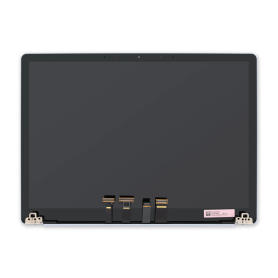
Everything for your Microsoft Surface Laptop 6
Tools to repair it
 Dielectric Solvent Aerosol 550ml – Screen / Battery / Back Glass Cleaning and Removal (Falcon 530)
 Glue T7000 Black - 50/110 ml
 Disassembly Tool - Suction Cup + Safe Opener + Screwdriver + Plastic Pry Bar
 SIM Card Extraction Tool 1pc
 Single-Edge Safety Blade Pack of 5 Pcs
 Soldering Mat 500 Degree Magnetic Heat Resistant Work Mat 45 * 30cm - S-160
 Professional Opening Tools RELIFE RL-050
 E-FIXIT A130 PPD Adhesive Glue for Screen, Back Glass (Fast Drying) - Black / Transparent - 50 ml