






Category
- Repair Partsaddremove
- Multimediaaddremove
- Accessoryaddremove
- Tools and Equipmentaddremove





Battery iPhone
Choose a subcategory (4)
There are 205 products.
NA295 4823mAh Battery for iPhone 17 Pro Max (Original Pulled) 100% Health – Supports configuration
Use Repair Assistant to Finish an iPhone or iPad Repair
On an iPhone 12 or later running iOS 18, when a new Apple battery is installed,“Finish Repair” will appear next to Battery until you complete the repair using the Repair Assistant.
On an iPhone 12 or later running iOS 18, it is possible to reuse an original Apple battery on another iPhone of the same model.
The date of first use, capacity, and cycle count of your battery can be found in Settings > Battery > Battery Health.
How to Run Diagnostics & Finish Repair for iPhone Battery
1. Ensure your device is updated to iOS 18
2. Go to Settings > General > About > Parts & Service History
3. Tap "Restart & Finish Repair" to activate the Repair Assistant
4. Follow the on-screen instructions to complete the calibration
After completing this process, your battery will display 100% health, and there will be no pop-up warning about non-genuine parts.
Important Notes:
Your iPhone must be connected to Wi-Fi
Your battery level should be above 20%
If the process fails, restart your device and try again
If the repair is not completed, the battery may not function optimally, and some features (Face ID, Touch ID) may be disabled until calibration is finalized
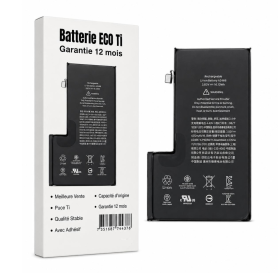
Battery S2218 4685mAh iPhone 16 Pro Max with Adhesives - Pure Cobalt (ECO Ti)
ECO Ti S2218 Pure Cobalt 4,685 mAh battery for iPhone 16 Pro Max, with adhesives, a replacement part for phone repair.
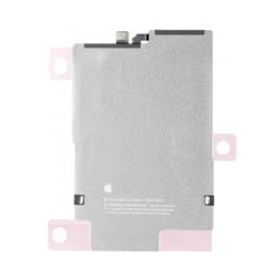
iPhone 17 Air Battery 108CS 3149mAh (Original Pulled) 100% Health – Supports configuration
Use Repair Assistant to Finish an iPhone or iPad Repair
On an iPhone 12 or later running iOS 18, when a new Apple battery is installed,“Finish Repair” will appear next to Battery until you complete the repair using the Repair Assistant.
On an iPhone 12 or later running iOS 18, it is possible to reuse an original Apple battery on another iPhone of the same model.
The date of first use, capacity, and cycle count of your battery can be found in Settings > Battery > Battery Health.
How to Run Diagnostics & Finish Repair for iPhone Battery
1. Ensure your device is updated to iOS 18
2. Go to Settings > General > About > Parts & Service History
3. Tap "Restart & Finish Repair" to activate the Repair Assistant
4. Follow the on-screen instructions to complete the calibration
After completing this process, your battery will display 100% health, and there will be no pop-up warning about non-genuine parts.
Important Notes:
Your iPhone must be connected to Wi-Fi
Your battery level should be above 20%
If the process fails, restart your device and try again
If the repair is not completed, the battery may not function optimally, and some features (Face ID, Touch ID) may be disabled until calibration is finalized
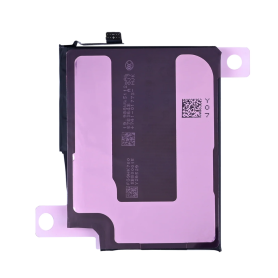
iPhone 17 Pro Battery 0113S 3988mAh (Original Pulled) 100% Health – Supports configuration
Use Repair Assistant to Finish an iPhone or iPad Repair
On an iPhone 12 or later running iOS 18, when a new Apple battery is installed,“Finish Repair” will appear next to Battery until you complete the repair using the Repair Assistant.
On an iPhone 12 or later running iOS 18, it is possible to reuse an original Apple battery on another iPhone of the same model.
The date of first use, capacity, and cycle count of your battery can be found in Settings > Battery > Battery Health.
How to Run Diagnostics & Finish Repair for iPhone Battery
1. Ensure your device is updated to iOS 18
2. Go to Settings > General > About > Parts & Service History
3. Tap "Restart & Finish Repair" to activate the Repair Assistant
4. Follow the on-screen instructions to complete the calibration
After completing this process, your battery will display 100% health, and there will be no pop-up warning about non-genuine parts.
Important Notes:
Your iPhone must be connected to Wi-Fi
Your battery level should be above 20%
If the process fails, restart your device and try again
If the repair is not completed, the battery may not function optimally, and some features (Face ID, Touch ID) may be disabled until calibration is finalized
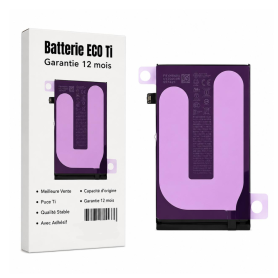
Battery 106ES 4674mAh iPhone 16 Plus with Adhesives - Pure Cobalt (ECO Ti)
iPhone 16 Plus Battery with Adhesives - Pure Cobalt (ECO)
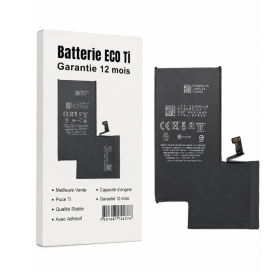
Battery A3121 4422mAh iPhone 15 Pro Max - Modified US Version SIM Card
Key Features of Battery A3121 4422mAh iPhone 15 Pro Max - Modified US Version SIM Card:
High Capacity: Boasting a robust 4422mAh capacity, this battery ensures extended usage time, allowing you to enjoy your iPhone 15 Pro Max for longer periods without frequent recharging.
Optimized Performance: Specifically designed for the iPhone 15 Pro Max, this battery provides optimal performance, ensuring smooth operation and efficient power management for all your apps and features.
Modified US Version: Tailored for the US market, this version includes a modified SIM card slot, enhancing compatibility with a wide range of US carriers for seamless connectivity.
Advanced Safety Features: Equipped with state-of-the-art safety mechanisms, including overcharge protection, temperature control, and short-circuit prevention, ensuring both user safety and battery longevity.
Eco-Friendly Design: Constructed with environmentally friendly materials, this battery supports sustainable practices while delivering high performance.
Easy Installation: Designed for hassle-free installation, allowing users to replace their battery with minimal effort and without the need for professional assistance.
Warranty Included: Comes with a comprehensive warranty, providing peace of mind and assurance of quality and reliability.
High Capacity: Boasting a robust 4422mAh capacity, this battery ensures extended usage time, allowing you to enjoy your iPhone 15 Pro Max for longer periods without frequent recharging.
Optimized Performance: Specifically designed for the iPhone 15 Pro Max, this battery provides optimal performance, ensuring smooth operation and efficient power management for all your apps and features.
Modified US Version: Tailored for the US market, this version includes a modified SIM card slot, enhancing compatibility with a wide range of US carriers for seamless connectivity.
Advanced Safety Features: Equipped with state-of-the-art safety mechanisms, including overcharge protection, temperature control, and short-circuit prevention, ensuring both user safety and battery longevity.
Eco-Friendly Design: Constructed with environmentally friendly materials, this battery supports sustainable practices while delivering high performance.
Easy Installation: Designed for hassle-free installation, allowing users to replace their battery with minimal effort and without the need for professional assistance.
Warranty Included: Comes with a comprehensive warranty, providing peace of mind and assurance of quality and reliability.
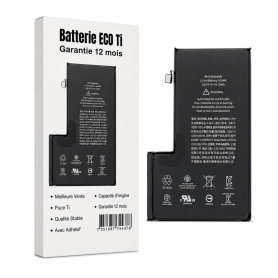
Battery A3121 4422mAh iPhone 15 Pro Max + Adhesive Type - Pure Cobalt (ECO Ti)
Battery iPhone 15 Pro Max + Adhesive Type - Pure Cobalt (ECO)
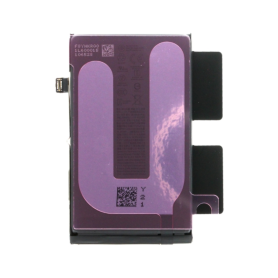
iPhone 17 Battery 111CS 3692mAh (Original Removed) 100% Health – Supports configuration
Use Repair Assistant to Finish an iPhone or iPad Repair
On an iPhone 12 or later running iOS 18, when a new Apple battery is installed,“Finish Repair” will appear next to Battery until you complete the repair using the Repair Assistant.
On an iPhone 12 or later running iOS 18, it is possible to reuse an original Apple battery on another iPhone of the same model.
The date of first use, capacity, and cycle count of your battery can be found in Settings > Battery > Battery Health.
How to Run Diagnostics & Finish Repair for iPhone Battery
1. Ensure your device is updated to iOS 18
2. Go to Settings > General > About > Parts & Service History
3. Tap "Restart & Finish Repair" to activate the Repair Assistant
4. Follow the on-screen instructions to complete the calibration
After completing this process, your battery will display 100% health, and there will be no pop-up warning about non-genuine parts.
Important Notes:
Your iPhone must be connected to Wi-Fi
Your battery level should be above 20%
If the process fails, restart your device and try again
If the repair is not completed, the battery may not function optimally, and some features (Face ID, Touch ID) may be disabled until calibration is finalized
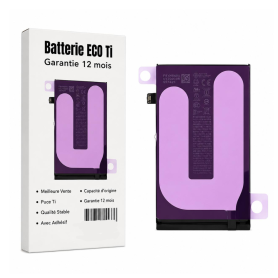
Battery NA264/PSJQ1 3561mAh iPhone 16 with Adhesives - Pure Cobalt (ECO Ti)
iPhone 16 Battery with Adhesives - Pure Cobalt (ECO)

Battery A3018 3349mAh iPhone 15 Plus (OEM) Diagnostic Show Genuine
Use Repair Assistant to Finish an iPhone or iPad Repair
This Battery Without Logo
On an iPhone 12 or later running iOS 18, when a new Apple battery is installed,“Finish Repair” will appear next to Battery until you complete the repair using the Repair Assistant.
On an iPhone 12 or later running iOS 18, it is possible to reuse an original Apple battery on another iPhone of the same model.
The date of first use, capacity, and cycle count of your battery can be found in Settings > Battery > Battery Health.
How to Run Diagnostics & Finish Repair for iPhone Battery
1. Ensure your device is updated to iOS 18
2. Go to Settings > General > About > Parts & Service History
3. Tap "Restart & Finish Repair" to activate the Repair Assistant
4. Follow the on-screen instructions to complete the calibration
After completing this process, your battery will display 100% health, and there will be no pop-up warning about non-genuine parts.
Important Notes:
Your iPhone must be connected to Wi-Fi
Your battery level should be above 20%
If the process fails, restart your device and try again
If the repair is not completed, the battery may not function optimally, and some features (Face ID, Touch ID) may be disabled until calibration is finalized
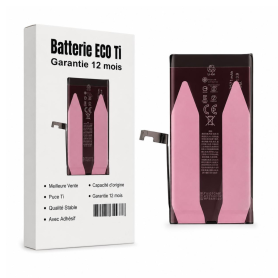
Battery A3018 3349mAh iPhone 15 Plus with Adhesives - Pure Cobalt (ECO Ti)
ECO Ti A3018 Pure Cobalt 3,349 mAh battery for iPhone 15 Plus, with adhesives, a replacement part for phone repair.

Battery A3011 3274mAh iPhone 15 Pro (OEM) Diagnostic Show Genuine
Use Repair Assistant to Finish an iPhone or iPad Repair
This Battery Without Logo
On an iPhone 12 or later running iOS 18, when a new Apple battery is installed,“Finish Repair” will appear next to Battery until you complete the repair using the Repair Assistant.
On an iPhone 12 or later running iOS 18, it is possible to reuse an original Apple battery on another iPhone of the same model.
The date of first use, capacity, and cycle count of your battery can be found in Settings > Battery > Battery Health.
How to Run Diagnostics & Finish Repair for iPhone Battery
1. Ensure your device is updated to iOS 18
2. Go to Settings > General > About > Parts & Service History
3. Tap "Restart & Finish Repair" to activate the Repair Assistant
4. Follow the on-screen instructions to complete the calibration
After completing this process, your battery will display 100% health, and there will be no pop-up warning about non-genuine parts.
Important Notes:
Your iPhone must be connected to Wi-Fi
Your battery level should be above 20%
If the process fails, restart your device and try again
If the repair is not completed, the battery may not function optimally, and some features (Face ID, Touch ID) may be disabled until calibration is finalized
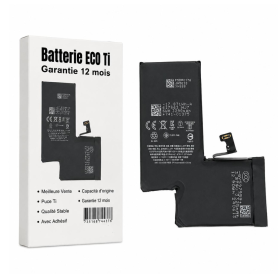
Battery A3011 3274mAh iPhone 15 Pro - Modified US Version SIM Card
Key Features of Battery A3011 3274mAh iPhone 15 Pro with Adhesives - Pure Cobalt (ECO Ti) - Modified US Version SIM Card:
High Capacity: Boasting a robust 3274mAh capacity, this battery ensures extended usage time, keeping your iPhone 15 Pro powered throughout the day.
Pure Cobalt Technology: Engineered with Pure Cobalt (ECO Ti), this battery offers enhanced energy density and longevity, providing a reliable and sustainable power source.
Eco-Friendly Design: The ECO Ti technology not only boosts performance but also reduces environmental impact, aligning with eco-conscious consumer values.
Optimized for iPhone 15 Pro: Specifically designed for seamless compatibility with the iPhone 15 Pro, ensuring optimal performance and safety.
Adhesive Included: Comes with high-quality adhesives for easy and secure installation, ensuring the battery stays firmly in place.
Modified US Version SIM Card: Tailored for the US market, this version includes a modified SIM card slot for enhanced connectivity and compatibility with US carriers.
Enhanced Safety Features: Built-in safeguards protect against overcharging, overheating, and short-circuiting, ensuring both user safety and device integrity.
Reliable Performance: Delivers consistent power output, supporting all functionalities of the iPhone 15 Pro without compromise.
Easy Installation: Designed for straightforward installation, making it accessible for both professionals and DIY enthusiasts.
High Capacity: Boasting a robust 3274mAh capacity, this battery ensures extended usage time, keeping your iPhone 15 Pro powered throughout the day.
Pure Cobalt Technology: Engineered with Pure Cobalt (ECO Ti), this battery offers enhanced energy density and longevity, providing a reliable and sustainable power source.
Eco-Friendly Design: The ECO Ti technology not only boosts performance but also reduces environmental impact, aligning with eco-conscious consumer values.
Optimized for iPhone 15 Pro: Specifically designed for seamless compatibility with the iPhone 15 Pro, ensuring optimal performance and safety.
Adhesive Included: Comes with high-quality adhesives for easy and secure installation, ensuring the battery stays firmly in place.
Modified US Version SIM Card: Tailored for the US market, this version includes a modified SIM card slot for enhanced connectivity and compatibility with US carriers.
Enhanced Safety Features: Built-in safeguards protect against overcharging, overheating, and short-circuiting, ensuring both user safety and device integrity.
Reliable Performance: Delivers consistent power output, supporting all functionalities of the iPhone 15 Pro without compromise.
Easy Installation: Designed for straightforward installation, making it accessible for both professionals and DIY enthusiasts.
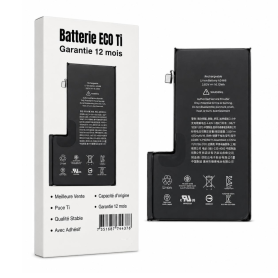
Battery A3011 3274mAh iPhone 15 Pro with Adhesives - Pure Cobalt (ECO Ti)
Battery compatible with iPhone 15 Pro. Delivered with: Adhesives.

Battery A3018 3349mAh iPhone 15 (OEM) Diagnostic Show Genuine
Use Repair Assistant to Finish an iPhone or iPad Repair
This Battery Without Logo
On an iPhone 12 or later running iOS 18, when a new Apple battery is installed,“Finish Repair” will appear next to Battery until you complete the repair using the Repair Assistant.
On an iPhone 12 or later running iOS 18, it is possible to reuse an original Apple battery on another iPhone of the same model.
The date of first use, capacity, and cycle count of your battery can be found in Settings > Battery > Battery Health.
How to Run Diagnostics & Finish Repair for iPhone Battery
1. Ensure your device is updated to iOS 18
2. Go to Settings > General > About > Parts & Service History
3. Tap "Restart & Finish Repair" to activate the Repair Assistant
4. Follow the on-screen instructions to complete the calibration
After completing this process, your battery will display 100% health, and there will be no pop-up warning about non-genuine parts.
Important Notes:
Your iPhone must be connected to Wi-Fi
Your battery level should be above 20%
If the process fails, restart your device and try again
If the repair is not completed, the battery may not function optimally, and some features (Face ID, Touch ID) may be disabled until calibration is finalized
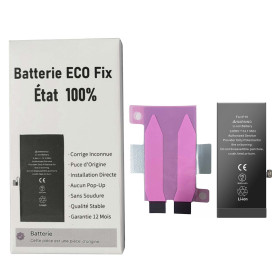
Battery A3018 3349mAh iPhone 15 (ECO Fix) Direct Installation - No Pop-up / Health 100%
Use Repair Assistant to Finish an iPhone or iPad Repair
This Battery Without Logo
On an iPhone 12 or later running iOS 18, when a new Apple battery is installed,“Finish Repair” will appear next to Battery until you complete the repair using the Repair Assistant.
On an iPhone 12 or later running iOS 18, it is possible to reuse an original Apple battery on another iPhone of the same model.
The date of first use, capacity, and cycle count of your battery can be found in Settings > Battery > Battery Health.
How to Run Diagnostics & Finish Repair for iPhone Battery
1. Ensure your device is updated to iOS 18
2. Go to Settings > General > About > Parts & Service History
3. Tap "Restart & Finish Repair" to activate the Repair Assistant
4. Follow the on-screen instructions to complete the calibration
After completing this process, your battery will display 100% health, and there will be no pop-up warning about non-genuine parts.
Important Notes:
Your iPhone must be connected to Wi-Fi
Your battery level should be above 20%
If the process fails, restart your device and try again
If the repair is not completed, the battery may not function optimally, and some features (Face ID, Touch ID) may be disabled until calibration is finalized
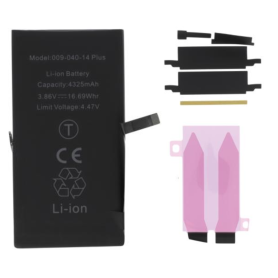
Battery A2850 4325mAh iPhone 14 Plus (No pop-up/Health 100%) Original BMS Required
ATTENTION: STATUS 100% - REQUIRES FLASHING
Battery A2850 4325mAh iPhone 14 Plus (ECO Fix) Direct Installation - No Pop-up / Health 100%
Use Repair Assistant to Finish an iPhone or iPad Repair
This Battery Without Logo
On an iPhone 12 or later running iOS 18, when a new Apple battery is installed,“Finish Repair” will appear next to Battery until you complete the repair using the Repair Assistant.
On an iPhone 12 or later running iOS 18, it is possible to reuse an original Apple battery on another iPhone of the same model.
The date of first use, capacity, and cycle count of your battery can be found in Settings > Battery > Battery Health.
How to Run Diagnostics & Finish Repair for iPhone Battery
1. Ensure your device is updated to iOS 18
2. Go to Settings > General > About > Parts & Service History
3. Tap "Restart & Finish Repair" to activate the Repair Assistant
4. Follow the on-screen instructions to complete the calibration
After completing this process, your battery will display 100% health, and there will be no pop-up warning about non-genuine parts.
Important Notes:
Your iPhone must be connected to Wi-Fi
Your battery level should be above 20%
If the process fails, restart your device and try again
If the repair is not completed, the battery may not function optimally, and some features (Face ID, Touch ID) may be disabled until calibration is finalized
Battery PSKE2 4005mAh iPhone 16e with Adhesives - Pure Cobalt (ECO Ti)
Key Features of iPhone 16e Battery with Adhesives - Pure Cobalt (ECO Ti):
High-Purity Cobalt Composition: Constructed with pure cobalt for superior energy density, ensuring longer battery life and enhanced device performance.
Environmentally Friendly (ECO Ti): Designed with eco-conscious technology to minimize carbon footprint and promote sustainable consumer electronics usage.
Advanced Adhesive Technology: Comes with pre-applied adhesives for seamless installation, ensuring a secure and stable connection within the device.
Enhanced Energy Efficiency: Optimized to deliver consistent and efficient power distribution, maximizing the phone’s operational capacity and performance.
Longer Life Cycle: Engineered for durability, the battery supports numerous charge cycles while maintaining capacity, extending the device's longevity.
Rapid Charging Capability: Supports fast charging to quickly restore power, keeping up with users' demanding schedules and lifestyle.
Safety Certified: Meets international safety standards, equipped with protection against overcharging, overheating, and short-circuits to safeguard both the device and its user.
Seamless Compatibility: Specifically tailored for the iPhone 16e, ensuring a perfect fit and integration with all device functionalities.
Incorporating cutting-edge technology, the iPhone 16e Battery with Adhesives - Pure Cobalt (ECO Ti) delivers outstanding performance while promoting an eco-friendly approach.
High-Purity Cobalt Composition: Constructed with pure cobalt for superior energy density, ensuring longer battery life and enhanced device performance.
Environmentally Friendly (ECO Ti): Designed with eco-conscious technology to minimize carbon footprint and promote sustainable consumer electronics usage.
Advanced Adhesive Technology: Comes with pre-applied adhesives for seamless installation, ensuring a secure and stable connection within the device.
Enhanced Energy Efficiency: Optimized to deliver consistent and efficient power distribution, maximizing the phone’s operational capacity and performance.
Longer Life Cycle: Engineered for durability, the battery supports numerous charge cycles while maintaining capacity, extending the device's longevity.
Rapid Charging Capability: Supports fast charging to quickly restore power, keeping up with users' demanding schedules and lifestyle.
Safety Certified: Meets international safety standards, equipped with protection against overcharging, overheating, and short-circuits to safeguard both the device and its user.
Seamless Compatibility: Specifically tailored for the iPhone 16e, ensuring a perfect fit and integration with all device functionalities.
Incorporating cutting-edge technology, the iPhone 16e Battery with Adhesives - Pure Cobalt (ECO Ti) delivers outstanding performance while promoting an eco-friendly approach.

Battery A2830 4323mAh iPhone 14 Pro Max (OEM) Diagnostic Show Genuine
Use Repair Assistant to Finish an iPhone or iPad Repair
This Battery Without Logo
On an iPhone 12 or later running iOS 18, when a new Apple battery is installed,“Finish Repair” will appear next to Battery until you complete the repair using the Repair Assistant.
On an iPhone 12 or later running iOS 18, it is possible to reuse an original Apple battery on another iPhone of the same model.
The date of first use, capacity, and cycle count of your battery can be found in Settings > Battery > Battery Health.
How to Run Diagnostics & Finish Repair for iPhone Battery
1. Ensure your device is updated to iOS 18
2. Go to Settings > General > About > Parts & Service History
3. Tap "Restart & Finish Repair" to activate the Repair Assistant
4. Follow the on-screen instructions to complete the calibration
After completing this process, your battery will display 100% health, and there will be no pop-up warning about non-genuine parts.
Important Notes:
Your iPhone must be connected to Wi-Fi
Your battery level should be above 20%
If the process fails, restart your device and try again
If the repair is not completed, the battery may not function optimally, and some features (Face ID, Touch ID) may be disabled until calibration is finalized
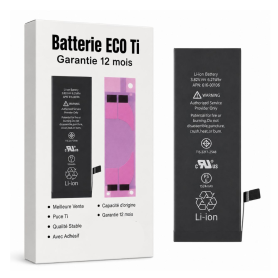
Battery 616-00106 1624mAh iPhone SE 2016 with Adhesive - Pure Cobalt (ECO Ti)
Li-ion battery Capacity: 1624 mAh Voltage: 3.8V / 6.21 Whr Battery life: up to 14h talk time / 13h on 4G EAN: 7907613232220

Battery 616-00106 1624mAh iPhone SE + Adhesives - Chip Ti (ECO Luxe) Original Alternative
The Ti chip is used by Apple in its original battery.

Battery A2866 3200mAh iPhone 14 Pro (OEM) Diagnostic Show Genuine
Use Repair Assistant to Finish an iPhone or iPad Repair
This Battery Without Logo
On an iPhone 12 or later running iOS 18, when a new Apple battery is installed,“Finish Repair” will appear next to Battery until you complete the repair using the Repair Assistant.
On an iPhone 12 or later running iOS 18, it is possible to reuse an original Apple battery on another iPhone of the same model.
The date of first use, capacity, and cycle count of your battery can be found in Settings > Battery > Battery Health.
How to Run Diagnostics & Finish Repair for iPhone Battery
1. Ensure your device is updated to iOS 18
2. Go to Settings > General > About > Parts & Service History
3. Tap "Restart & Finish Repair" to activate the Repair Assistant
4. Follow the on-screen instructions to complete the calibration
After completing this process, your battery will display 100% health, and there will be no pop-up warning about non-genuine parts.
Important Notes:
Your iPhone must be connected to Wi-Fi
Your battery level should be above 20%
If the process fails, restart your device and try again
If the repair is not completed, the battery may not function optimally, and some features (Face ID, Touch ID) may be disabled until calibration is finalized
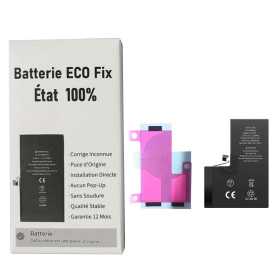
Battery A2866 3200mAh iPhone 14 Pro (ECO Fix) Direct Installation - No Pop-up / Health 100%
Use Repair Assistant to Finish an iPhone or iPad Repair
This Battery Without Logo
On an iPhone 12 or later running iOS 18, when a new Apple battery is installed,“Finish Repair” will appear next to Battery until you complete the repair using the Repair Assistant.
On an iPhone 12 or later running iOS 18, it is possible to reuse an original Apple battery on another iPhone of the same model.
The date of first use, capacity, and cycle count of your battery can be found in Settings > Battery > Battery Health.
How to Run Diagnostics & Finish Repair for iPhone Battery
1. Ensure your device is updated to iOS 18
2. Go to Settings > General > About > Parts & Service History
3. Tap "Restart & Finish Repair" to activate the Repair Assistant
4. Follow the on-screen instructions to complete the calibration
After completing this process, your battery will display 100% health, and there will be no pop-up warning about non-genuine parts.
Important Notes:
Your iPhone must be connected to Wi-Fi
Your battery level should be above 20%
If the process fails, restart your device and try again
If the repair is not completed, the battery may not function optimally, and some features (Face ID, Touch ID) may be disabled until calibration is finalized
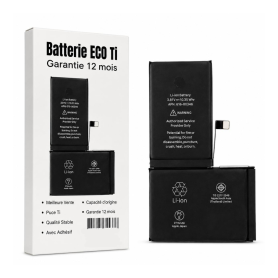
Battery 616-00659/616-00660 3046mAh iPhone 11 Pro with Adhesive - Pure Cobalt (ECO Ti)
Please note that for the replacement of the Origine battery on iPhone XR/XS/XSMax/11/11Pro/11ProMax, the phone will systematically indicate that the battery needs service. This information will not affect normal use of the phone New Internal iPhone 11 Pro Battery 0 Cycle + Adhesives - Grade AAA

Battery 616-00659/616-00660 3046mAh iPhone 11 Pro + Adhesives - Chip Ti (ECO Luxe)
The Ti chip is used by Apple in its original battery.
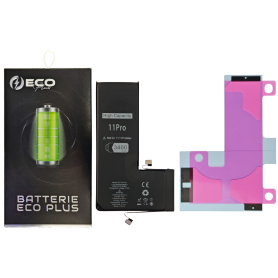
Battery 616-00659/616-00660 3400mAh iPhone 11 Pro 130% More Durable (ECO Plus)
ECO Plus 3400 mAh battery for iPhone 11 Pro, with 100% cobalt cells.

Battery A2863 3279mAh iPhone 14 (OEM) Diagnostic Show Genuine
Use Repair Assistant to Finish an iPhone or iPad Repair
This Battery Without Logo
On an iPhone 12 or later running iOS 18, when a new Apple battery is installed,“Finish Repair” will appear next to Battery until you complete the repair using the Repair Assistant.
On an iPhone 12 or later running iOS 18, it is possible to reuse an original Apple battery on another iPhone of the same model.
The date of first use, capacity, and cycle count of your battery can be found in Settings > Battery > Battery Health.
How to Run Diagnostics & Finish Repair for iPhone Battery
1. Ensure your device is updated to iOS 18
2. Go to Settings > General > About > Parts & Service History
3. Tap "Restart & Finish Repair" to activate the Repair Assistant
4. Follow the on-screen instructions to complete the calibration
After completing this process, your battery will display 100% health, and there will be no pop-up warning about non-genuine parts.
Important Notes:
Your iPhone must be connected to Wi-Fi
Your battery level should be above 20%
If the process fails, restart your device and try again
If the repair is not completed, the battery may not function optimally, and some features (Face ID, Touch ID) may be disabled until calibration is finalized
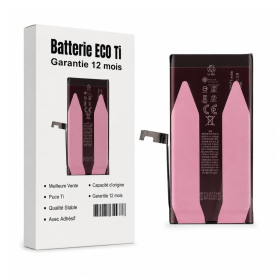
Battery A2863 3279mAh iPhone 14 with Adhesives - Pure Cobalt (ECO Ti)
iPhone 14 Battery with Adhesives - Pure Cobalt (ECO)
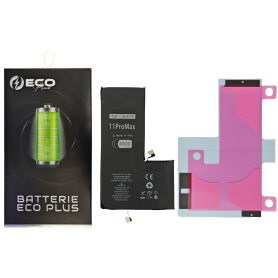
Battery 616-00651/616-00653 4500mAh iPhone 11 Pro Max 130% More Durable (ECO Plus)
ECO Plus 4500 mAh battery for iPhone 11 Pro Max, with 100% cobalt cells.
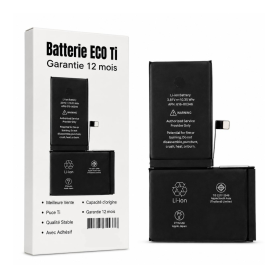
Battery 616-00651/616-00653 3969mAh iPhone 11 Pro Max with Adhesive - Pure Cobalt (ECO Ti)
Please note that for the replacement of the Origine battery on iPhone XR/XS/XSMax/11/11Pro/11ProMax , the phone will systematically indicate that the battery needs to be serviced. This information will not affect the normal use of the phone New Internal Battery for iPhone 11 Pro Max 0 Cycle + Adhesives - Grade AAA
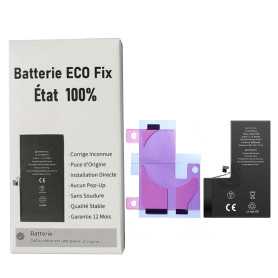
Battery A2656 3095mAh iPhone 13 Pro (ECO Fix) Direct Installation - No Pop-up / Health 100%
Use Repair Assistant to Finish an iPhone or iPad Repair
This Battery Without Logo
On an iPhone 12 or later running iOS 18, when a new Apple battery is installed,“Finish Repair” will appear next to Battery until you complete the repair using the Repair Assistant.
On an iPhone 12 or later running iOS 18, it is possible to reuse an original Apple battery on another iPhone of the same model.
The date of first use, capacity, and cycle count of your battery can be found in Settings > Battery > Battery Health.
How to Run Diagnostics & Finish Repair for iPhone Battery
1. Ensure your device is updated to iOS 18
2. Go to Settings > General > About > Parts & Service History
3. Tap "Restart & Finish Repair" to activate the Repair Assistant
4. Follow the on-screen instructions to complete the calibration
After completing this process, your battery will display 100% health, and there will be no pop-up warning about non-genuine parts.
Important Notes:
Your iPhone must be connected to Wi-Fi
Your battery level should be above 20%
If the process fails, restart your device and try again
If the repair is not completed, the battery may not function optimally, and some features (Face ID, Touch ID) may be disabled until calibration is finalized

Battery A2466 3687mAh iPhone 12 Pro Max (OEM) Direct Installation - No Pop-up / Health 100%
Use Repair Assistant to Finish an iPhone or iPad Repair
This Battery Without Logo
On an iPhone 12 or later running iOS 18, when a new Apple battery is installed,“Finish Repair” will appear next to Battery until you complete the repair using the Repair Assistant.
On an iPhone 12 or later running iOS 18, it is possible to reuse an original Apple battery on another iPhone of the same model.
The date of first use, capacity, and cycle count of your battery can be found in Settings > Battery > Battery Health.
How to Run Diagnostics & Finish Repair for iPhone Battery
1. Ensure your device is updated to iOS 18
2. Go to Settings > General > About > Parts & Service History
3. Tap "Restart & Finish Repair" to activate the Repair Assistant
4. Follow the on-screen instructions to complete the calibration
After completing this process, your battery will display 100% health, and there will be no pop-up warning about non-genuine parts.
Important Notes:
Your iPhone must be connected to Wi-Fi
Your battery level should be above 20%
If the process fails, restart your device and try again
If the repair is not completed, the battery may not function optimally, and some features (Face ID, Touch ID) may be disabled until calibration is finalized
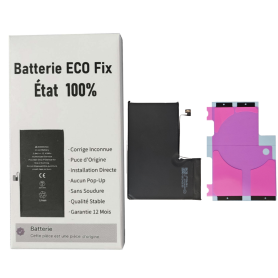
Battery A2466 3687mAh iPhone 12 Pro Max (ECO Fix) Direct Installation - No Pop-up / Health 100%
Use Repair Assistant to Finish an iPhone or iPad Repair
This Battery Without Logo
On an iPhone 12 or later running iOS 18, when a new Apple battery is installed,“Finish Repair” will appear next to Battery until you complete the repair using the Repair Assistant.
On an iPhone 12 or later running iOS 18, it is possible to reuse an original Apple battery on another iPhone of the same model.
The date of first use, capacity, and cycle count of your battery can be found in Settings > Battery > Battery Health.
How to Run Diagnostics & Finish Repair for iPhone Battery
1. Ensure your device is updated to iOS 18
2. Go to Settings > General > About > Parts & Service History
3. Tap "Restart & Finish Repair" to activate the Repair Assistant
4. Follow the on-screen instructions to complete the calibration
After completing this process, your battery will display 100% health, and there will be no pop-up warning about non-genuine parts.
Important Notes:
Your iPhone must be connected to Wi-Fi
Your battery level should be above 20%
If the process fails, restart your device and try again
If the repair is not completed, the battery may not function optimally, and some features (Face ID, Touch ID) may be disabled until calibration is finalized
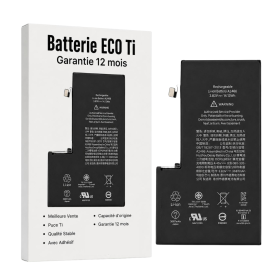
Battery A2466 3687mAh iPhone 12 Pro Max +Adhesive Type - Pure Cobalt (ECO Ti)
Please note that for the Origine battery replacement on XR/XS/XSMax/11/11Pro/11ProMax/12/12 Mini/12 Pro/12 Pro Max, the phone will systematically indicate that the battery needs to be serviced. This information will not affect the normal use of the phone Battery for iPhone 12 Pro Max. This spare part will allow you to easily & quickly replace the battery of your iPhone 12 Pro Max.
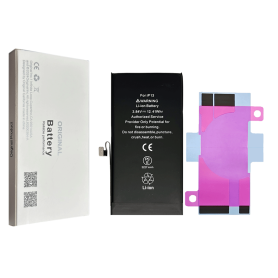
Battery A2655 3232mAh iPhone 13 (OEM) Diagnostic Show Genuine
Use Repair Assistant to Finish an iPhone or iPad Repair
This Battery Without Logo
On an iPhone 12 or later running iOS 18, when a new Apple battery is installed,“Finish Repair” will appear next to Battery until you complete the repair using the Repair Assistant.
On an iPhone 12 or later running iOS 18, it is possible to reuse an original Apple battery on another iPhone of the same model.
The date of first use, capacity, and cycle count of your battery can be found in Settings > Battery > Battery Health.
How to Run Diagnostics & Finish Repair for iPhone Battery
1. Ensure your device is updated to iOS 18
2. Go to Settings > General > About > Parts & Service History
3. Tap "Restart & Finish Repair" to activate the Repair Assistant
4. Follow the on-screen instructions to complete the calibration
After completing this process, your battery will display 100% health, and there will be no pop-up warning about non-genuine parts.
Important Notes:
Your iPhone must be connected to Wi-Fi
Your battery level should be above 20%
If the process fails, restart your device and try again
If the repair is not completed, the battery may not function optimally, and some features (Face ID, Touch ID) may be disabled until calibration is finalized
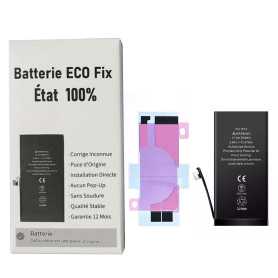
Battery A2655 3232mAh iPhone 13 (ECO Fix) Direct Installation - No Pop-up / Health 100%
Use Repair Assistant to Finish an iPhone or iPad Repair
This Battery Without Logo
On an iPhone 12 or later running iOS 18, when a new Apple battery is installed,“Finish Repair” will appear next to Battery until you complete the repair using the Repair Assistant.
On an iPhone 12 or later running iOS 18, it is possible to reuse an original Apple battery on another iPhone of the same model.
The date of first use, capacity, and cycle count of your battery can be found in Settings > Battery > Battery Health.
How to Run Diagnostics & Finish Repair for iPhone Battery
1. Ensure your device is updated to iOS 18
2. Go to Settings > General > About > Parts & Service History
3. Tap "Restart & Finish Repair" to activate the Repair Assistant
4. Follow the on-screen instructions to complete the calibration
After completing this process, your battery will display 100% health, and there will be no pop-up warning about non-genuine parts.
Important Notes:
Your iPhone must be connected to Wi-Fi
Your battery level should be above 20%
If the process fails, restart your device and try again
If the repair is not completed, the battery may not function optimally, and some features (Face ID, Touch ID) may be disabled until calibration is finalized
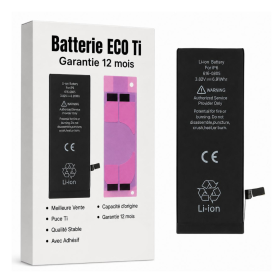
Battery 616-0809/0805/0807/0806 1810mAh iPhone 6 with Adhesives - Pure Cobalt (ECO Ti)
Battery for iPhone 6. This spare part will allow you to easily & quickly replace the battery of your iPhone 6. EAN: 7371101080448

Battery A2660 2406mAh iPhone 13 mini (OEM) Diagnostic Show Genuine
Use Repair Assistant to Finish an iPhone or iPad Repair
This Battery Without Logo
On an iPhone 12 or later running iOS 18, when a new Apple battery is installed,“Finish Repair” will appear next to Battery until you complete the repair using the Repair Assistant.
On an iPhone 12 or later running iOS 18, it is possible to reuse an original Apple battery on another iPhone of the same model.
The date of first use, capacity, and cycle count of your battery can be found in Settings > Battery > Battery Health.
How to Run Diagnostics & Finish Repair for iPhone Battery
1. Ensure your device is updated to iOS 18
2. Go to Settings > General > About > Parts & Service History
3. Tap "Restart & Finish Repair" to activate the Repair Assistant
4. Follow the on-screen instructions to complete the calibration
After completing this process, your battery will display 100% health, and there will be no pop-up warning about non-genuine parts.
Important Notes:
Your iPhone must be connected to Wi-Fi
Your battery level should be above 20%
If the process fails, restart your device and try again
If the repair is not completed, the battery may not function optimally, and some features (Face ID, Touch ID) may be disabled until calibration is finalized

Battery A2660 2406mAh iPhone 13 mini (ECO Fix) Direct Installation - No Pop-up / Health 100%
Use Repair Assistant to Finish an iPhone or iPad Repair
This Battery Without Logo
On an iPhone 12 or later running iOS 18, when a new Apple battery is installed,“Finish Repair” will appear next to Battery until you complete the repair using the Repair Assistant.
On an iPhone 12 or later running iOS 18, it is possible to reuse an original Apple battery on another iPhone of the same model.
The date of first use, capacity, and cycle count of your battery can be found in Settings > Battery > Battery Health.
How to Run Diagnostics & Finish Repair for iPhone Battery
1. Ensure your device is updated to iOS 18
2. Go to Settings > General > About > Parts & Service History
3. Tap "Restart & Finish Repair" to activate the Repair Assistant
4. Follow the on-screen instructions to complete the calibration
After completing this process, your battery will display 100% health, and there will be no pop-up warning about non-genuine parts.
Important Notes:
Your iPhone must be connected to Wi-Fi
Your battery level should be above 20%
If the process fails, restart your device and try again
If the repair is not completed, the battery may not function optimally, and some features (Face ID, Touch ID) may be disabled until calibration is finalized
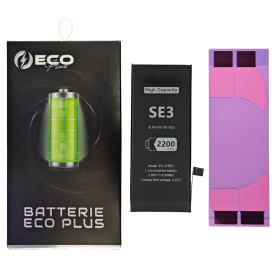
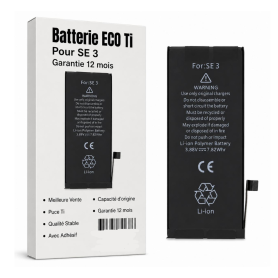
Battery A2819 2018mAh iPhone SE 2022 with Adhesives - Pure Cobalt (ECO Ti)
New Internal Battery for iPhone SE 2022 0 Cycle + Adhesives - Grade AAA

Battery A2312 1821mAh iPhone SE 2020 + Adhesives - Chip Ti (ECO Luxe) Original Alternative
The Ti chip is used by Apple in its original battery.
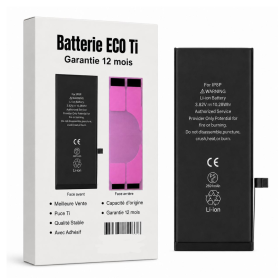
Battery A2312 1821mAh iPhone SE 2020 with Adhesive - Pure Cobalt (ECO Ti)
iPhone SE 2020 Internal Battery New 0 Cycle + Adhesives - Grade AAA
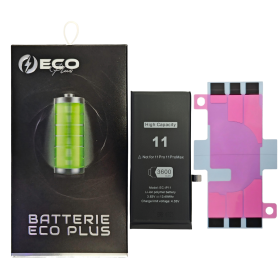
Battery 616-00641/616-00644 3600mAh iPhone 11 130% More Durable (ECO Plus)
Battery compatible with iPhone 11 130% More Durable (ECO Plus).

Battery A2479 2815mAh iPhone 12 / 12 Pro (OEM) Diagnostic Show Genuine
Use Repair Assistant to Finish an iPhone or iPad Repair
This Battery Without Logo
On an iPhone 12 or later running iOS 18, when a new Apple battery is installed,“Finish Repair” will appear next to Battery until you complete the repair using the Repair Assistant.
On an iPhone 12 or later running iOS 18, it is possible to reuse an original Apple battery on another iPhone of the same model.
The date of first use, capacity, and cycle count of your battery can be found in Settings > Battery > Battery Health.
How to Run Diagnostics & Finish Repair for iPhone Battery
1. Ensure your device is updated to iOS 18
2. Go to Settings > General > About > Parts & Service History
3. Tap "Restart & Finish Repair" to activate the Repair Assistant
4. Follow the on-screen instructions to complete the calibration
After completing this process, your battery will display 100% health, and there will be no pop-up warning about non-genuine parts.
Important Notes:
Your iPhone must be connected to Wi-Fi
Your battery level should be above 20%
If the process fails, restart your device and try again
If the repair is not completed, the battery may not function optimally, and some features (Face ID, Touch ID) may be disabled until calibration is finalized
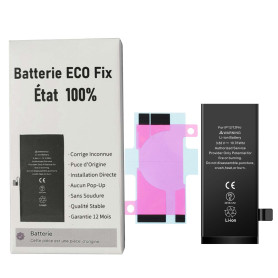
Battery A2479 2815mAh iPhone 12 / 12 Pro (ECO Fix) Direct Installation - No Pop-up / Health 100%
Use Repair Assistant to Finish an iPhone or iPad Repair
This Battery Without Logo
On an iPhone 12 or later running iOS 18, when a new Apple battery is installed,“Finish Repair” will appear next to Battery until you complete the repair using the Repair Assistant.
On an iPhone 12 or later running iOS 18, it is possible to reuse an original Apple battery on another iPhone of the same model.
The date of first use, capacity, and cycle count of your battery can be found in Settings > Battery > Battery Health.
How to Run Diagnostics & Finish Repair for iPhone Battery
1. Ensure your device is updated to iOS 18
2. Go to Settings > General > About > Parts & Service History
3. Tap "Restart & Finish Repair" to activate the Repair Assistant
4. Follow the on-screen instructions to complete the calibration
After completing this process, your battery will display 100% health, and there will be no pop-up warning about non-genuine parts.
Important Notes:
Your iPhone must be connected to Wi-Fi
Your battery level should be above 20%
If the process fails, restart your device and try again
If the repair is not completed, the battery may not function optimally, and some features (Face ID, Touch ID) may be disabled until calibration is finalized
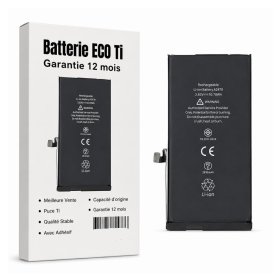
Battery A2479 2815mAh iPhone 12 / 12 Pro +Adhesive Type - Pure Cobalt (ECO Ti)
Please note that for the replacement of the original battery on the iPhone XR/XS/XSMax/11/11Pro/11ProMax/12/12 Mini/12 Pro/12 Pro Max, the phone will systematically indicate that the battery needs to be serviced. This information will not affect the normal use of the phone Battery for iPhone 12/12 Pro. This spare part will allow you to easily & quickly replace the battery of your iPhone 12/12 Pro.

Battery A2471 2227mAh iPhone 12 mini (OEM) Diagnostic Show Genuine
Use Repair Assistant to Finish an iPhone or iPad Repair
This Battery Without Logo
On an iPhone 12 or later running iOS 18, when a new Apple battery is installed,“Finish Repair” will appear next to Battery until you complete the repair using the Repair Assistant.
On an iPhone 12 or later running iOS 18, it is possible to reuse an original Apple battery on another iPhone of the same model.
The date of first use, capacity, and cycle count of your battery can be found in Settings > Battery > Battery Health.
How to Run Diagnostics & Finish Repair for iPhone Battery
1. Ensure your device is updated to iOS 18
2. Go to Settings > General > About > Parts & Service History
3. Tap "Restart & Finish Repair" to activate the Repair Assistant
4. Follow the on-screen instructions to complete the calibration
After completing this process, your battery will display 100% health, and there will be no pop-up warning about non-genuine parts.
Important Notes:
Your iPhone must be connected to Wi-Fi
Your battery level should be above 20%
If the process fails, restart your device and try again
If the repair is not completed, the battery may not function optimally, and some features (Face ID, Touch ID) may be disabled until calibration is finalized
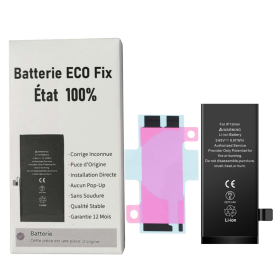
Battery A2471 2227mAh iPhone 12 mini (ECO Fix) Direct Installation - No Pop-up / Health 100%
Use Repair Assistant to Finish an iPhone or iPad Repair
This Battery Without Logo
On an iPhone 12 or later running iOS 18, when a new Apple battery is installed,“Finish Repair” will appear next to Battery until you complete the repair using the Repair Assistant.
On an iPhone 12 or later running iOS 18, it is possible to reuse an original Apple battery on another iPhone of the same model.
The date of first use, capacity, and cycle count of your battery can be found in Settings > Battery > Battery Health.
How to Run Diagnostics & Finish Repair for iPhone Battery
1. Ensure your device is updated to iOS 18
2. Go to Settings > General > About > Parts & Service History
3. Tap "Restart & Finish Repair" to activate the Repair Assistant
4. Follow the on-screen instructions to complete the calibration
After completing this process, your battery will display 100% health, and there will be no pop-up warning about non-genuine parts.
Important Notes:
Your iPhone must be connected to Wi-Fi
Your battery level should be above 20%
If the process fails, restart your device and try again
If the repair is not completed, the battery may not function optimally, and some features (Face ID, Touch ID) may be disabled until calibration is finalized
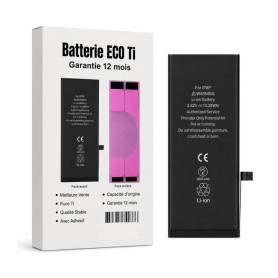
Battery 616-00364/616-00367 2691mAh iPhone 8 Plus with Adhesive - Pure Cobalt (ECO Ti)
Battery for iPhone 8 Plus. This spare part will allow you to easily & quickly replace the battery of your iPhone 8 Plus. EAN: 8002126277986
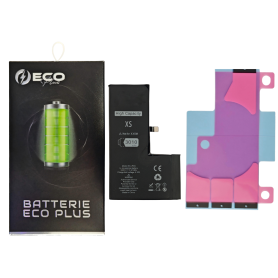
Battery 616-00514 3010mAh iPhone XS 130% More Durable (ECO Plus)
ECO Plus 3010 mAh battery for iPhone XS, with 100% cobalt cells.

Battery 616-00514 2658mAh iPhone XS 3.82V + Adhesives - Chip Ti (ECO Luxe) Original Alternative
The Ti chip is used by Apple in its original battery.
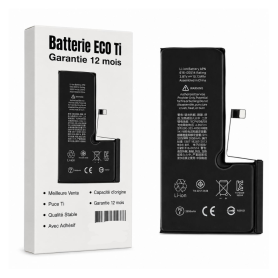
Battery 616-00514 2658mAh iPhone XS with Adhesive - Pure Cobalt (ECO Ti)
Please note that for original battery replacement on XR/XS/XSMax/11/11Pro/11ProMax, the phone will systematically indicate that the battery needs service. This information will not affect normal use of the phone Battery 616-00512 iPhone XS EAN:8414717537773

Battery 616-00249 2900mAh iPhone 7 Plus 3.82V + Adhesives - Chip Ti (ECO Luxe) Original Alternative
The Ti chip is used by Apple in its original battery.
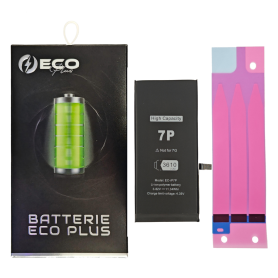
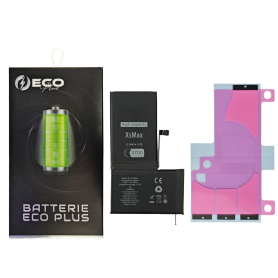
Battery 616-00507/00505/00499 3700mAh iPhone XS Max 130% More Durable (ECO Plus)
ECO Plus 3700 mAh battery for iPhone XS Max, with 100% cobalt cells.
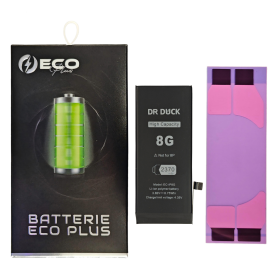
Battery 616-00357/616-00361 2730mAh iPhone 8 130% More Durable (ECO Plus)
ECO Plus 2730 mAh battery for iPhone 8, with 100% cobalt cells.
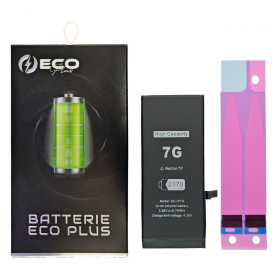
Battery 616-00255 2370mAh iPhone 7 130% More Durable (ECO Plus)
ECO Plus 2370 mAh battery for iPhone 7, with 100% cobalt cells.
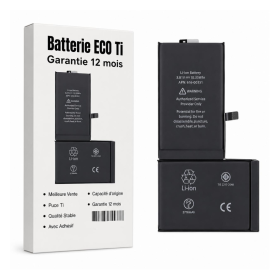
Battery 616-00351/616-00346 2716mAh iPhone X +Adhesive Type - Pure Cobalt (ECO Ti)
Battery for iPhone X. This spare part will allow you to easily & quickly replace the battery of your iPhone X. EAN: 8002126282409
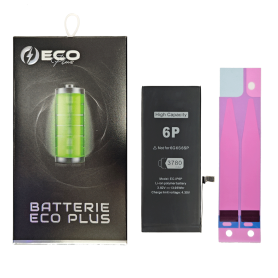

Battery 616-0765/616-0802 2915mAh iPhone 6 Plus - Ti Chip (ECO Luxe) Original Alternative
The Ti chip is used by Apple in its original battery.
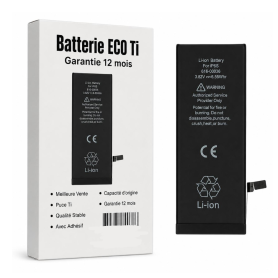
Battery 616-0765/616-0802 2915mAh iPhone 6 Plus with Adhesives - Pure Cobalt (ECO Ti)
Spare parts for iPhone 6plus, including batteries, are parts requiring quality and production precision. This is why all our batteries are manually checked by our technicians in France, in order to offer you quality spare parts that will meet your expectations. EAN: 7371101080455
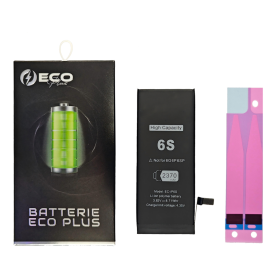

Battery 616-00036/616-00033 1715mAh iPhone 6S 3.8V + Adhesives - Chip Ti (ECO Luxe) Original Alternative
The Ti chip is used by Apple in its original battery.
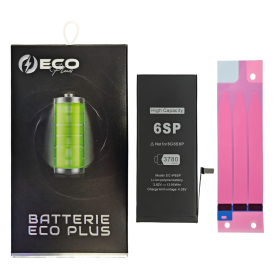

Battery 616-00045/616-00042 2750mAh iPhone 6S Plus 3.82V + Adhesives - Chip Ti (ECO Luxe) Original Alternative
The Ti chip is used by Apple in its original battery.
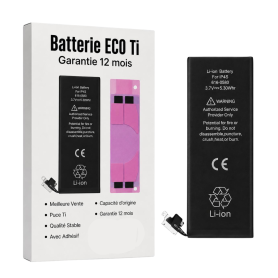
Battery 616-0513/0512/0521/0520 1420mAh iPhone 4 with Adhesives - Pure Cobalt (ECO Ti)
Battery for iPhone 4. This spare part will allow you to easily & quickly replace the battery of your iPhone 4. EAN: 7371101080424
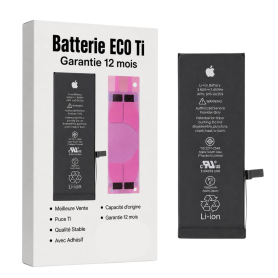
Battery 616-0721/0720/0722/0667/0730/0762 1510mAh/1560mAh iPhone 5C / 5S with Adhesives - Pure Cobalt (ECO Ti)
Battery for iPhone 5S/5C. This spare part will allow you to easily & quickly replace the battery of your iPhone 5S/5C. EAN: 7371101080417
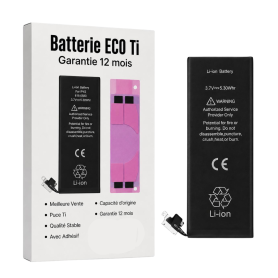
Battery 616-0613/0610 1440mAh iPhone 5 with Adhesives - Pure Cobalt (ECO Ti)
Battery for iPhone 5. This spare part will allow you to easily & quickly replace the battery of your iPhone 5. EAN: 6943948193547
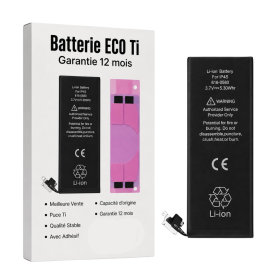
Battery 616-0580/0581/0582/0579 1430mAh iPhone 4S with Adhesives - Pure Cobalt (ECO Ti)
Battery for iPhone 4S. This spare part will allow you to easily & quickly replace the battery of your iPhone 4S. EAN: 7371101080431
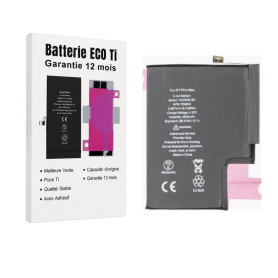
PSMU8 4823mAh Battery for iPhone 17 Pro Max with Adhesives - Pure Cobalt (ECO Ti)
Key Features of Battery PSKE2 4005mAh iPhone 17 Pro Max with Adhesives - Pure Cobalt (ECO Ti):
High Capacity Performance: Boasting a robust 4005mAh capacity, this battery ensures your iPhone 17 Pro Max stays powered throughout the day, supporting extended usage for calls, streaming, and browsing without frequent recharges.
Pure Cobalt Technology: Engineered with Pure Cobalt (ECO Ti), this battery offers superior energy density and efficiency, providing a longer lifespan and more reliable performance compared to standard lithium-ion batteries.
Eco-Friendly Design: Committed to sustainability, the ECO Ti technology reduces environmental impact, making it a greener choice for eco-conscious consumers.
Seamless Integration: Designed specifically for the iPhone 17 Pro Max, this battery ensures a perfect fit and optimal compatibility, maintaining the sleek design and functionality of your device.
Adhesive Included: Comes with high-quality adhesives for easy installation, ensuring a secure fit and hassle-free replacement process.
Enhanced Safety Features: Equipped with advanced safety mechanisms to protect against overcharging, overheating, and short-circuiting, ensuring both user safety and device integrity.
Reliable Power Source: Ideal for heavy users and those on the go, this battery provides consistent and dependable power, keeping your iPhone 17 Pro Max ready whenever you need it.
High Capacity Performance: Boasting a robust 4005mAh capacity, this battery ensures your iPhone 17 Pro Max stays powered throughout the day, supporting extended usage for calls, streaming, and browsing without frequent recharges.
Pure Cobalt Technology: Engineered with Pure Cobalt (ECO Ti), this battery offers superior energy density and efficiency, providing a longer lifespan and more reliable performance compared to standard lithium-ion batteries.
Eco-Friendly Design: Committed to sustainability, the ECO Ti technology reduces environmental impact, making it a greener choice for eco-conscious consumers.
Seamless Integration: Designed specifically for the iPhone 17 Pro Max, this battery ensures a perfect fit and optimal compatibility, maintaining the sleek design and functionality of your device.
Adhesive Included: Comes with high-quality adhesives for easy installation, ensuring a secure fit and hassle-free replacement process.
Enhanced Safety Features: Equipped with advanced safety mechanisms to protect against overcharging, overheating, and short-circuiting, ensuring both user safety and device integrity.
Reliable Power Source: Ideal for heavy users and those on the go, this battery provides consistent and dependable power, keeping your iPhone 17 Pro Max ready whenever you need it.
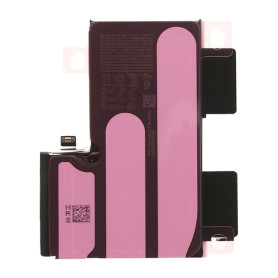
iPhone 16 Pro Max Battery S2218 4685mAh (Original Pulled) 95-98% Health - Supports configuration
Use Repair Assistant to Finish an iPhone or iPad Repair
On an iPhone 12 or later running iOS 18, when a new Apple battery is installed,“Finish Repair” will appear next to Battery until you complete the repair using the Repair Assistant.
On an iPhone 12 or later running iOS 18, it is possible to reuse an original Apple battery on another iPhone of the same model.
The date of first use, capacity, and cycle count of your battery can be found in Settings > Battery > Battery Health.
How to Run Diagnostics & Finish Repair for iPhone Battery
1. Ensure your device is updated to iOS 18
2. Go to Settings > General > About > Parts & Service History
3. Tap "Restart & Finish Repair" to activate the Repair Assistant
4. Follow the on-screen instructions to complete the calibration
After completing this process, your battery will display 95-98% health, and there will be no pop-up warning about non-genuine parts.
Important Notes:
Your iPhone must be connected to Wi-Fi
Your battery level should be above 20%
If the process fails, restart your device and try again
If the repair is not completed, the battery may not function optimally, and some features (Face ID, Touch ID) may be disabled until calibration is finalized
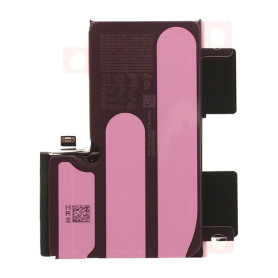
iPhone 16 Pro Max Battery S2218 4685mAh (Original Pulled) 90-94% Health - Supports configuration
Use Repair Assistant to Finish an iPhone or iPad Repair
On an iPhone 12 or later running iOS 18, when a new Apple battery is installed,“Finish Repair” will appear next to Battery until you complete the repair using the Repair Assistant.
On an iPhone 12 or later running iOS 18, it is possible to reuse an original Apple battery on another iPhone of the same model.
The date of first use, capacity, and cycle count of your battery can be found in Settings > Battery > Battery Health.
How to Run Diagnostics & Finish Repair for iPhone Battery
1. Ensure your device is updated to iOS 18
2. Go to Settings > General > About > Parts & Service History
3. Tap "Restart & Finish Repair" to activate the Repair Assistant
4. Follow the on-screen instructions to complete the calibration
After completing this process, your battery will display 90-94% health, and there will be no pop-up warning about non-genuine parts.
Important Notes:
Your iPhone must be connected to Wi-Fi
Your battery level should be above 20%
If the process fails, restart your device and try again
If the repair is not completed, the battery may not function optimally, and some features (Face ID, Touch ID) may be disabled until calibration is finalized
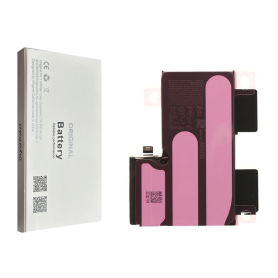
Battery S2218 4685mAh iPhone 16 Pro Max (OEM) Diagnostic Shows Genuine Part
Battery S2218 4685mAh iPhone 16 Pro Max (OEM) Diagnostic Shows Genuine Part
This logo-free battery is intended for professional repair. After fitting it to an iPhone 16 Pro Max running iOS 18, use Repair Assistant to finish calibration and view battery health and parts history.
Finish an iPhone repair with Repair Assistant
Connect to Wi-Fi and charge above 20%.
Open Settings > General > About > Parts and Service History.
Tap Restart & Finish Repair and follow the on-screen steps.
If calibration fails, restart the device and try again.
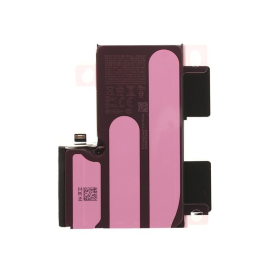
iPhone 16 Pro Max Battery S2218 4685mAh (Original Pulled) 100% Health - Supports configuration
Use Repair Assistant to Finish an iPhone or iPad Repair
On an iPhone 12 or later running iOS 18, when a new Apple battery is installed,“Finish Repair” will appear next to Battery until you complete the repair using the Repair Assistant.
On an iPhone 12 or later running iOS 18, it is possible to reuse an original Apple battery on another iPhone of the same model.
The date of first use, capacity, and cycle count of your battery can be found in Settings > Battery > Battery Health.
How to Run Diagnostics & Finish Repair for iPhone Battery
1. Ensure your device is updated to iOS 18
2. Go to Settings > General > About > Parts & Service History
3. Tap "Restart & Finish Repair" to activate the Repair Assistant
4. Follow the on-screen instructions to complete the calibration
After completing this process, your battery will display 100% health, and there will be no pop-up warning about non-genuine parts.
Important Notes:
Your iPhone must be connected to Wi-Fi
Your battery level should be above 20%
If the process fails, restart your device and try again
If the repair is not completed, the battery may not function optimally, and some features (Face ID, Touch ID) may be disabled until calibration is finalized
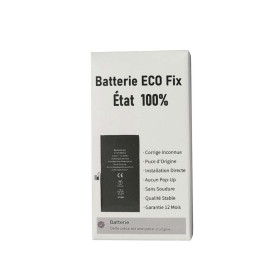
Battery S2218 4685mAh for iPhone 16 Pro Max (ECO Fix) Direct Installation - No Pop-up / Health 100%
Use Repair Assistant to Finish an iPhone or iPad Repair
This Battery Without Logo
On an iPhone 12 or later running iOS 18, when a new Apple battery is installed,“Finish Repair” will appear next to Battery until you complete the repair using the Repair Assistant.
On an iPhone 12 or later running iOS 18, it is possible to reuse an original Apple battery on another iPhone of the same model.
The date of first use, capacity, and cycle count of your battery can be found in Settings > Battery > Battery Health.
How to Run Diagnostics & Finish Repair for iPhone Battery
1. Ensure your device is updated to iOS 18
2. Go to Settings > General > About > Parts & Service History
3. Tap "Restart & Finish Repair" to activate the Repair Assistant
4. Follow the on-screen instructions to complete the calibration
After completing this process, your battery will display 100% health, and there will be no pop-up warning about non-genuine parts.
Important Notes:
Your iPhone must be connected to Wi-Fi
Your battery level should be above 20%
If the process fails, restart your device and try again
If the repair is not completed, the battery may not function optimally, and some features (Face ID, Touch ID) may be disabled until calibration is finalized
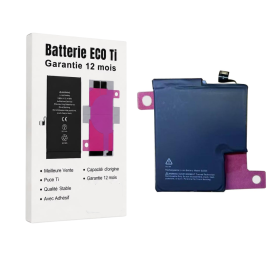
S2225 3988mAh Battery for iPhone 17 Pro with Adhesives - Pure Cobalt (ECO Ti)
Key Features of Battery PSKE2 4005mAh iPhone 17 Pro with Adhesives - Pure Cobalt (ECO Ti):
High Capacity Performance: Boasting a robust 4005mAh capacity, this battery ensures your iPhone 17 Pro stays powered throughout the day, supporting extended usage for calls, streaming, and browsing without frequent recharges.
Pure Cobalt Technology: Engineered with Pure Cobalt (ECO Ti), this battery offers superior energy density and efficiency, providing a longer lifespan and more reliable performance compared to standard lithium-ion batteries.
Eco-Friendly Design: Committed to sustainability, the ECO Ti technology reduces environmental impact, making it a greener choice for eco-conscious consumers.
Seamless Integration: Designed specifically for the iPhone 17 Pro, this battery ensures a perfect fit and optimal compatibility, maintaining the sleek design and functionality of your device.
Adhesive Included: Comes with high-quality adhesives for easy installation, ensuring a secure fit and hassle-free replacement process.
Enhanced Safety Features: Equipped with advanced safety mechanisms to protect against overcharging, overheating, and short-circuiting, ensuring both user safety and device integrity.
Reliable Power Source: Ideal for heavy users and those on the go, this battery provides consistent and dependable power, keeping your iPhone 17 Pro ready whenever you need it.
High Capacity Performance: Boasting a robust 4005mAh capacity, this battery ensures your iPhone 17 Pro stays powered throughout the day, supporting extended usage for calls, streaming, and browsing without frequent recharges.
Pure Cobalt Technology: Engineered with Pure Cobalt (ECO Ti), this battery offers superior energy density and efficiency, providing a longer lifespan and more reliable performance compared to standard lithium-ion batteries.
Eco-Friendly Design: Committed to sustainability, the ECO Ti technology reduces environmental impact, making it a greener choice for eco-conscious consumers.
Seamless Integration: Designed specifically for the iPhone 17 Pro, this battery ensures a perfect fit and optimal compatibility, maintaining the sleek design and functionality of your device.
Adhesive Included: Comes with high-quality adhesives for easy installation, ensuring a secure fit and hassle-free replacement process.
Enhanced Safety Features: Equipped with advanced safety mechanisms to protect against overcharging, overheating, and short-circuiting, ensuring both user safety and device integrity.
Reliable Power Source: Ideal for heavy users and those on the go, this battery provides consistent and dependable power, keeping your iPhone 17 Pro ready whenever you need it.
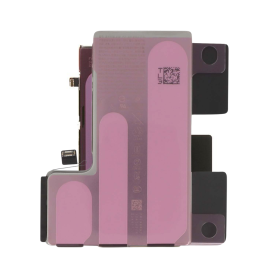
iPhone 16 Pro Battery 2203B 3582mAh (Original Pulled) 100% Health – Supports configuration
Use Repair Assistant to Finish an iPhone or iPad Repair
On an iPhone 12 or later running iOS 18, when a new Apple battery is installed,“Finish Repair” will appear next to Battery until you complete the repair using the Repair Assistant.
On an iPhone 12 or later running iOS 18, it is possible to reuse an original Apple battery on another iPhone of the same model.
The date of first use, capacity, and cycle count of your battery can be found in Settings > Battery > Battery Health.
How to Run Diagnostics & Finish Repair for iPhone Battery
1. Ensure your device is updated to iOS 18
2. Go to Settings > General > About > Parts & Service History
3. Tap "Restart & Finish Repair" to activate the Repair Assistant
4. Follow the on-screen instructions to complete the calibration
After completing this process, your battery will display 100% health, and there will be no pop-up warning about non-genuine parts.
Important Notes:
Your iPhone must be connected to Wi-Fi
Your battery level should be above 20%
If the process fails, restart your device and try again
If the repair is not completed, the battery may not function optimally, and some features (Face ID, Touch ID) may be disabled until calibration is finalized
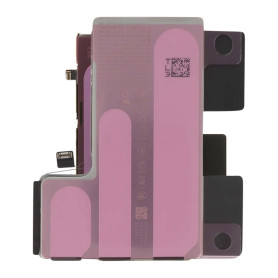
iPhone 16 Pro Battery 2203B 3582mAh (Original Pulled) 95-98% Health – Supports configuration
Use Repair Assistant to Finish an iPhone or iPad Repair
On an iPhone 12 or later running iOS 18, when a new Apple battery is installed,“Finish Repair” will appear next to Battery until you complete the repair using the Repair Assistant.
On an iPhone 12 or later running iOS 18, it is possible to reuse an original Apple battery on another iPhone of the same model.
The date of first use, capacity, and cycle count of your battery can be found in Settings > Battery > Battery Health.
How to Run Diagnostics & Finish Repair for iPhone Battery
1. Ensure your device is updated to iOS 18
2. Go to Settings > General > About > Parts & Service History
3. Tap "Restart & Finish Repair" to activate the Repair Assistant
4. Follow the on-screen instructions to complete the calibration
After completing this process, your battery will display 95-98% health, and there will be no pop-up warning about non-genuine parts.
Important Notes:
Your iPhone must be connected to Wi-Fi
Your battery level should be above 20%
If the process fails, restart your device and try again
If the repair is not completed, the battery may not function optimally, and some features (Face ID, Touch ID) may be disabled until calibration is finalized
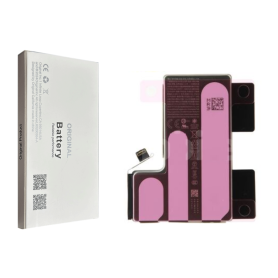
Battery 2203B 3582mAh iPhone 16 Pro (OEM) Diagnostic Shows Genuine Part
Battery 2203B 3582mAh iPhone 16 Pro (OEM) Diagnostic Shows Genuine Part
This logo-free battery is intended for professional repair. After fitting it to an iPhone 16 Pro running iOS 18, use Repair Assistant to finish calibration and view battery health and parts history.
Finish an iPhone repair with Repair Assistant
Connect to Wi-Fi and charge above 20%.
Open Settings > General > About > Parts and Service History.
Tap Restart & Finish Repair and follow the on-screen steps.
If calibration fails, restart the device and try again.
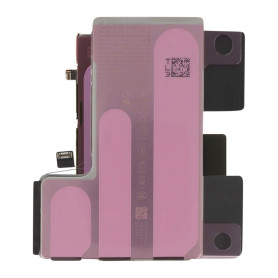
iPhone 16 Pro Battery 2203B 3582mAh (Original Pulled) 90-94% Health – Supports configuration
Use Repair Assistant to Finish an iPhone or iPad Repair
On an iPhone 12 or later running iOS 18, when a new Apple battery is installed,“Finish Repair” will appear next to Battery until you complete the repair using the Repair Assistant.
On an iPhone 12 or later running iOS 18, it is possible to reuse an original Apple battery on another iPhone of the same model.
The date of first use, capacity, and cycle count of your battery can be found in Settings > Battery > Battery Health.
How to Run Diagnostics & Finish Repair for iPhone Battery
1. Ensure your device is updated to iOS 18
2. Go to Settings > General > About > Parts & Service History
3. Tap "Restart & Finish Repair" to activate the Repair Assistant
4. Follow the on-screen instructions to complete the calibration
After completing this process, your battery will display 90-94% health, and there will be no pop-up warning about non-genuine parts.
Important Notes:
Your iPhone must be connected to Wi-Fi
Your battery level should be above 20%
If the process fails, restart your device and try again
If the repair is not completed, the battery may not function optimally, and some features (Face ID, Touch ID) may be disabled until calibration is finalized
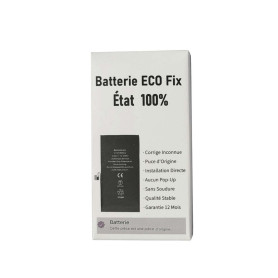
Battery 2203B 3582mAh for iPhone 16 Pro (ECO Fix) Direct Installation - No Pop-up / Health 100%
Use Repair Assistant to Finish an iPhone or iPad Repair
This Battery Without Logo
On an iPhone 12 or later running iOS 18, when a new Apple battery is installed,“Finish Repair” will appear next to Battery until you complete the repair using the Repair Assistant.
On an iPhone 12 or later running iOS 18, it is possible to reuse an original Apple battery on another iPhone of the same model.
The date of first use, capacity, and cycle count of your battery can be found in Settings > Battery > Battery Health.
How to Run Diagnostics & Finish Repair for iPhone Battery
1. Ensure your device is updated to iOS 18
2. Go to Settings > General > About > Parts & Service History
3. Tap "Restart & Finish Repair" to activate the Repair Assistant
4. Follow the on-screen instructions to complete the calibration
After completing this process, your battery will display 100% health, and there will be no pop-up warning about non-genuine parts.
Important Notes:
Your iPhone must be connected to Wi-Fi
Your battery level should be above 20%
If the process fails, restart your device and try again
If the repair is not completed, the battery may not function optimally, and some features (Face ID, Touch ID) may be disabled until calibration is finalized
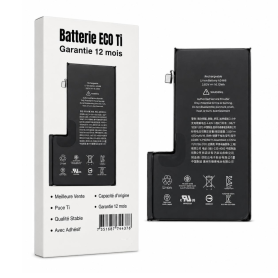
Battery 2203B 3582mAh iPhone 16 Pro with Adhesives - Pure Cobalt (ECO Ti)
Battery for the iPhone 16 Pro model. Supplied with: Adhesives.
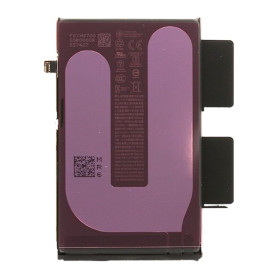
iPhone 16 Plus Battery 106ES 4674mAh (Original Pulled) 95-98% Health – Supports configuration
Use Repair Assistant to Finish an iPhone or iPad Repair
On an iPhone 12 or later running iOS 18, when a new Apple battery is installed,“Finish Repair” will appear next to Battery until you complete the repair using the Repair Assistant.
On an iPhone 12 or later running iOS 18, it is possible to reuse an original Apple battery on another iPhone of the same model.
The date of first use, capacity, and cycle count of your battery can be found in Settings > Battery > Battery Health.
How to Run Diagnostics & Finish Repair for iPhone Battery
1. Ensure your device is updated to iOS 18
2. Go to Settings > General > About > Parts & Service History
3. Tap "Restart & Finish Repair" to activate the Repair Assistant
4. Follow the on-screen instructions to complete the calibration
After completing this process, your battery will display 95-98% health, and there will be no pop-up warning about non-genuine parts.
Important Notes:
Your iPhone must be connected to Wi-Fi
Your battery level should be above 20%
If the process fails, restart your device and try again
If the repair is not completed, the battery may not function optimally, and some features (Face ID, Touch ID) may be disabled until calibration is finalized
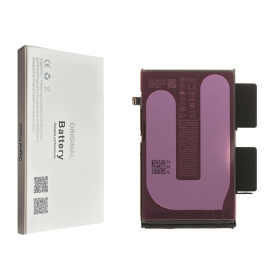
Battery 106ES 4674mAh iPhone 16 Plus (OEM) Diagnostic Shows Genuine Part
Battery 106ES 4674mAh iPhone 16 Plus (OEM) Diagnostic Shows Genuine Part
This logo-free battery is intended for professional repair. After fitting it to an iPhone 16 Plus running iOS 18, use Repair Assistant to finish calibration and view battery health and parts history.
Finish an iPhone repair with Repair Assistant
Connect to Wi-Fi and charge above 20%.
Open Settings > General > About > Parts and Service History.
Tap Restart & Finish Repair and follow the on-screen steps.
If calibration fails, restart the device and try again.
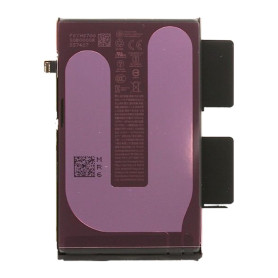
iPhone 16 Plus Battery 106ES 4674mAh (Original Pulled) 90-94% Health – Supports configuration
Use Repair Assistant to Finish an iPhone or iPad Repair
On an iPhone 12 or later running iOS 18, when a new Apple battery is installed,“Finish Repair” will appear next to Battery until you complete the repair using the Repair Assistant.
On an iPhone 12 or later running iOS 18, it is possible to reuse an original Apple battery on another iPhone of the same model.
The date of first use, capacity, and cycle count of your battery can be found in Settings > Battery > Battery Health.
How to Run Diagnostics & Finish Repair for iPhone Battery
1. Ensure your device is updated to iOS 18
2. Go to Settings > General > About > Parts & Service History
3. Tap "Restart & Finish Repair" to activate the Repair Assistant
4. Follow the on-screen instructions to complete the calibration
After completing this process, your battery will display 90-94% health, and there will be no pop-up warning about non-genuine parts.
Important Notes:
Your iPhone must be connected to Wi-Fi
Your battery level should be above 20%
If the process fails, restart your device and try again
If the repair is not completed, the battery may not function optimally, and some features (Face ID, Touch ID) may be disabled until calibration is finalized
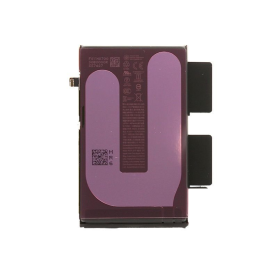
iPhone 16 Plus Battery 106ES 4674mAh (Original Pulled) 100% Health – Supports configuration
Use Repair Assistant to Finish an iPhone or iPad Repair
On an iPhone 12 or later running iOS 18, when a new Apple battery is installed,“Finish Repair” will appear next to Battery until you complete the repair using the Repair Assistant.
On an iPhone 12 or later running iOS 18, it is possible to reuse an original Apple battery on another iPhone of the same model.
The date of first use, capacity, and cycle count of your battery can be found in Settings > Battery > Battery Health.
How to Run Diagnostics & Finish Repair for iPhone Battery
1. Ensure your device is updated to iOS 18
2. Go to Settings > General > About > Parts & Service History
3. Tap "Restart & Finish Repair" to activate the Repair Assistant
4. Follow the on-screen instructions to complete the calibration
After completing this process, your battery will display 100% health, and there will be no pop-up warning about non-genuine parts.
Important Notes:
Your iPhone must be connected to Wi-Fi
Your battery level should be above 20%
If the process fails, restart your device and try again
If the repair is not completed, the battery may not function optimally, and some features (Face ID, Touch ID) may be disabled until calibration is finalized
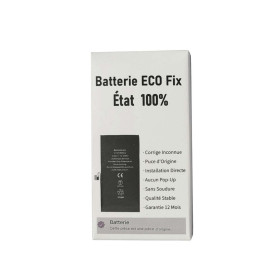
Battery 106ES 4674mAh for iPhone 16 Plus (ECO Fix) Direct Installation - No Pop-up / Health 100%
Use Repair Assistant to Finish an iPhone or iPad Repair
This Battery Without Logo
On an iPhone 12 or later running iOS 18, when a new Apple battery is installed,“Finish Repair” will appear next to Battery until you complete the repair using the Repair Assistant.
On an iPhone 12 or later running iOS 18, it is possible to reuse an original Apple battery on another iPhone of the same model.
The date of first use, capacity, and cycle count of your battery can be found in Settings > Battery > Battery Health.
How to Run Diagnostics & Finish Repair for iPhone Battery
1. Ensure your device is updated to iOS 18
2. Go to Settings > General > About > Parts & Service History
3. Tap "Restart & Finish Repair" to activate the Repair Assistant
4. Follow the on-screen instructions to complete the calibration
After completing this process, your battery will display 100% health, and there will be no pop-up warning about non-genuine parts.
Important Notes:
Your iPhone must be connected to Wi-Fi
Your battery level should be above 20%
If the process fails, restart your device and try again
If the repair is not completed, the battery may not function optimally, and some features (Face ID, Touch ID) may be disabled until calibration is finalized

Battery A3121 4422mAh iPhone 15 Pro Max (OEM) Diagnostic Show Genuine
Use Repair Assistant to Finish an iPhone or iPad Repair
This Battery Without Logo
On an iPhone 12 or later running iOS 18, when a new Apple battery is installed,“Finish Repair” will appear next to Battery until you complete the repair using the Repair Assistant.
On an iPhone 12 or later running iOS 18, it is possible to reuse an original Apple battery on another iPhone of the same model.
The date of first use, capacity, and cycle count of your battery can be found in Settings > Battery > Battery Health.
How to Run Diagnostics & Finish Repair for iPhone Battery
1. Ensure your device is updated to iOS 18
2. Go to Settings > General > About > Parts & Service History
3. Tap "Restart & Finish Repair" to activate the Repair Assistant
4. Follow the on-screen instructions to complete the calibration
After completing this process, your battery will display 100% health, and there will be no pop-up warning about non-genuine parts.
Important Notes:
Your iPhone must be connected to Wi-Fi
Your battery level should be above 20%
If the process fails, restart your device and try again
If the repair is not completed, the battery may not function optimally, and some features (Face ID, Touch ID) may be disabled until calibration is finalized

Battery A3121 4422mAh iPhone 15 Pro Max (No pop-up/Health 100%) Original BMS Required
ATTENTION: STATUS 100% - REQUIRES FLASHING

Battery A3121 4640mAh iPhone 15 Pro Max (ECO Fix Plus) 130% Plus Durable - No Pop-up / Health 100%
Use Repair Assistant to Finish an iPhone or iPad Repair
This Battery Without Logo
On an iPhone 12 or later running iOS 18, when a new Apple battery is installed,“Finish Repair” will appear next to Battery until you complete the repair using the Repair Assistant.
On an iPhone 12 or later running iOS 18, it is possible to reuse an original Apple battery on another iPhone of the same model.
The date of first use, capacity, and cycle count of your battery can be found in Settings > Battery > Battery Health.
How to Run Diagnostics & Finish Repair for iPhone Battery
1. Ensure your device is updated to iOS 18
2. Go to Settings > General > About > Parts & Service History
3. Tap "Restart & Finish Repair" to activate the Repair Assistant
4. Follow the on-screen instructions to complete the calibration
After completing this process, your battery will display 100% health, and there will be no pop-up warning about non-genuine parts.
Important Notes:
Your iPhone must be connected to Wi-Fi
Your battery level should be above 20%
If the process fails, restart your device and try again
If the repair is not completed, the battery may not function optimally, and some features (Face ID, Touch ID) may be disabled until calibration is finalized

Battery A3121 4422mAh iPhone 15 Pro Max (ECO Fix) Direct Installation - No Pop-up / Health 100%
Use Repair Assistant to Finish an iPhone or iPad Repair
This Battery Without Logo
On an iPhone 12 or later running iOS 18, when a new Apple battery is installed,“Finish Repair” will appear next to Battery until you complete the repair using the Repair Assistant.
On an iPhone 12 or later running iOS 18, it is possible to reuse an original Apple battery on another iPhone of the same model.
The date of first use, capacity, and cycle count of your battery can be found in Settings > Battery > Battery Health.
How to Run Diagnostics & Finish Repair for iPhone Battery
1. Ensure your device is updated to iOS 18
2. Go to Settings > General > About > Parts & Service History
3. Tap "Restart & Finish Repair" to activate the Repair Assistant
4. Follow the on-screen instructions to complete the calibration
After completing this process, your battery will display 100% health, and there will be no pop-up warning about non-genuine parts.
Important Notes:
Your iPhone must be connected to Wi-Fi
Your battery level should be above 20%
If the process fails, restart your device and try again
If the repair is not completed, the battery may not function optimally, and some features (Face ID, Touch ID) may be disabled until calibration is finalized


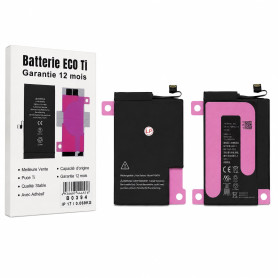
PSMT4 3692mAh iPhone 17 Battery with Adhesives - Pure Cobalt (ECO Ti)
Key Features of Battery PSKE2 4005mAh iPhone 17 with Adhesives - Pure Cobalt (ECO Ti):
High Capacity Performance: Boasting a robust 4005mAh capacity, this battery ensures your iPhone 17 stays powered throughout the day, supporting extended usage for calls, streaming, and browsing without frequent recharges.
Pure Cobalt Technology: Engineered with Pure Cobalt (ECO Ti), this battery offers superior energy density and efficiency, providing a longer lifespan and more reliable performance compared to standard lithium-ion batteries.
Eco-Friendly Design: Committed to sustainability, the ECO Ti technology reduces environmental impact, making it a greener choice for eco-conscious consumers.
Seamless Integration: Designed specifically for the iPhone 17, this battery ensures a perfect fit and optimal compatibility, maintaining the sleek design and functionality of your device.
Adhesive Included: Comes with high-quality adhesives for easy installation, ensuring a secure fit and hassle-free replacement process.
Enhanced Safety Features: Equipped with advanced safety mechanisms to protect against overcharging, overheating, and short-circuiting, ensuring both user safety and device integrity.
Reliable Power Source: Ideal for heavy users and those on the go, this battery provides consistent and dependable power, keeping your iPhone 17 ready whenever you need it.
High Capacity Performance: Boasting a robust 4005mAh capacity, this battery ensures your iPhone 17 stays powered throughout the day, supporting extended usage for calls, streaming, and browsing without frequent recharges.
Pure Cobalt Technology: Engineered with Pure Cobalt (ECO Ti), this battery offers superior energy density and efficiency, providing a longer lifespan and more reliable performance compared to standard lithium-ion batteries.
Eco-Friendly Design: Committed to sustainability, the ECO Ti technology reduces environmental impact, making it a greener choice for eco-conscious consumers.
Seamless Integration: Designed specifically for the iPhone 17, this battery ensures a perfect fit and optimal compatibility, maintaining the sleek design and functionality of your device.
Adhesive Included: Comes with high-quality adhesives for easy installation, ensuring a secure fit and hassle-free replacement process.
Enhanced Safety Features: Equipped with advanced safety mechanisms to protect against overcharging, overheating, and short-circuiting, ensuring both user safety and device integrity.
Reliable Power Source: Ideal for heavy users and those on the go, this battery provides consistent and dependable power, keeping your iPhone 17 ready whenever you need it.
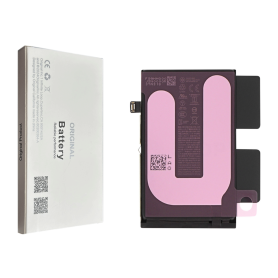
Battery NA264/PSJQ1 3561mAh iPhone 16 (OEM) Diagnostic Shows Genuine Part
Battery NA264/PSJQ1 3561mAh iPhone 16 (OEM) Diagnostic Shows Genuine Part
This logo-free battery is intended for professional repair. After fitting it to an iPhone 16 running iOS 18, use Repair Assistant to finish calibration and view battery health and parts history.
Finish an iPhone repair with Repair Assistant
Connect to Wi-Fi and charge above 20%.
Open Settings > General > About > Parts and Service History.
Tap Restart & Finish Repair and follow the on-screen steps.
If calibration fails, restart the device and try again.
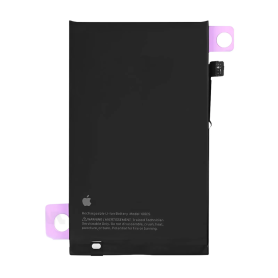
Battery NA264/PSJQ1 3561mAh iPhone 16 (Original Refurbished) Health 95-98% - Support Setup
Use Repair Assistant to Finish an iPhone or iPad Repair
On an iPhone 12 or later running iOS 18, when a new Apple battery is installed,“Finish Repair” will appear next to Battery until you complete the repair using the Repair Assistant.
On an iPhone 12 or later running iOS 18, it is possible to reuse an original Apple battery on another iPhone of the same model.
The date of first use, capacity, and cycle count of your battery can be found in Settings > Battery > Battery Health.
How to Run Diagnostics & Finish Repair for iPhone Battery
1. Ensure your device is updated to iOS 18
2. Go to Settings > General > About > Parts & Service History
3. Tap "Restart & Finish Repair" to activate the Repair Assistant
4. Follow the on-screen instructions to complete the calibration
After completing this process, your battery will display 95-98% health, and there will be no pop-up warning about non-genuine parts.
Important Notes:
Your iPhone must be connected to Wi-Fi
Your battery level should be above 20%
If the process fails, restart your device and try again
If the repair is not completed, the battery may not function optimally, and some features (Face ID, Touch ID) may be disabled until calibration is finalized
Battery NA264/PSJQ1 3561mAh iPhone 16 (Original Refurbished) Health 100% - Support Setup
Use Repair Assistant to Finish an iPhone or iPad Repair
On an iPhone 12 or later running iOS 18, when a new Apple battery is installed,“Finish Repair” will appear next to Battery until you complete the repair using the Repair Assistant.
On an iPhone 12 or later running iOS 18, it is possible to reuse an original Apple battery on another iPhone of the same model.
The date of first use, capacity, and cycle count of your battery can be found in Settings > Battery > Battery Health.
How to Run Diagnostics & Finish Repair for iPhone Battery
1. Ensure your device is updated to iOS 18
2. Go to Settings > General > About > Parts & Service History
3. Tap "Restart & Finish Repair" to activate the Repair Assistant
4. Follow the on-screen instructions to complete the calibration
After completing this process, your battery will display 100% health, and there will be no pop-up warning about non-genuine parts.
Important Notes:
Your iPhone must be connected to Wi-Fi
Your battery level should be above 20%
If the process fails, restart your device and try again
If the repair is not completed, the battery may not function optimally, and some features (Face ID, Touch ID) may be disabled until calibration is finalized
Battery NA264/PSJQ1 3561mAh iPhone 16 (Original Refurbished) Health 90-94% - Support Setup
Use Repair Assistant to Finish an iPhone or iPad Repair
On an iPhone 12 or later running iOS 18, when a new Apple battery is installed,“Finish Repair” will appear next to Battery until you complete the repair using the Repair Assistant.
On an iPhone 12 or later running iOS 18, it is possible to reuse an original Apple battery on another iPhone of the same model.
The date of first use, capacity, and cycle count of your battery can be found in Settings > Battery > Battery Health.
How to Run Diagnostics & Finish Repair for iPhone Battery
1. Ensure your device is updated to iOS 18
2. Go to Settings > General > About > Parts & Service History
3. Tap "Restart & Finish Repair" to activate the Repair Assistant
4. Follow the on-screen instructions to complete the calibration
After completing this process, your battery will display 90-94% health, and there will be no pop-up warning about non-genuine parts.
Important Notes:
Your iPhone must be connected to Wi-Fi
Your battery level should be above 20%
If the process fails, restart your device and try again
If the repair is not completed, the battery may not function optimally, and some features (Face ID, Touch ID) may be disabled until calibration is finalized
Battery NA264/PSJQ1 3561mAh for iPhone 16 (ECO Fix) Direct Installation - No Pop-up / Health 100%
Use Repair Assistant to Finish an iPhone or iPad Repair
This Battery Without Logo
On an iPhone 12 or later running iOS 18, when a new Apple battery is installed,“Finish Repair” will appear next to Battery until you complete the repair using the Repair Assistant.
On an iPhone 12 or later running iOS 18, it is possible to reuse an original Apple battery on another iPhone of the same model.
The date of first use, capacity, and cycle count of your battery can be found in Settings > Battery > Battery Health.
How to Run Diagnostics & Finish Repair for iPhone Battery
1. Ensure your device is updated to iOS 18
2. Go to Settings > General > About > Parts & Service History
3. Tap "Restart & Finish Repair" to activate the Repair Assistant
4. Follow the on-screen instructions to complete the calibration
After completing this process, your battery will display 100% health, and there will be no pop-up warning about non-genuine parts.
Important Notes:
Your iPhone must be connected to Wi-Fi
Your battery level should be above 20%
If the process fails, restart your device and try again
If the repair is not completed, the battery may not function optimally, and some features (Face ID, Touch ID) may be disabled until calibration is finalized
Battery A3039 4780mAh iPhone 15 Plus (ECO Fix Plus) 130% Plus Durable - No Pop-up / Health 100%
Use Repair Assistant to Finish an iPhone or iPad Repair
This Battery Without Logo
On an iPhone 12 or later running iOS 18, when a new Apple battery is installed,“Finish Repair” will appear next to Battery until you complete the repair using the Repair Assistant.
On an iPhone 12 or later running iOS 18, it is possible to reuse an original Apple battery on another iPhone of the same model.
The date of first use, capacity, and cycle count of your battery can be found in Settings > Battery > Battery Health.
How to Run Diagnostics & Finish Repair for iPhone Battery
1. Ensure your device is updated to iOS 18
2. Go to Settings > General > About > Parts & Service History
3. Tap "Restart & Finish Repair" to activate the Repair Assistant
4. Follow the on-screen instructions to complete the calibration
After completing this process, your battery will display 100% health, and there will be no pop-up warning about non-genuine parts.
Important Notes:
Your iPhone must be connected to Wi-Fi
Your battery level should be above 20%
If the process fails, restart your device and try again
If the repair is not completed, the battery may not function optimally, and some features (Face ID, Touch ID) may be disabled until calibration is finalized

Battery A3039 4383mAh iPhone 15 Plus (No Pop-up/Health 100%) Original BMS Required
ATTENTION: STATUS 100% - REQUIRES FLASHING
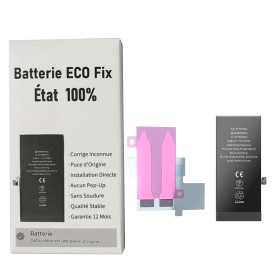
Battery A3018 3349mAh iPhone 15 Plus (ECO Fix) Diagnostics / Battery Health 100% / Fix Unknown Part Message
Use Repair Assistant to Finish an iPhone or iPad Repair
This Battery Without Logo
On an iPhone 12 or later running iOS 18, when a new Apple battery is installed,“Finish Repair” will appear next to Battery until you complete the repair using the Repair Assistant.
On an iPhone 12 or later running iOS 18, it is possible to reuse an original Apple battery on another iPhone of the same model.
The date of first use, capacity, and cycle count of your battery can be found in Settings > Battery > Battery Health.
How to Run Diagnostics & Finish Repair for iPhone Battery
1. Ensure your device is updated to iOS 18
2. Go to Settings > General > About > Parts & Service History
3. Tap "Restart & Finish Repair" to activate the Repair Assistant
4. Follow the on-screen instructions to complete the calibration
After completing this process, your battery will display 100% health, and there will be no pop-up warning about non-genuine parts.
Important Notes:
Your iPhone must be connected to Wi-Fi
Your battery level should be above 20%
If the process fails, restart your device and try again
If the repair is not completed, the battery may not function optimally, and some features (Face ID, Touch ID) may be disabled until calibration is finalized
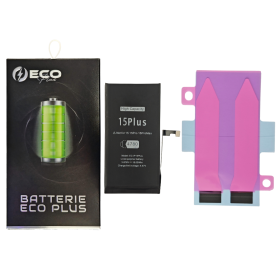


Battery A3011 3274mAh iPhone 15 Pro (No pop-up/Health 100%) Original BMS Required
ATTENTION: STATUS 100% - REQUIRES FLASHING

Battery A3011 3430mAh iPhone 15 Pro (ECO Fix Plus) 130% Plus Durable - No Pop-up / Health 100%
Use Repair Assistant to Finish an iPhone or iPad Repair
This Battery Without Logo
On an iPhone 12 or later running iOS 18, when a new Apple battery is installed,“Finish Repair” will appear next to Battery until you complete the repair using the Repair Assistant.
On an iPhone 12 or later running iOS 18, it is possible to reuse an original Apple battery on another iPhone of the same model.
The date of first use, capacity, and cycle count of your battery can be found in Settings > Battery > Battery Health.
How to Run Diagnostics & Finish Repair for iPhone Battery
1. Ensure your device is updated to iOS 18
2. Go to Settings > General > About > Parts & Service History
3. Tap "Restart & Finish Repair" to activate the Repair Assistant
4. Follow the on-screen instructions to complete the calibration
After completing this process, your battery will display 100% health, and there will be no pop-up warning about non-genuine parts.
Important Notes:
Your iPhone must be connected to Wi-Fi
Your battery level should be above 20%
If the process fails, restart your device and try again
If the repair is not completed, the battery may not function optimally, and some features (Face ID, Touch ID) may be disabled until calibration is finalized
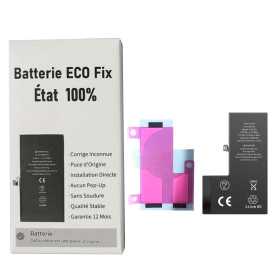
Battery A3011 3274mAh iPhone 15 Pro (ECO Fix) Direct Installation - No Pop-up / Health 100%
Use Repair Assistant to Finish an iPhone or iPad Repair
This Battery Without Logo
On an iPhone 12 or later running iOS 18, when a new Apple battery is installed,“Finish Repair” will appear next to Battery until you complete the repair using the Repair Assistant.
On an iPhone 12 or later running iOS 18, it is possible to reuse an original Apple battery on another iPhone of the same model.
The date of first use, capacity, and cycle count of your battery can be found in Settings > Battery > Battery Health.
How to Run Diagnostics & Finish Repair for iPhone Battery
1. Ensure your device is updated to iOS 18
2. Go to Settings > General > About > Parts & Service History
3. Tap "Restart & Finish Repair" to activate the Repair Assistant
4. Follow the on-screen instructions to complete the calibration
After completing this process, your battery will display 100% health, and there will be no pop-up warning about non-genuine parts.
Important Notes:
Your iPhone must be connected to Wi-Fi
Your battery level should be above 20%
If the process fails, restart your device and try again
If the repair is not completed, the battery may not function optimally, and some features (Face ID, Touch ID) may be disabled until calibration is finalized
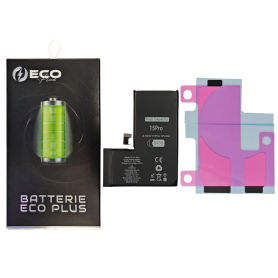


Battery A3018 3349mAh iPhone 15 (No pop-up/Health 100%) Original BMS Required
ATTENTION: STATUS 100% - REQUIRES FLASHING

Battery A3018 3620mAh iPhone 15 (ECO Fix Plus) 130% Plus Durable - No Pop-up / Health 100%
Use Repair Assistant to Finish an iPhone or iPad Repair
This Battery Without Logo
On an iPhone 12 or later running iOS 18, when a new Apple battery is installed,“Finish Repair” will appear next to Battery until you complete the repair using the Repair Assistant.
On an iPhone 12 or later running iOS 18, it is possible to reuse an original Apple battery on another iPhone of the same model.
The date of first use, capacity, and cycle count of your battery can be found in Settings > Battery > Battery Health.
How to Run Diagnostics & Finish Repair for iPhone Battery
1. Ensure your device is updated to iOS 18
2. Go to Settings > General > About > Parts & Service History
3. Tap "Restart & Finish Repair" to activate the Repair Assistant
4. Follow the on-screen instructions to complete the calibration
After completing this process, your battery will display 100% health, and there will be no pop-up warning about non-genuine parts.
Important Notes:
Your iPhone must be connected to Wi-Fi
Your battery level should be above 20%
If the process fails, restart your device and try again
If the repair is not completed, the battery may not function optimally, and some features (Face ID, Touch ID) may be disabled until calibration is finalized
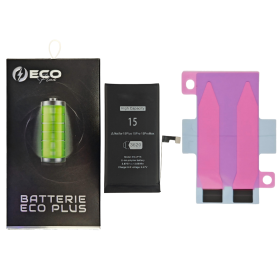

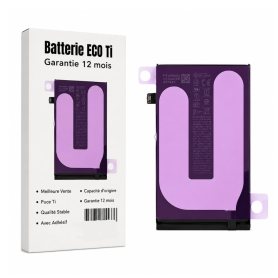
Battery A3018 3349mAh iPhone 15 with Adhesive - Pure Cobalt (ECO Ti)
iPhone 15 Battery with Adhesives - Pure Cobalt (ECO)
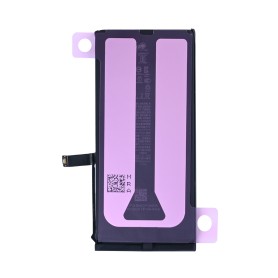
iPhone 17E 4005mAh Battery (Original Pulled Part) 100% Health – Supports configuration
Use Repair Assistant to Finish an iPhone or iPad Repair
This Battery Without Logo
On an iPhone 12 or later running iOS 18, when a new Apple battery is installed,“Finish Repair” will appear next to Battery until you complete the repair using the Repair Assistant.
On an iPhone 12 or later running iOS 18, it is possible to reuse an original Apple battery on another iPhone of the same model.
The date of first use, capacity, and cycle count of your battery can be found in Settings > Battery > Battery Health.
How to Run Diagnostics & Finish Repair for iPhone Battery
1. Ensure your device is updated to iOS 18
2. Go to Settings > General > About > Parts & Service History
3. Tap "Restart & Finish Repair" to activate the Repair Assistant
4. Follow the on-screen instructions to complete the calibration
After completing this process, your battery will display 100% health, and there will be no pop-up warning about non-genuine parts.
Important Notes:
Your iPhone must be connected to Wi-Fi
Your battery level should be above 20%
If the process fails, restart your device and try again
If the repair is not completed, the battery may not function optimally, and some features (Face ID, Touch ID) may be disabled until calibration is finalized

Battery A2850 4325mAh iPhone 14 Plus (OEM) Diagnostic Show Genuine
Use Repair Assistant to Finish an iPhone or iPad Repair
This Battery Without Logo
On an iPhone 12 or later running iOS 18, when a new Apple battery is installed,“Finish Repair” will appear next to Battery until you complete the repair using the Repair Assistant.
On an iPhone 12 or later running iOS 18, it is possible to reuse an original Apple battery on another iPhone of the same model.
The date of first use, capacity, and cycle count of your battery can be found in Settings > Battery > Battery Health.
How to Run Diagnostics & Finish Repair for iPhone Battery
1. Ensure your device is updated to iOS 18
2. Go to Settings > General > About > Parts & Service History
3. Tap "Restart & Finish Repair" to activate the Repair Assistant
4. Follow the on-screen instructions to complete the calibration
After completing this process, your battery will display 100% health, and there will be no pop-up warning about non-genuine parts.
Important Notes:
Your iPhone must be connected to Wi-Fi
Your battery level should be above 20%
If the process fails, restart your device and try again
If the repair is not completed, the battery may not function optimally, and some features (Face ID, Touch ID) may be disabled until calibration is finalized

Battery A2850 4770mAh iPhone 14 Plus (ECO Fix Plus) 130% Plus Durable - No Pop-up / Health 100%
Use Repair Assistant to Finish an iPhone or iPad Repair
This Battery Without Logo
On an iPhone 12 or later running iOS 18, when a new Apple battery is installed,“Finish Repair” will appear next to Battery until you complete the repair using the Repair Assistant.
On an iPhone 12 or later running iOS 18, it is possible to reuse an original Apple battery on another iPhone of the same model.
The date of first use, capacity, and cycle count of your battery can be found in Settings > Battery > Battery Health.
How to Run Diagnostics & Finish Repair for iPhone Battery
1. Ensure your device is updated to iOS 18
2. Go to Settings > General > About > Parts & Service History
3. Tap "Restart & Finish Repair" to activate the Repair Assistant
4. Follow the on-screen instructions to complete the calibration
After completing this process, your battery will display 100% health, and there will be no pop-up warning about non-genuine parts.
Important Notes:
Your iPhone must be connected to Wi-Fi
Your battery level should be above 20%
If the process fails, restart your device and try again
If the repair is not completed, the battery may not function optimally, and some features (Face ID, Touch ID) may be disabled until calibration is finalized
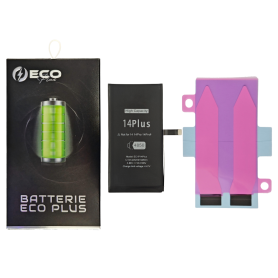

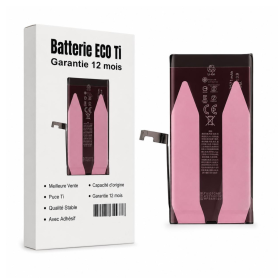
Battery A2850 4325mAh iPhone 14 Plus with Adhesive - Pure Cobalt (ECO Ti)
ECO Ti A2850 Pure Cobalt 4,325 mAh battery for iPhone 14 Plus, with adhesives, a replacement part for phone repair.
PSKE2 4005mAh Battery for iPhone 16E (Original Pulled Part) 100% Health – Supports configuration
Use Repair Assistant to Finish an iPhone or iPad Repair
On an iPhone 12 or later running iOS 18, when a new Apple battery is installed,“Finish Repair” will appear next to Battery until you complete the repair using the Repair Assistant.
On an iPhone 12 or later running iOS 18, it is possible to reuse an original Apple battery on another iPhone of the same model.
The date of first use, capacity, and cycle count of your battery can be found in Settings > Battery > Battery Health.
How to Run Diagnostics & Finish Repair for iPhone Battery
1. Ensure your device is updated to iOS 18
2. Go to Settings > General > About > Parts & Service History
3. Tap "Restart & Finish Repair" to activate the Repair Assistant
4. Follow the on-screen instructions to complete the calibration
After completing this process, your battery will display 100% health, and there will be no pop-up warning about non-genuine parts.
Important Notes:
Your iPhone must be connected to Wi-Fi
Your battery level should be above 20%
If the process fails, restart your device and try again
If the repair is not completed, the battery may not function optimally, and some features (Face ID, Touch ID) may be disabled until calibration is finalized
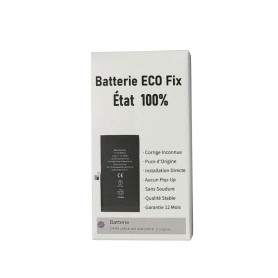
Battery PSKE2 4005mAh for iPhone 16e (ECO Fix) Direct Installation - No Pop-up / Health 100%
Use Repair Assistant to Finish an iPhone or iPad Repair
This Battery Without Logo
On an iPhone 12 or later running iOS 18, when a new Apple battery is installed,“Finish Repair” will appear next to Battery until you complete the repair using the Repair Assistant.
On an iPhone 12 or later running iOS 18, it is possible to reuse an original Apple battery on another iPhone of the same model.
The date of first use, capacity, and cycle count of your battery can be found in Settings > Battery > Battery Health.
How to Run Diagnostics & Finish Repair for iPhone Battery
1. Ensure your device is updated to iOS 18
2. Go to Settings > General > About > Parts & Service History
3. Tap "Restart & Finish Repair" to activate the Repair Assistant
4. Follow the on-screen instructions to complete the calibration
After completing this process, your battery will display 100% health, and there will be no pop-up warning about non-genuine parts.
Important Notes:
Your iPhone must be connected to Wi-Fi
Your battery level should be above 20%
If the process fails, restart your device and try again
If the repair is not completed, the battery may not function optimally, and some features (Face ID, Touch ID) may be disabled until calibration is finalized

Battery A2830 4690mAh iPhone 14 Pro Max (ECO Fix Plus) 130% Plus Durable - No Pop-up / Health 100%
Use Repair Assistant to Finish an iPhone or iPad Repair
This Battery Without Logo
On an iPhone 12 or later running iOS 18, when a new Apple battery is installed,“Finish Repair” will appear next to Battery until you complete the repair using the Repair Assistant.
On an iPhone 12 or later running iOS 18, it is possible to reuse an original Apple battery on another iPhone of the same model.
The date of first use, capacity, and cycle count of your battery can be found in Settings > Battery > Battery Health.
How to Run Diagnostics & Finish Repair for iPhone Battery
1. Ensure your device is updated to iOS 18
2. Go to Settings > General > About > Parts & Service History
3. Tap "Restart & Finish Repair" to activate the Repair Assistant
4. Follow the on-screen instructions to complete the calibration
After completing this process, your battery will display 100% health, and there will be no pop-up warning about non-genuine parts.
Important Notes:
Your iPhone must be connected to Wi-Fi
Your battery level should be above 20%
If the process fails, restart your device and try again
If the repair is not completed, the battery may not function optimally, and some features (Face ID, Touch ID) may be disabled until calibration is finalized
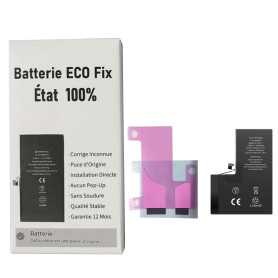
Battery A2830 4323mAh iPhone 14 Pro Max (ECO Fix) Direct Installation - No Pop-up / Health 100%
Use Repair Assistant to Finish an iPhone or iPad Repair
This Battery Without Logo
On an iPhone 12 or later running iOS 18, when a new Apple battery is installed,“Finish Repair” will appear next to Battery until you complete the repair using the Repair Assistant.
On an iPhone 12 or later running iOS 18, it is possible to reuse an original Apple battery on another iPhone of the same model.
The date of first use, capacity, and cycle count of your battery can be found in Settings > Battery > Battery Health.
How to Run Diagnostics & Finish Repair for iPhone Battery
1. Ensure your device is updated to iOS 18
2. Go to Settings > General > About > Parts & Service History
3. Tap "Restart & Finish Repair" to activate the Repair Assistant
4. Follow the on-screen instructions to complete the calibration
After completing this process, your battery will display 100% health, and there will be no pop-up warning about non-genuine parts.
Important Notes:
Your iPhone must be connected to Wi-Fi
Your battery level should be above 20%
If the process fails, restart your device and try again
If the repair is not completed, the battery may not function optimally, and some features (Face ID, Touch ID) may be disabled until calibration is finalized
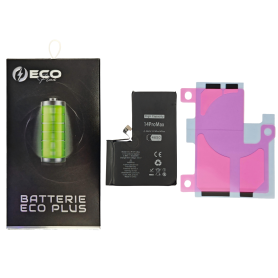
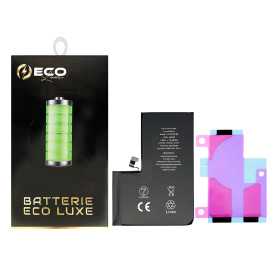

Battery A2830 4323mAh iPhone 14 Pro Max (No pop-up/Health 100%) Original BMS Required
ATTENTION: STATUS 100% - REQUIRES FLASHING
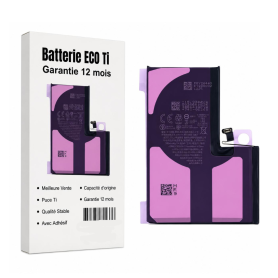
Battery A2830 4323mAh iPhone 14 Pro Max + Adhesive Type - Pure Cobalt (ECO Ti)
Battery iPhone 14 Pro Max + Adhesive Type - Pure Cobalt (ECO)

Battery A2866 3200mAh iPhone 14 Pro (No pop-up/Health 100%) Original BMS Required
ATTENTION: STATUS 100% - REQUIRES FLASHING

Battery A2866 3400mAh iPhone 14 Pro (ECO Fix Plus) 130% Plus Durable - No Pop-up / Health 100%
Use Repair Assistant to Finish an iPhone or iPad Repair
This Battery Without Logo
On an iPhone 12 or later running iOS 18, when a new Apple battery is installed,“Finish Repair” will appear next to Battery until you complete the repair using the Repair Assistant.
On an iPhone 12 or later running iOS 18, it is possible to reuse an original Apple battery on another iPhone of the same model.
The date of first use, capacity, and cycle count of your battery can be found in Settings > Battery > Battery Health.
How to Run Diagnostics & Finish Repair for iPhone Battery
1. Ensure your device is updated to iOS 18
2. Go to Settings > General > About > Parts & Service History
3. Tap "Restart & Finish Repair" to activate the Repair Assistant
4. Follow the on-screen instructions to complete the calibration
After completing this process, your battery will display 100% health, and there will be no pop-up warning about non-genuine parts.
Important Notes:
Your iPhone must be connected to Wi-Fi
Your battery level should be above 20%
If the process fails, restart your device and try again
If the repair is not completed, the battery may not function optimally, and some features (Face ID, Touch ID) may be disabled until calibration is finalized
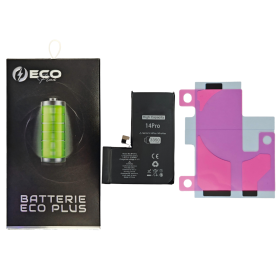
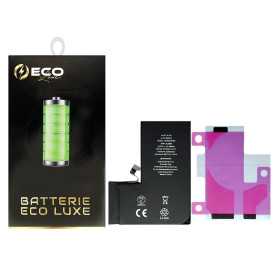
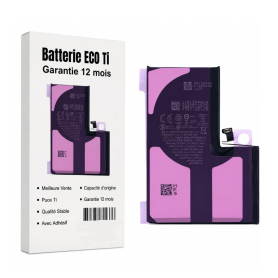
Battery A2866 3200mAh iPhone 14 Pro with Adhesive - Pure Cobalt (ECO Ti)
A2866 battery for iPhone 14 Pro, 3200 mAh capacity.Reference: A2866Capacity: 3200 mAhComposition: Pure CobaltIncluded: adhesivesBattery to be installed in a workshop as a replacement for the existing battery. Handling reserved for professionals.

Battery A2653 4352mAh iPhone 13 Pro Max (OEM) Diagnostic Show Genuine
Use Repair Assistant to Finish an iPhone or iPad Repair
This Battery Without Logo
On an iPhone 12 or later running iOS 18, when a new Apple battery is installed,“Finish Repair” will appear next to Battery until you complete the repair using the Repair Assistant.
On an iPhone 12 or later running iOS 18, it is possible to reuse an original Apple battery on another iPhone of the same model.
The date of first use, capacity, and cycle count of your battery can be found in Settings > Battery > Battery Health.
How to Run Diagnostics & Finish Repair for iPhone Battery
1. Ensure your device is updated to iOS 18
2. Go to Settings > General > About > Parts & Service History
3. Tap "Restart & Finish Repair" to activate the Repair Assistant
4. Follow the on-screen instructions to complete the calibration
After completing this process, your battery will display 100% health, and there will be no pop-up warning about non-genuine parts.
Important Notes:
Your iPhone must be connected to Wi-Fi
Your battery level should be above 20%
If the process fails, restart your device and try again
If the repair is not completed, the battery may not function optimally, and some features (Face ID, Touch ID) may be disabled until calibration is finalized

Battery A2653 4352mAh iPhone 13 Pro Max (No pop-up/Health 100%) Original BMS Required
ATTENTION: STATUS 100% - REQUIRES FLASHING

Battery A2653 4650mAh iPhone 13 Pro Max (ECO Fix Plus) 130% Plus Durable - No Pop-up / Health 100%
Use Repair Assistant to Finish an iPhone or iPad Repair
This Battery Without Logo
On an iPhone 12 or later running iOS 18, when a new Apple battery is installed,“Finish Repair” will appear next to Battery until you complete the repair using the Repair Assistant.
On an iPhone 12 or later running iOS 18, it is possible to reuse an original Apple battery on another iPhone of the same model.
The date of first use, capacity, and cycle count of your battery can be found in Settings > Battery > Battery Health.
How to Run Diagnostics & Finish Repair for iPhone Battery
1. Ensure your device is updated to iOS 18
2. Go to Settings > General > About > Parts & Service History
3. Tap "Restart & Finish Repair" to activate the Repair Assistant
4. Follow the on-screen instructions to complete the calibration
After completing this process, your battery will display 100% health, and there will be no pop-up warning about non-genuine parts.
Important Notes:
Your iPhone must be connected to Wi-Fi
Your battery level should be above 20%
If the process fails, restart your device and try again
If the repair is not completed, the battery may not function optimally, and some features (Face ID, Touch ID) may be disabled until calibration is finalized
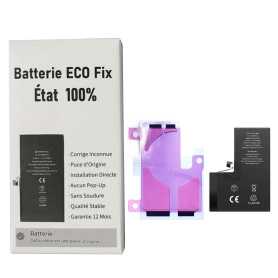
Battery A2653 4352mAh iPhone 13 Pro Max (ECO Fix) Direct Installation - No Pop-up / Health 100%
Use Repair Assistant to Finish an iPhone or iPad Repair
This Battery Without Logo
On an iPhone 12 or later running iOS 18, when a new Apple battery is installed,“Finish Repair” will appear next to Battery until you complete the repair using the Repair Assistant.
On an iPhone 12 or later running iOS 18, it is possible to reuse an original Apple battery on another iPhone of the same model.
The date of first use, capacity, and cycle count of your battery can be found in Settings > Battery > Battery Health.
How to Run Diagnostics & Finish Repair for iPhone Battery
1. Ensure your device is updated to iOS 18
2. Go to Settings > General > About > Parts & Service History
3. Tap "Restart & Finish Repair" to activate the Repair Assistant
4. Follow the on-screen instructions to complete the calibration
After completing this process, your battery will display 100% health, and there will be no pop-up warning about non-genuine parts.
Important Notes:
Your iPhone must be connected to Wi-Fi
Your battery level should be above 20%
If the process fails, restart your device and try again
If the repair is not completed, the battery may not function optimally, and some features (Face ID, Touch ID) may be disabled until calibration is finalized
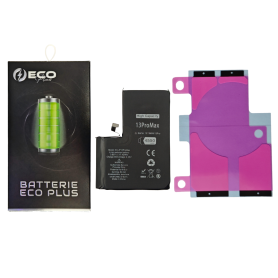

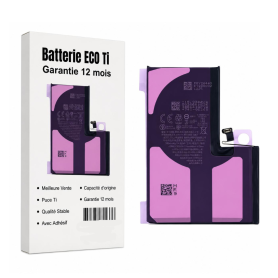
Battery A2653 4352mAh iPhone 13 Pro Max with Adhesives - Pure Cobalt (ECO Ti)
Please note that for original battery replacement on the XR/XS/XSMax/11/11Pro/11ProMax/12/12 Mini/12 Pro/12 Pro Max, the phone will systematically indicate that the battery needs to be serviced. This information will not affect the normal use of the phone Battery for iPhone 13 Pro Max. This spare part will allow you to easily & quickly replace the battery of your iPhone 13 Pro Max.
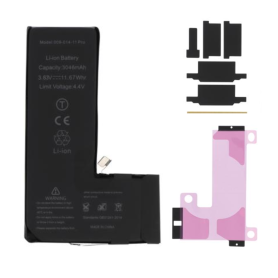
Battery 616-00659/616-00660 3046mAh iPhone 11 Pro (No pop-up/Health 100%) Original BMS Required
ATTENTION: STATUS 100% - REQUIRES FLASHING
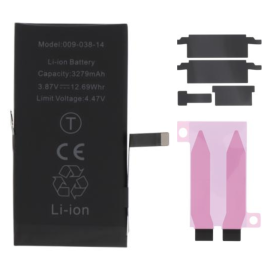
Battery A2863 3279mAh iPhone 14 (No pop-up/Health 100%) Original BMS Required
ATTENTION: STATUS 100% - REQUIRES FLASHING

Battery A2863 3590mAh iPhone 14 (ECO Fix Plus) 130% Plus Durable - No Pop-up / Health 100%
Use Repair Assistant to Finish an iPhone or iPad Repair
This Battery Without Logo
On an iPhone 12 or later running iOS 18, when a new Apple battery is installed,“Finish Repair” will appear next to Battery until you complete the repair using the Repair Assistant.
On an iPhone 12 or later running iOS 18, it is possible to reuse an original Apple battery on another iPhone of the same model.
The date of first use, capacity, and cycle count of your battery can be found in Settings > Battery > Battery Health.
How to Run Diagnostics & Finish Repair for iPhone Battery
1. Ensure your device is updated to iOS 18
2. Go to Settings > General > About > Parts & Service History
3. Tap "Restart & Finish Repair" to activate the Repair Assistant
4. Follow the on-screen instructions to complete the calibration
After completing this process, your battery will display 100% health, and there will be no pop-up warning about non-genuine parts.
Important Notes:
Your iPhone must be connected to Wi-Fi
Your battery level should be above 20%
If the process fails, restart your device and try again
If the repair is not completed, the battery may not function optimally, and some features (Face ID, Touch ID) may be disabled until calibration is finalized
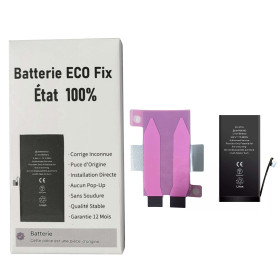
Battery A2863 3279mAh iPhone 14 (ECO Fix) Direct Installation - No Pop-up / Health 100%
Use Repair Assistant to Finish an iPhone or iPad Repair
This Battery Without Logo
On an iPhone 12 or later running iOS 18, when a new Apple battery is installed,“Finish Repair” will appear next to Battery until you complete the repair using the Repair Assistant.
On an iPhone 12 or later running iOS 18, it is possible to reuse an original Apple battery on another iPhone of the same model.
The date of first use, capacity, and cycle count of your battery can be found in Settings > Battery > Battery Health.
How to Run Diagnostics & Finish Repair for iPhone Battery
1. Ensure your device is updated to iOS 18
2. Go to Settings > General > About > Parts & Service History
3. Tap "Restart & Finish Repair" to activate the Repair Assistant
4. Follow the on-screen instructions to complete the calibration
After completing this process, your battery will display 100% health, and there will be no pop-up warning about non-genuine parts.
Important Notes:
Your iPhone must be connected to Wi-Fi
Your battery level should be above 20%
If the process fails, restart your device and try again
If the repair is not completed, the battery may not function optimally, and some features (Face ID, Touch ID) may be disabled until calibration is finalized
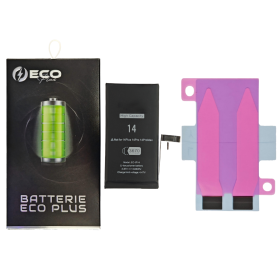
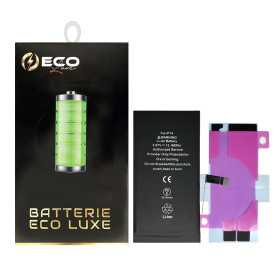
Battery A2863 3279mAh iPhone 14 + Adhesives - Chip Ti (ECO Luxe)
ECO Luxe A2863 3,279 mAh battery for iPhone 14, with adhesives and a Ti chip, a replacement part for phone repair.

Battery 616-00651/616-00653 3969mAh iPhone 11 Pro Max (No pop-up/Health 100%) Original BMS Required
ATTENTION: STATUS 100% - REQUIRES FLASHING

Battery 616-00651/616-00653 3969mAh iPhone 11 Pro Max + Adhesives - Chip Ti (ECO Luxe)
The Ti chip is used by Apple in its original battery.