






























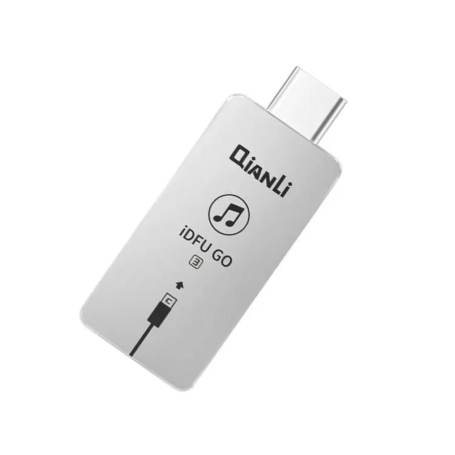


Programmeur Recovery Mode iDFU GO 3 (QIANLI)
QIANLI iDFU GO 2 Recovery can automatically boot the iPhone into DFU mode in 2.8 seconds
Compatible with all iOS versions of the iPhone
Allows you to enter DFU mode without using the iPhone's buttons
Can be updated online
Allows you to restore the iPhone (without screen) by simply connecting the test cable to the motherboard
use:
Plug iDFU Go into the device's Lightning port.
Connect the charging cable to iDFU Go normally.
New V2: Added a new serial port, no need to replace the cable, restore the iPhone directly.
The Qianli iDFU GO 3 Recovery Mode Programmer is an essential tool for iPhone repair professionals, allowing devices to automatically boot into DFU mode. Compatible with all iOS versions, this tool simplifies the restoration process without requiring the use of the physical buttons on the iPhone.
Features
- Compatible with all iOS versions of the iPhone
- Allows entry into DFU mode without using the iPhone buttons
- Online update possible
- Restores the iPhone without a screen via connection to the motherboard
- New serial port for direct restoration without cable replacement
Workshop Use
To use the iDFU GO 3 Recovery Mode Programmer, simply plug it into the device's Lightning port. Then connect the charging cable normally to initiate DFU mode. This tool is designed to facilitate the restoration of iPhones, even when the screen is not functional, by connecting directly to the motherboard.
Frequently Asked Questions
How to update the iDFU GO 3?
The iDFU GO 3 can be updated online, ensuring that the tool remains compatible with the latest iOS versions.
Is it necessary to replace the cable to restore the iPhone?
No, thanks to the new serial port, it is not necessary to replace the cable to restore the iPhone, simplifying the repair process.

- Name: 1 year guarantee
- Description
In the event of a malfunction or defect during the warranty period, you have one year to submit a support request directly from your customer account.
Simply go to your order history, select the relevant order, and click "Submit a warranty request".
Our team will arrange a repair, exchange, or refund, in accordance with the applicable warranty conditions.
Click here for more details
Chrono / TNT / UPS next-day (except public holidays). Paris courier same-day. Store pickup 7/7.
UPS Express & Chronopost. 1-3 days Europe, 2-5 days worldwide (on average).
- Before any return, create a return request from your account (« Product Returns » button).
- Damaged or missing parcel: first contact the carrier (order tracking number), then our Chat with photos.
- Any claim within 2 weeks of shipment.