






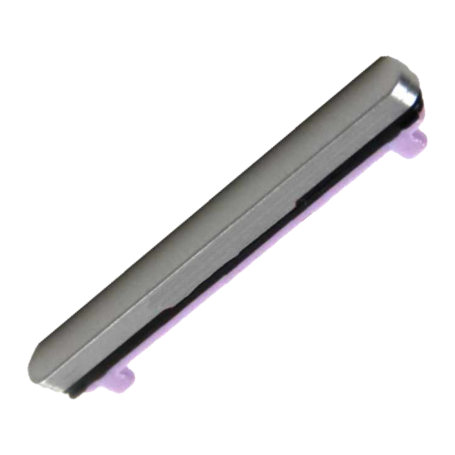

Volume Button for Galaxy Tab S9 FE Wi-Fi (X510) / Galaxy Tab S9 FE Plus Wi-Fi (X610) Silver (Service Pack) - GH98-48550D
Volume Button for Galaxy Tab S9 FE Wi-Fi (X510) / Galaxy Tab S9 FE Plus Wi-Fi (X610) Silver (Service Pack) - GH98-48550D
Replacement volume button (side keys) for Samsung Galaxy Tab S9 FE Wi-Fi (X510) / Galaxy Tab S9 FE Plus Wi-Fi (X610), Silver colour. Quality: Service Pack (genuine Samsung part).
Please check your device model before purchase. Professional installation is recommended.
Product: Volume Button for Galaxy Tab S9 FE Wi-Fi (X510) / Galaxy Tab S9 FE Plus Wi-Fi (X610) Silver (Service Pack) - GH98-48550D
Specifications:
- Part type: Volume button (side keys)
- Compatibility: Samsung Galaxy Tab S9 FE Wi-Fi (X510) / Galaxy Tab S9 FE Plus Wi-Fi (X610)
- Colour: Silver
- Quality: Service Pack (genuine Samsung part)
- Manufacturer part number: GH98-48550D
Installation:
Installation by a qualified professional is recommended.

- Spare Parts Type
- Button
- Name: Unauthorized Return
- Description
Please note that Samsung ,Huawei and Xiaomi Service Pack displays are not eligible for our warranty program. Therefore, no exchange or refund will be made on these parts.
Breakage or malfunctions due to incorrect handling, improper use, oxidation, etc. are not covered by this warranty.
Parts not covered will not be returned to the customer unless the latter expressly requests it, in which case shipping costs will be borne by the customer.
Click here for more details
Chrono / TNT / UPS next-day (except public holidays). Paris courier same-day. Store pickup 7/7.
UPS Express & Chronopost. 1-3 days Europe, 2-5 days worldwide (on average).
- Before any return, create a return request from your account (« Product Returns » button).
- Damaged or missing parcel: first contact the carrier (order tracking number), then our Chat with photos.
- Any claim within 2 weeks of shipment.