






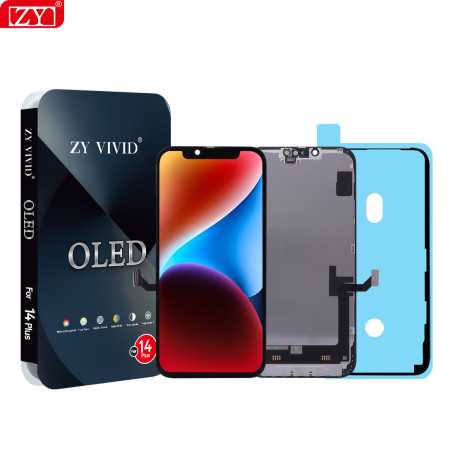

Screen iPhone 14 Plus (OLED) ZY - Diagnosable
Use Repair Assistant to Finish an iPhone or iPad Repair
On an iPhone 12 or later running iOS 18, when a new Apple screen is installed,
“Finish Repair” will appear next to Screen until you complete the repair using the Repair Assistant.

On an iPhone 12 or later running iOS 18, it is possible to reuse an original Apple screen on another iPhone of the same model.
The date of first use and the condition of the screen can be found in Settings > General > About > Parts & Service History.
How to Run Diagnostics & Finish Repair for iPhone Screen
1. Ensure your device is updated to iOS 18
2. Go to Settings > General > About > Parts & Service History
3. Tap "Restart & Finish Repair" to activate the Repair Assistant
4. Follow the on-screen instructions to complete the calibration
After completing this process, your screen will be fully functional, and there will be no pop-up warning about non-genuine parts.
Important Notes:
- Your iPhone must be connected to Wi-Fi
- Your battery level should be above 20%
- If the process fails, restart your device and try again
- If the repair is not completed, the screen may not function optimally, and some features (True Tone, Face ID) may be disabled until calibration is finalized
The iPhone 14 Plus (OLED) ZY screen from Eco-Solution is designed for replacing defective screens on iPhone 14 Plus models. This component is diagnosable, allowing for a check of the screen's condition via the iOS interface. It is compatible with iPhones running iOS 18 and above.
Features
- Part Type: OLED Screen
- Compatibility: iPhone 14 Plus
- Brand: Eco-Solution
- MPN: ZYOledDiag14Plus
- Functionality: Diagnosable via iOS
Workshop Use
Installing this screen requires careful handling to avoid damaging the internal components of the iPhone. It is recommended to use appropriate tools and follow standard screen replacement procedures. Once installed, the screen can be diagnosed and finalized via the Repair Assistant on iOS 18 to ensure proper functionality.
Frequently Asked Questions
How to finalize the repair after installing this screen?
After installation, use the Repair Assistant on an iPhone 12 or later model running iOS 18 to finalize the repair. This allows for checking and recording the screen's condition.
Can this screen be reused on another iPhone of the same model?
Yes, it is possible to reuse this original screen on another iPhone 14 Plus. The screen's history, including the initial usage date and condition, is accessible via Settings > General > About > Parts History.

- Quality
- OLED
- Spare Parts Type
- Screen
- Smartphone Model
- iPhone 14 Plus
- Name: Lifetime Warranty
- Description
SPARE PARTS WARRANTY (TELEPHONY/TABLETS) :
Screen definition:
The screen is made up of several elements: a glass, a touchscreen, a slab, a chassis and a backlight.
Warranty definition:
The slab (display) is GUARANTEED FOR LIFE (this guarantee is limited to the life of the phone).
All other components are covered by a 30-day warranty against hidden defects and non-conformity.
Example of problems covered by the warranty :
- White spots
- Touch bug
- Dead pixels
- Detached chassis
- Wrong screen size
- Screen malfunction, connection problem between screen and home button due to screen.
- Proximity sensor malfunction due to screen.
Screen warranty limitations: No warranty will be honored if your screen has any of the following problems (non-exhaustive list):
- Cracks
- Break
- Burning, Overheating
- Black spot
- Screen won't turn on
- Lost or missing components
- Oxidation
Example of a defect not covered by warranty:
Please note that Samsung and Huawei Service Pack displays are not eligible for our warranty program. Therefore, no exchange or refund will be made on these parts.
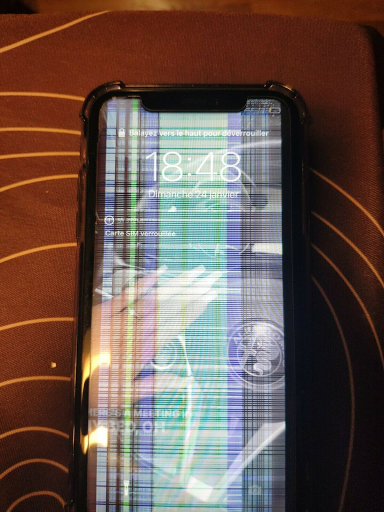
Click here for more details
Chrono / TNT / UPS next-day (except public holidays). Paris courier same-day. Store pickup 7/7.
UPS Express & Chronopost. 1-3 days Europe, 2-5 days worldwide (on average).
- Before any return, create a return request from your account (« Product Returns » button).
- Damaged or missing parcel: first contact the carrier (order tracking number), then our Chat with photos.
- Any claim within 2 weeks of shipment.