






























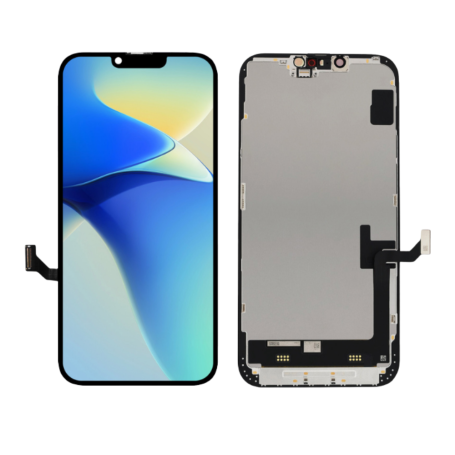

Screen iPhone 14 Plus (OEM) Soft Oled - Diagnosable - No Pop-up
Use Repair Assistant to Finish an iPhone or iPad Repair
On an iPhone 12 or later running iOS 18, when a new Apple screen is installed,
“Finish Repair” will appear next to Screen until you complete the repair using the Repair Assistant.

On an iPhone 12 or later running iOS 18, it is possible to reuse an original Apple screen on another iPhone of the same model.
The date of first use and the condition of the screen can be found in Settings > General > About > Parts & Service History.
How to Run Diagnostics & Finish Repair for iPhone Screen
1. Ensure your device is updated to iOS 18
2. Go to Settings > General > About > Parts & Service History
3. Tap "Restart & Finish Repair" to activate the Repair Assistant
4. Follow the on-screen instructions to complete the calibration
After completing this process, your screen will be fully functional, and there will be no pop-up warning about non-genuine parts.
Important Notes:
- Your iPhone must be connected to Wi-Fi
- Your battery level should be above 20%
- If the process fails, restart your device and try again
- If the repair is not completed, the screen may not function optimally, and some features (True Tone, Face ID) may be disabled until calibration is finalized
The iPhone 14 Plus (OEM) Soft Oled screen from Eco-Solution, with MPN OEM14Plus, is designed for installation on iPhone 14 Plus models. This diagnosable screen is ideal for repairs requiring a screen replacement without unwanted pop-ups.
Features
- Part Type: Soft Oled Screen
- Compatibility: iPhone 14 Plus
- Brand: Eco-Solution
- MPN: OEM14Plus
- Functionality: Diagnosable without pop-up
Workshop Use
The installation of this screen on an iPhone 14 Plus should be done carefully to avoid damaging internal components. Be sure to follow standard procedures for disconnecting the battery and handling connectors to ensure a successful repair.
Frequently Asked Questions
What are the benefits of a diagnosable screen?
A diagnosable screen allows for post-installation checks to ensure that the screen functions correctly without generating annoying pop-up messages.
Is this screen compatible with other iPhone models?
No, this screen is specifically designed to be compatible only with the iPhone 14 Plus.

- Spare Parts Type
- Screen
- Smartphone Model
- iPhone 14 Plus
- Name: Lifetime Warranty
- Description
SPARE PARTS WARRANTY (TELEPHONY/TABLETS) :
Screen definition:
The screen is made up of several elements: a glass, a touchscreen, a slab, a chassis and a backlight.
Warranty definition:
The slab (display) is GUARANTEED FOR LIFE (this guarantee is limited to the life of the phone).
All other components are covered by a 30-day warranty against hidden defects and non-conformity.
Example of problems covered by the warranty :
- White spots
- Touch bug
- Dead pixels
- Detached chassis
- Wrong screen size
- Screen malfunction, connection problem between screen and home button due to screen.
- Proximity sensor malfunction due to screen.
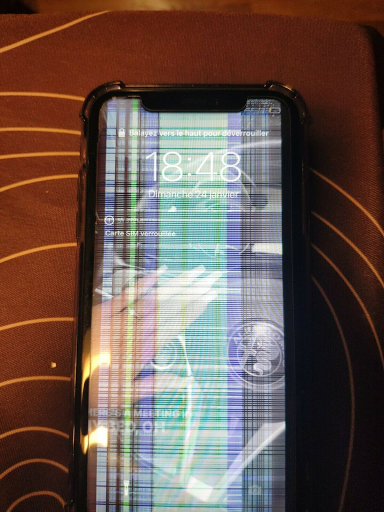
Screen warranty limitations: No warranty will be honored if your screen has any of the following problems (non-exhaustive list):
- Cracks
- Break
- Burning, Overheating
- Black spot
- Screen won't turn on
- Lost or missing components
- Oxidation
Example of a defect not covered by warranty:
Please note that Samsung and Huawei Service Pack displays are not eligible for our warranty program. Therefore, no exchange or refund will be made on these parts.
Click here for more details
Chrono / TNT / UPS next-day (except public holidays). Paris courier same-day. Store pickup 7/7.
UPS Express & Chronopost. 1-3 days Europe, 2-5 days worldwide (on average).
- Before any return, create a return request from your account (« Product Returns » button).
- Damaged or missing parcel: first contact the carrier (order tracking number), then our Chat with photos.
- Any claim within 2 weeks of shipment.